
AI Photo Editor - Polish

4.80

Information

Category:

Photography

Price:

Free

Rank:

55

Rating:

4.80

Overview

AI Photo Editor - Polish is a powerful photography app that utilizes advanced AI technology to transform your photos into professional-grade artwork. The app offers an extensive suite of editing tools, including AI filters, photo enhancers, and portrait generators, making it perfect for influencers, business owners, and everyday creators.

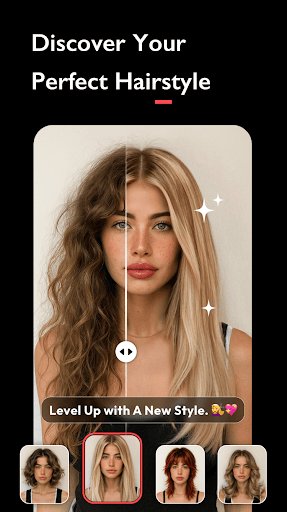
With over 500 AI filters, effects, templates, and stickers, Polish allows users to enhance their images effortlessly. Its standout features include AI-powered background removal, one-tap HD photo enhancement, and creative tools like cartoon avatars and body retouching. Whether you're refining personal branding or crafting social media content, this app provides all the tools needed to create stunning visuals without requiring any prior skills.

Features

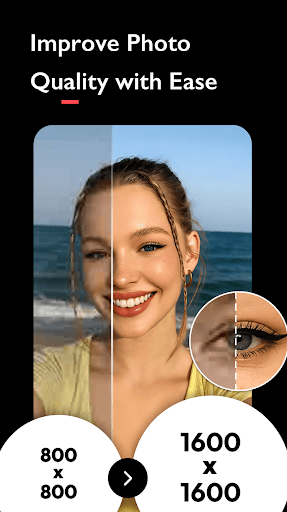
Polish stands out with its diverse range of AI-driven tools designed to simplify complex photo edits. Key features include AI Filters for instant perfection, an AI Photo Enhancer to fix blurry images in one tap, and AI Portrait generation for professional headshots. Additionally, the app's AI Remove tool helps eliminate unwanted objects seamlessly.

For creative enthusiasts, the app includes advanced options such as HSL color adjustments, light effects like Bokeh, and DSLR-style background blurring. Users can also leverage body and face tuning tools to achieve flawless proportions. With direct sharing capabilities to platforms like Instagram and Facebook, Polish ensures high-quality, watermark-free results every time.

Real-Time Capture & Preview

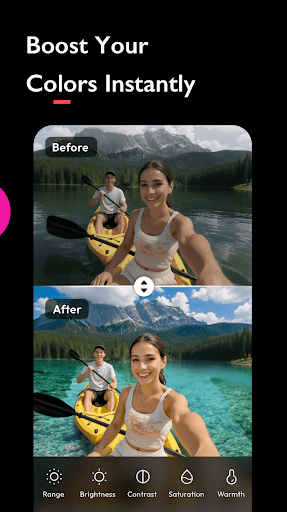
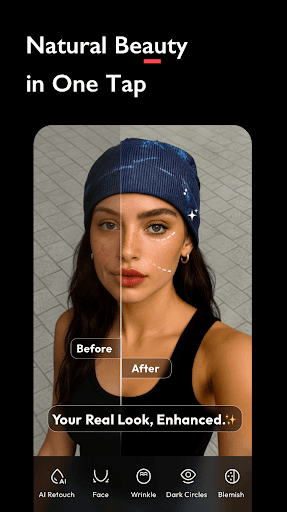
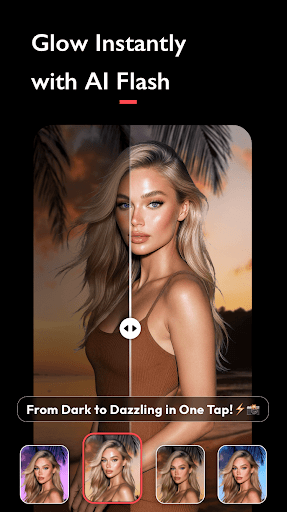
Real-time capture and preview functionality in photography applications refers to the ability to instantly view changes applied to an image as filters or effects are adjusted. This feature is crucial for users who need immediate visual feedback while editing their photos allowing them to make precise adjustments on the fly. AI Photo Editor - Polish offers this capability through its advanced AI-driven tools which provide instant previews of various filters and effects. When users apply AI filters such as CCD Flash or trendy options they can see the results immediately on their screen. This real-time interaction enhances the creative process by enabling users to experiment with different styles without delay. The application's AI Photo Enhancer further supports this feature by allowing users to enhance photo quality to HD with a single tap while observing the improvements in real time. Additionally the AI Beautify tool lets users smooth skin retouch faces and refine features using a face editor all with live previews. This ensures that users can achieve their desired look accurately and efficiently. The value of real-time capture and preview lies in its ability to streamline the editing process making it accessible even to those without professional skills. By delivering instant visual feedback the feature empowers users to create high-quality edits quickly and confidently. Whether preparing images for social media or professional use this functionality significantly enhances productivity and creativity.

AI Beauty & Enhancement Naturalness

AI beauty and enhancement naturalness pertains to the authenticity and subtlety of modifications made to an image using artificial intelligence. In photo editing applications achieving natural-looking enhancements is essential to maintain the original essence of the photo while improving specific aspects. AI Photo Editor - Polish excels in this area by offering sophisticated AI tools that ensure edits appear realistic rather than overly processed. The app's AI Beautify feature employs advanced algorithms to smooth skin brighten complexions and refine facial features with precision. These enhancements are carefully calibrated to preserve the subject's natural appearance avoiding the artificial look that can result from excessive editing. Furthermore the AI Portrait generator creates professional headshots for platforms like LinkedIn and Amazon by applying subtle yet effective touch-ups that enhance the user's best features without appearing exaggerated. The Auto Adjust tool complements these capabilities by intelligently balancing brightness contrast and saturation to produce harmonious results. One of the standout advantages of AI Photo Editor - Polish is its commitment to delivering high-quality edits that retain authenticity. Users benefit from the app's ability to produce polished images suitable for both personal and professional contexts. By prioritizing natural enhancement the application ensures that edited photos remain relatable and true to life enhancing their overall impact and appeal. This focus on maintaining realism sets the app apart in the competitive field of photo editing tools.

Props

User-friendly interface

Advanced AI tools

Versatile filter options

High-quality photo outputs

One-tap enhancements

Cons

Occasional ads

Premium feature costs

Learning curve for beginners

Limited offline functions

Heavy on storage
Features and Functions

What is this app and what can I use it for?

An AI photo editor offering 500+ filters and tools for enhancing images

How do I download and install this app on my device?

Search 'AI Photo Editor' on Google Play Store and tap Install

How do I get started after opening the app for the first time?

Follow the tutorial or explore tools from the main menu

What are the main features and capabilities of this app?

Includes AI filters, enhancers, beautify tools, and collage makers

How can I customize my experience and adjust preferences?

Adjust settings via the Preferences menu for personalized use

How do I save or bookmark my favorite content for later access?

Save edited photos to gallery or bookmark templates within the app

How can I share content with friends or on social media?

Use Share button to post directly to social media platforms

How do I access detailed information and explore more content?

Tap Details for more info or Explore to find new content

What permissions does this app need and how do I manage them?

Needs camera and storage access; manage in device settings

How do I check for updates and keep the app running smoothly?

Enable auto-updates in Google Play Store to keep the app current
Show more

User Reveiws

{{ comment.reviewer_name }}
{{ comment.review_date_formatted}}
{{ comment.review_content }}
{{ tab.name }}
{{ comment.reviewer_name }}
{{ comment.review_date_formatted}}
{{ comment.review_content }}
No reviews with this rating