
PicsLeap–AI Photo Editor &Grid

4.10

Information

Category:

Photography

Price:

Free

Rank:

67

Rating:

4.10

Overview

PicsLeap is an advanced AI-powered photo editing application that offers a comprehensive suite of tools for enhancing, transforming, and personalizing images. The app includes features such as One-Tap Enhance, Magic Eraser, AI Face Swap, AI Cartoon Filters, and AI Background Removal, enabling users to effortlessly edit photos with professional-quality results.

Designed for both amateur and experienced photographers, PicsLeap provides over 100 filters and effects, precise color adjustment tools, and the ability to create stunning collages. Users can also experiment with double exposure effects, blur backgrounds, and restore old photos, all while enjoying an intuitive and user-friendly interface.

Whether you're looking to enhance your social media presence or simply want to explore creative possibilities, PicsLeap empowers you to express your unique style and share your art instantly on platforms like Instagram and Facebook.

Features

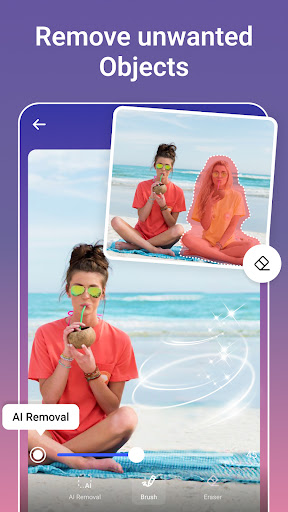
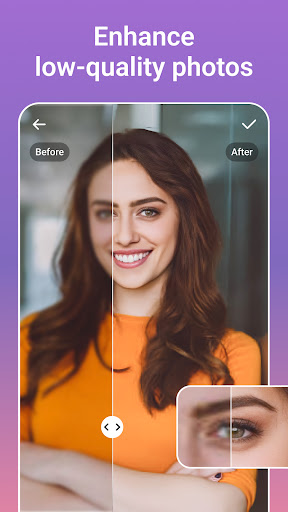
PicsLeap stands out with its diverse range of innovative features tailored to meet various photo editing needs. The app's One-Tap Enhance tool allows users to improve image quality instantly, while the Magic Eraser intelligently removes unwanted objects and fills the gaps seamlessly. With AI Face Swap, users can merge faces from different photos with remarkable accuracy.

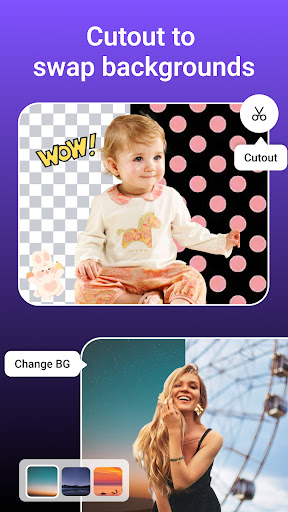
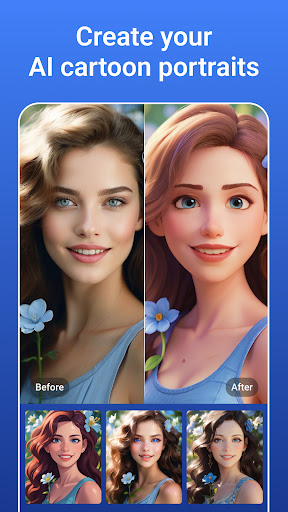
The AI Cartoon Filters transform ordinary photos into whimsical works of art, offering styles ranging from vintage charm to manga aesthetics. Additionally, PicsLeap's Background Removal tool enables users to swap or remove backgrounds with ease, even handling complex textures. The app also supports creating visually striking collages with customizable layouts, borders, and blending options.

Other notable features include photo restoration, resolution enhancement, and a sticker creator. These tools collectively ensure that PicsLeap caters to both casual users and professionals seeking versatile and powerful photo editing capabilities.

Real-Time Capture & Preview

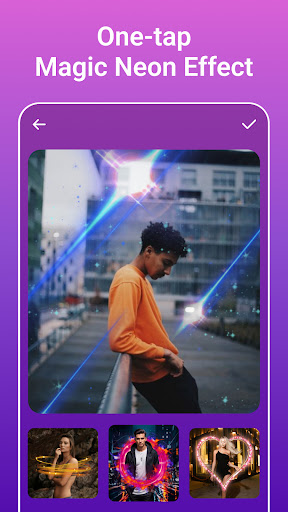
Real-time capture and preview functionality in photography applications like PicsLeap ensures that users can see exactly what their camera is capturing before taking a shot. This feature is crucial for achieving desired photo compositions and making necessary adjustments on the fly. PicsLeap leverages advanced AI technology to provide users with an instantaneous view of their potential edits or enhancements even before they apply them. The app's real-time capabilities allow users to experiment with various filters, effects, and editing tools such as HSL, Curve, and Double Exposure without any lag. This immediate feedback loop empowers photographers to fine-tune every aspect of their image, from color balance to light effects, ensuring that the final output matches their creative vision. By offering real-time previews of complex edits, PicsLeap significantly reduces the trial-and-error process typically associated with photo editing. Users can instantly see how different effects will look on their photos, allowing them to make informed decisions about which enhancements to apply. This not only saves time but also enhances the overall user experience by providing a seamless and intuitive editing process. Furthermore, the ability to preview changes in real-time fosters creativity and experimentation, encouraging users to explore new styles and techniques they might not have considered otherwise.

AI Beauty & Enhancement Naturalness

AI beauty and enhancement features in photo editing apps aim to improve the aesthetic quality of images while maintaining a natural look. In PicsLeap, this functionality is powered by sophisticated artificial intelligence that intelligently analyzes and enhances facial features, skin tones, and other elements within a photograph. The importance of this feature lies in its ability to deliver professional-grade enhancements without making the subject appear overly processed or artificial. PicsLeap offers a suite of AI-driven tools including One-Tap Enhance, Magic Eraser, and AI Face Swap that work together to elevate the visual appeal of photos. These tools automatically detect imperfections, unwanted objects, or distracting backgrounds and either remove them or blend them naturally into the scene. For instance, the AI Remove Background tool isolates subjects with precision, even when dealing with complex textures, ensuring that the focus remains on the main subject. Additionally, the AI Cartoon Filters and AI Face Swap features add artistic flair and fun transformations while preserving the authenticity of the original image. By prioritizing naturalness in its enhancements, PicsLeap caters to both amateur and professional photographers who seek to enhance their photos without compromising on realism. The app's commitment to delivering high-quality, watermark-free results enables users to share their creations confidently across social media platforms. Ultimately, PicsLeap's AI beauty and enhancement capabilities empower users to achieve polished, visually appealing images that retain their genuine essence, thus enhancing both personal and professional photography projects.

Props

User-friendly interface

Advanced AI tools

Versatile editing options

High-quality results

Free to download

Cons

Some features may require premium access

Occasional performance lags

Limited offline functionality

In-app purchases available

Learning curve for beginners

Features and Functions

What is this app and what can I use it for?

PicsLeap is an AI photo editor for enhancing and personalizing images with professional tools

How do I download and install this app on my device?

Download PicsLeap from Google Play Store and install it by following the on-screen instructions

How do I get started after opening the app for the first time?

Start by exploring the main menu and trying basic tools like One-Tap Enhance or Magic Eraser

What are the main features and capabilities of this app?

Key features include AI Face Swap, Cartoon Filters, Background Removal, and Collage Maker

How can I customize my experience and adjust preferences?

Adjust preferences in Settings to customize your editing experience and tool layout

How do I save or bookmark my favorite content for later access?

Use the Save option to store edited images in your device's gallery for future access

How can I share content with friends or on social media?

Share content directly to social media platforms through the app's integrated sharing feature

How do I access detailed information and explore more content?

Access detailed information via the Help section and explore tutorials for advanced features

What permissions does this app need and how do I manage them?

The app requires camera and storage permissions which can be managed in device settings

How do I check for updates and keep the app running smoothly?

Check for updates in the Google Play Store to ensure smooth performance and new features
Show more

User Reveiws

{{ comment.reviewer_name }}
{{ comment.review_date_formatted}}
{{ comment.review_content }}
{{ tab.name }}
{{ comment.reviewer_name }}
{{ comment.review_date_formatted}}
{{ comment.review_content }}
No reviews with this rating














