
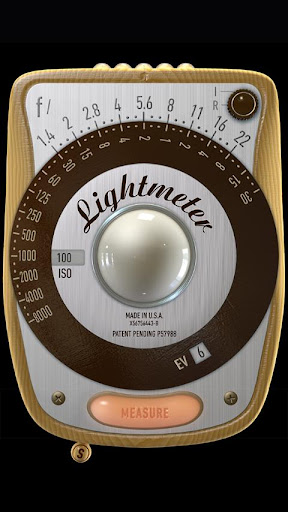
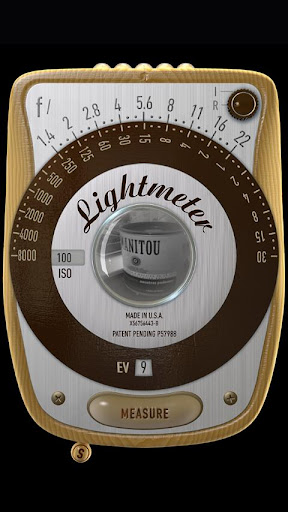
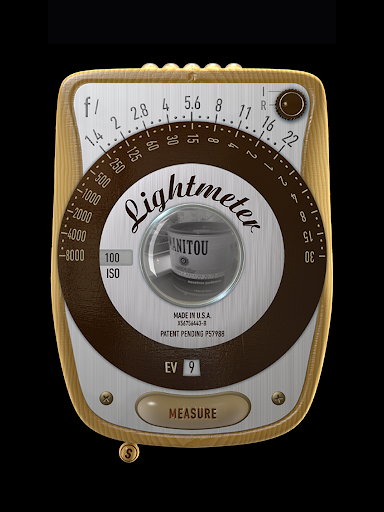
LightMeter is a specialized photography app designed for analog photographers who appreciate the art of old-school photography. This application provides both reflected and incident light metering capabilities, making it an essential tool for accurately measuring light conditions in different shooting environments. With compatibility across various devices, it supports photographers through advanced features like ISO range adjustment, low light alerts, and calibration options.
The app's reflected light metering works best with devices that can save exposure data to EXIF, while the incident light metering relies on the device's light sensor. Although the precision of phone-based light meters is inherently limited by hardware capabilities, LightMeter offers reliable performance, particularly when using the reflected light option. Its detailed feature set and affordable price make it a valuable asset for both amateur and professional photographers seeking accurate light measurements.
LightMeter boasts an impressive array of features tailored specifically for analog photography enthusiasts. The app includes an extensive ISO range from 3 to 6400, catering to diverse lighting conditions and photographic styles. It offers both incident and reflected light metering, although these functionalities depend on the availability of a light sensor and compatible camera respectively. Additional features such as low light alerts, optional muting of the camera, and vibration feedback during measurement enhance the overall user experience.
Photographers can benefit from practical tools like Exif and sensor information display, calibration settings, and alternative ISO selectors. The app also allows users to hold incident light readings and recall previous states and ISO settings upon resuming. For devices with zoom capabilities, spot measurement is available. Supporting all screen resolutions, including extra high resolution, LightMeter ensures optimal performance and usability across different devices, providing photographers with a comprehensive and reliable light metering solution.
User-friendly interface
Wide ISO range
Reflected light precision
Low light alerts
Calibration options
Limited device compatibility
Incident light dependency
Precision limitations
Camera muting restrictions
Feature reliance on hardware

Effortlessly organize, view and share your photos & videos with Gallery app!
 4.40
4.40
All-in-One Editor & AI Photo Enhancer, Beautify & Retouch, Collage, Cartoonify
4.20
Professional video recording application with manual controls for filmmakers!
2.80
Cut and paste photo editor & eraser to customize photos easy and swap faces fun
4.50
Create collages easily! Nice pic collage maker & background eraser for Instagram
4.50
Photo editor: AI filters, photo enhancer, pic collage maker, AI art generator.
4.80
Be your best in every shot! Fix, edit and retouch your face in selfies & photos.
3.70
AI-powered video creator by MiniMax - Where ideas meet cinema
4.20
Photo & Video Gallery app to manage albums and save WA Status easily.
4.70
Photo prints, cards, & gifts at Walgreens. Easy ordering & fast local pickup !
4.80
Take videos and pictures with the popular TikTok TIME WARP SCAN filter.
4.60
Discover & download millions of art for The Frame TV or Hisense CanvasTV
4.60
[3DSteroid Pro] is a stereoscopic application for Android.
4.30
Natural Beauty, Selfie Retouch
4.30
What celebrity do you look like? Celebs will find your celebrity match!
4.10
All-in-One Editor & AI Photo Enhancer, Collage, Cartoonify, Funny Stickers & BGS
4.10
An interval timer to automate photo taking process for timelapse
2.90
Photo Album Watch Face shows your favorite pictures as a Watchface.
1.90
Remote control the phone camera shutter from your smartwatch and take a picture
1.60


User Reveiws