
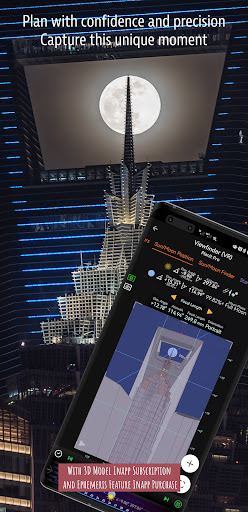
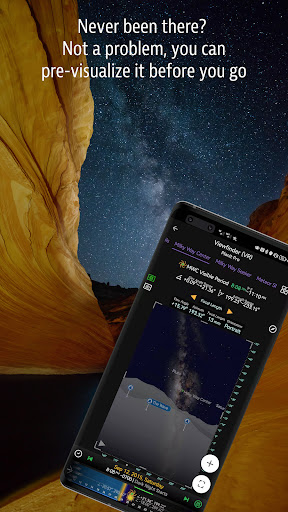
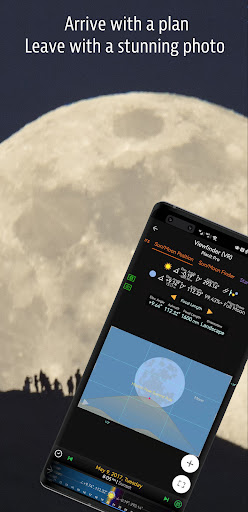
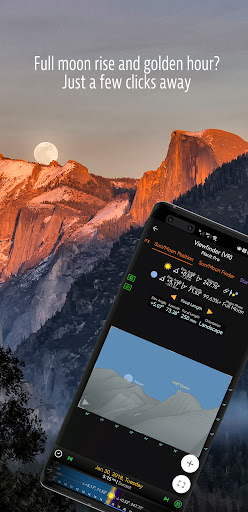
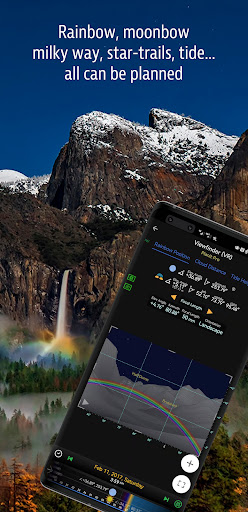

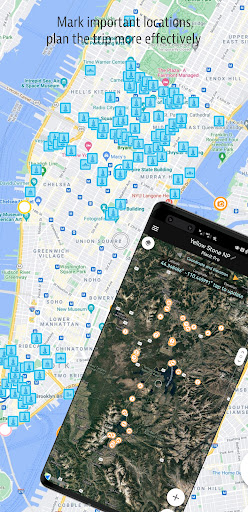
Planit Pro is an advanced photography planning tool designed specifically for landscape, travel, and nature photographers. This app serves as an all-in-one solution that combines mapping technology with a simulated viewfinder to help photographers pre-visualize their shots before arriving at the location. With features like celestial object tracking (Sun, Moon, stars, Milky Way), depth of field calculations, hyperfocal distance, and more, Planit Pro ensures users are fully prepared for any photographic scenario.
The app also supports advanced functionalities such as time-lapse simulation, star trail planning, exposure calculations, and even tide predictions. These tools allow photographers to optimize their shoots by understanding natural lighting conditions, terrain elevations, and weather patterns. Whether you're capturing cityscapes, night skies, or time-lapses, Planit Pro provides the necessary data to enhance your creative process while saving time and resources.
One standout feature is its offline usability. By preloading elevation files and maps, photographers can use the app in remote locations without network connectivity. This makes it an essential companion for outdoor adventures where internet access may be unavailable. For photographers seeking precision and efficiency, Planit Pro offers unmatched value.
Planit Pro boasts an extensive range of features tailored to meet the needs of professional photographers. Among its most notable capabilities is the comprehensive Ephemeris system, which calculates sunrise, sunset, moonrise, and moonset times along with their directions. It also tracks major stars, constellations, nebulae, and even predicts solar and lunar eclipses. These features enable photographers to plan shoots around specific celestial events with pinpoint accuracy.
In addition to celestial tracking, the app includes practical tools for ground-based photography. Users can calculate depth of field, hyperfocal distance, and focal lengths to ensure sharp focus across various compositions. The app's augmented reality (AR) and virtual reality (VR) viewfinders simulate real-world scenes, allowing users to preview how subjects will appear through their camera lens. This innovative approach bridges the gap between planning and execution, empowering photographers to capture exactly what they envision.
Another key aspect is its support for specialized photography types, including panoramas, aerial shots, and time-lapses. Tools like exposure calculators, ND filter recommendations, and light metering further enhance the user experience. With these robust features, Planit Pro not only simplifies complex tasks but also inspires creativity by providing precise technical guidance.
Comprehensive planning tools
Offline functionality
Celestial object tracking
Augmented reality previews
Time-lapse simulation
Steep learning curve
Premium price point
Requires setup for offline use
Interface may feel cluttered
Limited beginner guidance

Effortlessly organize, view and share your photos & videos with Gallery app!
 4.40
4.40
Perfect photos with body shaping, BG changer and object remover.
3.70
Application for remote controlling DSLR
3.00
AI photo editor with hair editor, retouch tools, hair color changer & filters!
4.50
Discover & download millions of art for The Frame TV or Hisense CanvasTV
4.60
Effortlessly make high-quality GIFs from images & videos without any watermarks.
4.70
Welcome to ProShot, the most powerful camera app on Android.
4.20
Solocator stamps photos you take with GPS location, Compass Direction, Date/Time
3.80
Edit photos with the picture generator: PS2 & AI Clay filters, cartoon effects.
4.50
Take videos and pictures with the popular TikTok TIME WARP SCAN filter.
4.60
Automatically backup your photos and videos to computer, NAS and Cloud services
4.60
Easily stitch panoramas from multiple photos or video.
4.40
Future baby face generator: AI kids generator, kid face! What my baby look like?
4.40
Smart, light, and fast photo and video gallery
4.30
Transform Photos: Edit, Beautify and Craft Memories & Make Collages!
4.10
Catch sunlight, sunrise sunset times and sun phases with the AR sun tracker.
4.10
USB Storage Access for Photos, Videos, Music and Documents
3.80
Be your best in every shot! Fix, edit and retouch your face in selfies & photos.
3.70
Over 800 film simulation recipes for Fujifilm. Black Friday Offer!
4.2


User Reveiws