
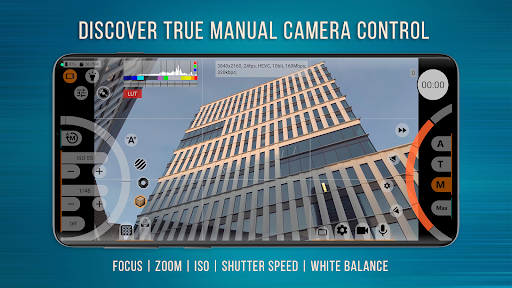
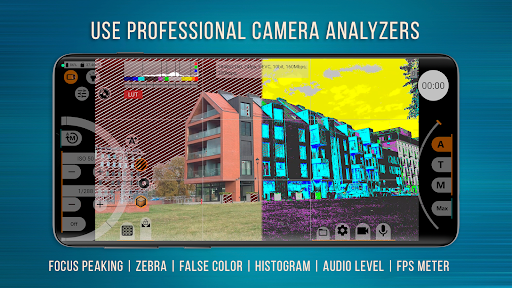
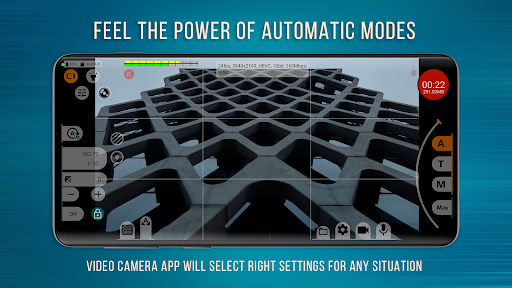
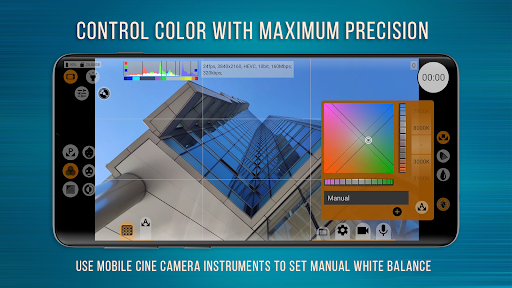

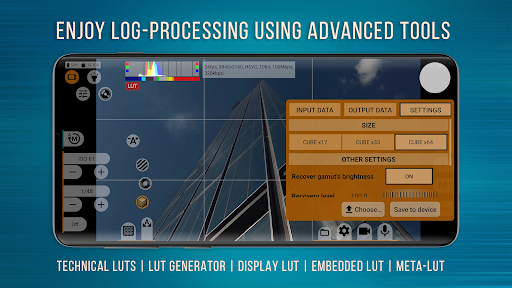
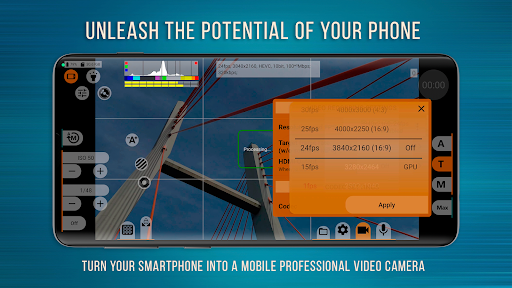
mcpro24fps Manual Video Camera represents the pinnacle of professional mobile videography on Android devices. Designed for advanced users, this app transforms your smartphone into a powerful cinema-grade camera system. It supports shooting in 10-bit color depth and offers HLG/HDR10 video capabilities, making it ideal for capturing high-quality footage.
The application provides an extensive array of professional features including Log recording without GPU activation, numerous Log modes, technical LUTs for post-production, and precise on-screen controls. Videographers can take advantage of programmable focus and zoom, focus peaking, expo peaking, spectral and zebra exposure tools, customizable white balance settings, and advanced audio controls. These functionalities enable creators to produce visually stunning content with their mobile devices.
Whether you're filming festival movies, music videos, or commercial projects, mcpro24fps delivers the tools necessary to realize bold creative ideas. The app is optimized for devices supporting Camera2 API at Limited level or higher, ensuring reliable performance across various professional scenarios.
mcpro24fps stands out with its comprehensive feature set tailored for professional videography. One of its key innovations is the ability to record in 10-bit color depth, providing greater color accuracy and dynamic range. This is complemented by support for HLG and HDR10 standards, allowing users to create content that meets modern broadcasting requirements.
The app includes advanced camera controls such as programmable focus and zoom functions, focus peaking, and expo peaking for precise frame management. It also offers specialized tools like spectral and zebra patterns for exposure control, customizable white balance in Kelvins, and sophisticated metadata handling. Additionally, mcpro24fps provides flexible sound options, GPU resource utilization, and responsive interface design.
Professional users will appreciate the app's compatibility with multiple cameras, preservation of individual camera settings, and support for various resolutions and codecs (AVC h264 and HEVC h265). With features like optical/digital stabilization, Log profile configuration through tone curves, hardware-level image adjustments, and three distinct crop-zoom modes, mcpro24fps empowers videographers to achieve exceptional results directly from their smartphones.
Advanced 10-bit recording
Professional Log modes
Precise manual controls
Extensive LUT support
High bitrate options
Complex for beginners
Device compatibility issues
High power consumption
Expensive purchase price
Requires technical knowledge

Easily stitch panoramas from multiple photos or video.
 4.40
4.40
Be your best in every shot! Fix, edit and retouch your face in selfies & photos.
3.70
Create AI Photos, Improve and restore quality of blurry, old or damaged pics.
4.20
The #1 app for B&W film developing featuring an advanced darkroom timer.
4.10
Create amazing frames with up to five photos. Rounded corners, effects and more!
3.60
USB Storage Access for Photos, Videos, Music and Documents
3.80
Luminar: Photo Editor - easy picture editing with AI
4.20
Fit multiple photos on one post. Create carousels & scroll layouts for Instagram
4.50
Discover & download millions of art for The Frame TV or Hisense CanvasTV
4.60
Perfect body tune & face app - photo retouch, makeup, slim body & beautify face.
4.80
Easily create custom gifts, cards, photo books & more on the Shutterfly app!
4.60
Add Watermark - Sign your pictures with a text or logo. Effective, quick, easy!
4.50
AI photo editor with hair editor, retouch tools, hair color changer & filters!
4.50
HD Camera Pro with HD Video shooting, Panorama, Photo editor , Beauty Camera.
4.50
Use AI Video Generator to turn your words to ai generated videos.
4.50
Effortlessly organize, view and share your photos & videos with Gallery app!
4.40
Hair color changer, AI haircut app, fun hair editor and buzz cut filter for all!
3.80
An interval timer to automate photo taking process for timelapse
2.90
Remote control the phone camera shutter from your smartwatch and take a picture
1.60


User Reveiws