Add Watermark

4.50

Information

Category:

Photography

Price:

$ 3.99

Rank:

46

Rating:

4.50

Overview

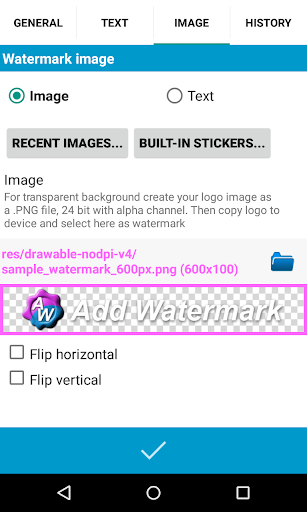
Add Watermark is a powerful photography tool that allows users to protect their images by adding customizable watermarks. The app supports both text and logo watermarks, offering extensive customization options including size, transparency, rotation, and alignment adjustments.

Designed for professional photographers and bloggers, the app features batch processing capabilities, auto-processing through sharing, and advanced text formatting options. With support for EXIF metadata, 360° panoramas, and various saving formats, it serves as an essential utility for managing digital assets across multiple platforms.

Features

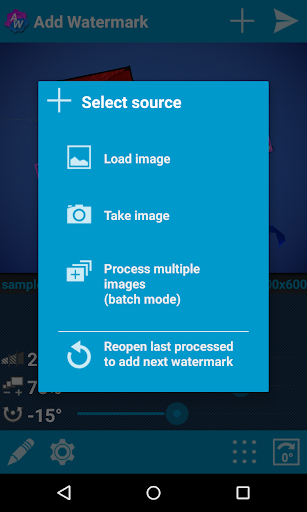
The application provides comprehensive watermarking features including batch mode for processing multiple images simultaneously and auto-processing functionality when sharing from other apps. Users can choose from 72 built-in fonts or import up to 20 custom fonts for personalized text watermarks.

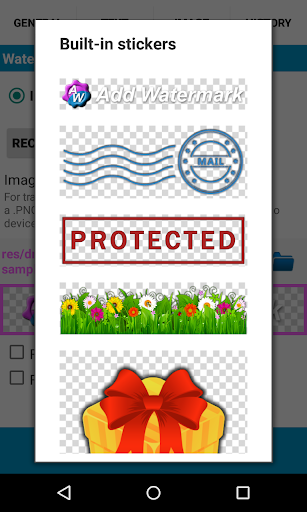
Additional features include a built-in sticker collection, support for transparent PNG images as watermarks, and quick sharing options to popular social media platforms. The app also offers backup solutions for settings, timestamp insertion, and GPS tagging capabilities, making it a complete solution for professional image management.

Real-Time Capture & Preview

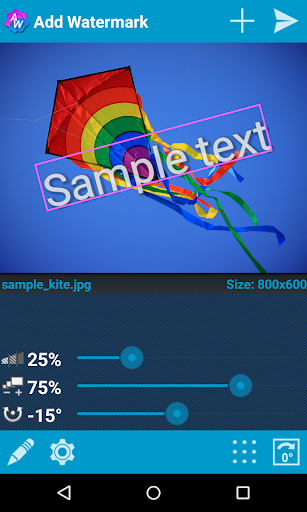
Real-time capture and preview functionality in photography applications refers to the ability to see exactly how a photograph will look before taking it or applying any modifications This feature is crucial as it allows users to make informed decisions about their photography settings ensuring that the final image meets their expectations In Add Watermark this functionality is manifested through its advanced watermarking features which provide real-time previews of how watermarks will appear on images Users can adjust the size transparency rotation and alignment of both text and logo watermarks seeing the changes applied instantly on their photos This instant feedback loop empowers users to fine-tune their watermark settings achieving the desired balance between visibility and subtlety The application's support for transparent PNG images as watermarks further enhances this experience by allowing users to preview intricate details of their logos or custom graphics Additionally the app's capability to add timestamps filenames GPS tags and other properties as text watermarks can be previewed in real-time ensuring accurate placement and appearance These features collectively contribute to a more controlled and predictable watermarking process which is particularly valuable for professional photographers and bloggers who rely on consistent branding across their visual content By providing such comprehensive real-time preview capabilities Add Watermark not only saves time but also elevates the overall quality and professionalism of watermarked images

AI Beauty & Enhancement Naturalness

AI beauty and enhancement naturalness in photography applications pertains to the use of artificial intelligence to improve or augment images while maintaining a realistic and authentic appearance In Add Watermark this concept is embodied through its sophisticated processing capabilities that ensure watermarks are integrated seamlessly into photographs without compromising the original image quality The application achieves this by offering precise control over watermark attributes such as transparency and color effects which are crucial for maintaining the natural appearance of the underlying photo Users can import custom fonts and utilize built-in sticker collections to create unique watermarks that complement their images rather than overshadow them Furthermore the app's support for EXIF and XMP metadata preservation ensures that essential photographic information remains intact during the watermarking process This attention to detail extends to its handling of 360 panoramas where watermarks are applied with consideration for the specialized format preventing distortion or unnatural artifacts The automatic processing feature including batch mode leverages AI-driven efficiency to apply consistent enhancements across multiple images while upholding natural aesthetics These capabilities demonstrate Add Watermark's commitment to delivering professional-grade tools that enhance images with subtlety and sophistication ensuring that watermarked photos retain their original integrity and appeal This approach not only satisfies technical requirements but also aligns with aesthetic standards expected by discerning photographers and content creators

Props

User-friendly interface

Extensive customization options

Batch processing efficiency

Professional-grade features

Cross-platform compatibility

Cons

Free version limitations

Advanced features require payment

Complexity for casual users

Occasional performance issues

Limited free font options

Features and Functions

What is this app and what can I use it for?

Add Watermark lets you protect photos by adding customizable text or logo watermarks

How do I download and install this app on my device?

Download Add Watermark from Google Play Store and follow installation prompts

How do I get started after opening the app for the first time?

Start by selecting photos and choosing watermark settings from main menu

What are the main features and capabilities of this app?

Key features include batch processing, auto mode, and advanced text formatting options

How can I customize my experience and adjust preferences?

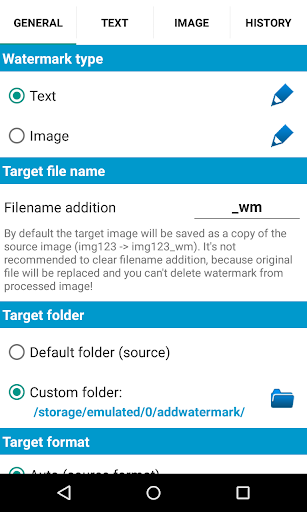
Adjust preferences in settings menu for fonts, effects, and watermark styles

How do I save or bookmark my favorite content for later access?

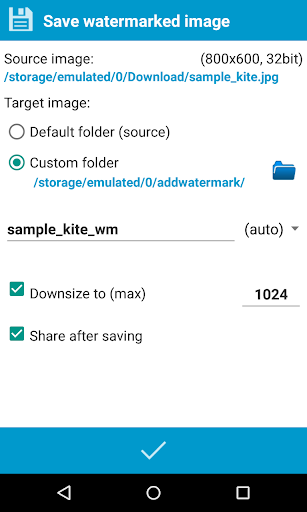
Save processed images directly to gallery or designated folder for future access

How can I share content with friends or on social media?

Use built-in sharing options to post watermarked images on social media platforms

How do I access detailed information and explore more content?

Access detailed information through settings menu and help documentation

What permissions does this app need and how do I manage them?

App requires storage and photo permissions which can be managed in settings

How do I check for updates and keep the app running smoothly?

Check Google Play Store regularly for updates and maintain sufficient storage space
Show more

User Reveiws

{{ comment.reviewer_name }}
{{ comment.review_date_formatted}}
{{ comment.review_content }}
{{ tab.name }}
{{ comment.reviewer_name }}
{{ comment.review_date_formatted}}
{{ comment.review_content }}
No reviews with this rating