
Shield

4.40

Information

Category:

Personalisation

Price:

Free

Rank:

13

Rating:

4.40

Overview

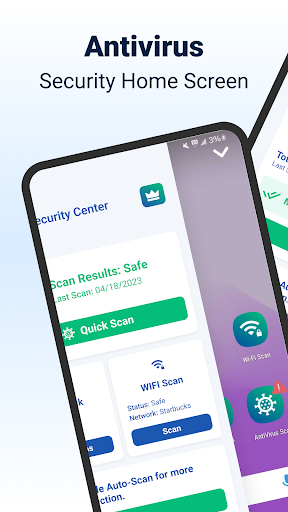
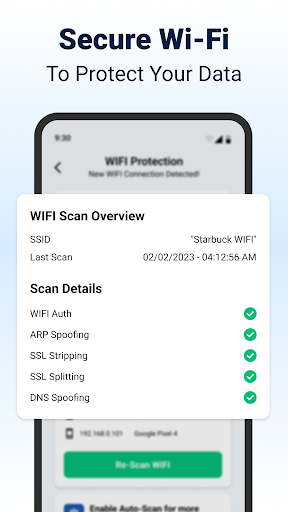
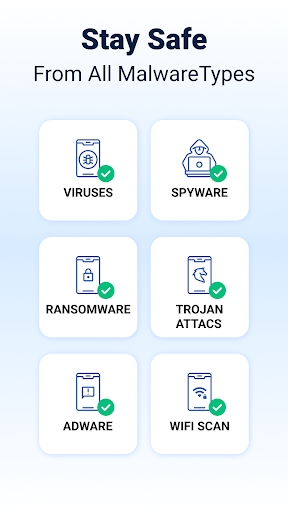
Shield Antivirus Home Screen is a comprehensive security solution designed specifically for Android devices. This free application provides robust protection against viruses, malware, and various cyber threats while enhancing user privacy through advanced features like secure WiFi scanning.

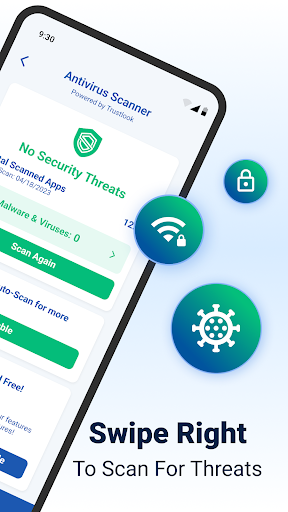
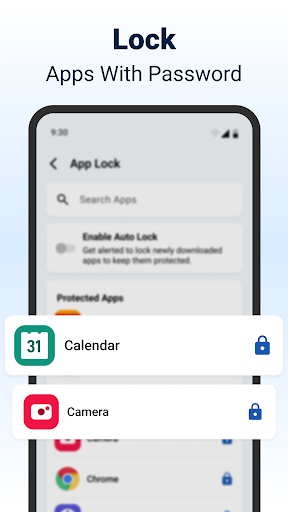
The app's core functionality revolves around its AI-driven antivirus scanner, which boasts a 99% detection rate with minimal false positives. Users can quickly scan their apps and enjoy peace of mind knowing their devices are protected. Additionally, Shield offers AppLock capabilities, allowing users to secure sensitive applications with passwords or fingerprints.

Beyond basic security, Shield Antivirus Home Screen transforms the Android experience by integrating privacy controls directly into the home screen interface. The customizable settings enable users to personalize their security experience without compromising on style or usability.

Features

Shield Antivirus stands out with its array of advanced features that cater to both security-conscious and privacy-focused users. The app's AI-powered antivirus engine delivers exceptional threat detection capabilities, actively identifying and neutralizing malware, spyware, and other risks in real-time.

One of the most notable features is the comprehensive AppLock system, which combines traditional password protection with biometric authentication options. This dual-layered approach ensures maximum security for sensitive applications and data. The inclusion of secure WiFi scanning adds another dimension of protection, safeguarding users against network-based attacks such as ARP spoofing and DNS hijacking.

The application's customization options extend beyond mere aesthetics, allowing users to tailor their security experience through personalized lock screen settings and privacy controls. These features work together to create a seamless blend of protection and personalization, making Shield Antivirus Home Screen a versatile choice for Android users seeking comprehensive device security.

Customization options variety

Customization options variety refers to the range and flexibility of personalization features that allow users to tailor an application to their specific preferences and needs This is particularly important in personalization apps as it enables users to create a unique and comfortable user experience Shield Antivirus Home offers extensive customization options that go beyond basic security settings allowing users to personalize both functionality and aesthetics One of the key customization features in Shield is the ability to modify the home screen Users can adjust the layout choose from various themes and even add personalized widgets that suit their daily usage patterns This level of personalization ensures that while the app provides top notch security it also maintains a user friendly interface Additionally Shield includes customizable privacy controls Users can set individual privacy levels for different apps choosing which ones require additional protection such as fingerprint or PIN access This feature not only enhances security but also allows users to prioritize their most sensitive applications The app also supports lock screen customization Users can select from a variety of lock screen styles and even integrate personal photos or designs This makes the security process more engaging and less of a chore Furthermore Shield offers customizable scanning schedules Users can decide when the antivirus scans should occur ensuring that the device's performance is not hindered during critical usage times The app also allows for custom notification settings so users can choose what type of alerts they receive and when These diverse customization options ensure that Shield caters to both security-conscious users and those who value aesthetic and functional personalization By offering such a wide array of customization features Shield Antivirus Home stands out in the personalization category providing users with a versatile tool that adapts to their unique preferences and requirements

Theme compatibility

Theme compatibility refers to an application's ability to seamlessly integrate with various visual themes ensuring a consistent and visually appealing user interface across different devices and operating systems In the context of personalization apps like Shield Antivirus Home theme compatibility plays a crucial role in enhancing the overall user experience by allowing users to maintain their preferred visual style without compromising on functionality Shield Antivirus Home excels in theme compatibility by offering a wide selection of themes that cater to diverse user preferences Whether you prefer a minimalist design vibrant colors or dark mode for reduced eye strain Shield has a theme that will suit your taste The app ensures that all themes are fully compatible with its security features meaning that no matter which theme you choose the appu2019s core functionalities such as antivirus scanning and AppLock remain fully operational and accessible This seamless integration is achieved through meticulous design and testing ensuring that each theme adheres to the highest standards of usability and aesthetics Moreover Shield supports third party themes allowing users to import their favorite designs from other sources This openness to external themes significantly broadens the customization possibilities giving users unparalleled control over their device's appearance Another important aspect of Shieldu2019s theme compatibility is its adaptive theming feature This feature automatically adjusts the appu2019s visual elements based on the system-wide theme settings For example if a user prefers dark mode across their device Shield will adapt accordingly providing a cohesive visual experience This attention to detail not only enhances the appu2019s usability but also demonstrates a commitment to user satisfaction by respecting individual preferences Shield also ensures that all themes are optimized for performance guaranteeing that the visual enhancements do not impact the appu2019s speed or battery consumption By prioritizing theme compatibility Shield Antivirus Home delivers a personalized and visually consistent experience making it a standout choice in the personalization category

Props

Powerful AI-driven scanning

Comprehensive privacy tools

High detection accuracy

User-friendly interface

Free core features

Cons

Premium features locked

Occasional performance impact

Complex settings for beginners

Limited iOS compatibility

Ad-supported free version

Features and Functions

What is this app and what can I use it for?

A free Android security app protecting against viruses and cyber threats

How do I download and install this app on my device?

Download Shield from Google Play Store and follow installation prompts

How do I get started after opening the app for the first time?

Set up AppLock and configure basic security preferences

What are the main features and capabilities of this app?

Antivirus scanning, AppLock, WiFi security, and home screen customization

How can I customize my experience and adjust preferences?

Adjust lock screen settings and privacy preferences in settings menu

How do I save or bookmark my favorite content for later access?

Use AppLock feature to protect favorite apps and content

How can I share content with friends or on social media?

Share security reports via integrated social media options

How do I access detailed information and explore more content?

Access detailed information through security dashboard and reports

What permissions does this app need and how do I manage them?

App requires standard device permissions managed in settings

How do I check for updates and keep the app running smoothly?

Check Google Play Store regularly for updates and maintain optimal performance
Show more

User Reveiws

{{ comment.reviewer_name }}
{{ comment.review_date_formatted}}
{{ comment.review_content }}
{{ tab.name }}
{{ comment.reviewer_name }}
{{ comment.review_date_formatted}}
{{ comment.review_content }}
No reviews with this rating