




VN is a powerful yet user-friendly video editing application designed for both amateur and professional creators. The app offers an intuitive interface that simplifies the video editing process, making it accessible even to beginners. With its comprehensive set of features, VN allows users to create high-quality videos without any watermarks.
One of VN's standout capabilities is its multi-track video editor, which supports precise editing through quick rough cuts, easy deletion and reordering, and a flexible timeline with picture-in-picture functionality. Additionally, the app provides advanced tools such as keyframe animation, reverse and zoom effects, and rich cinematic filters, enabling users to produce professional-grade content.
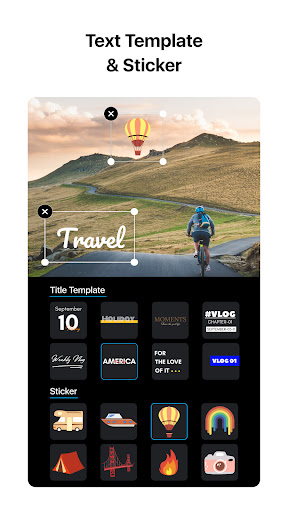
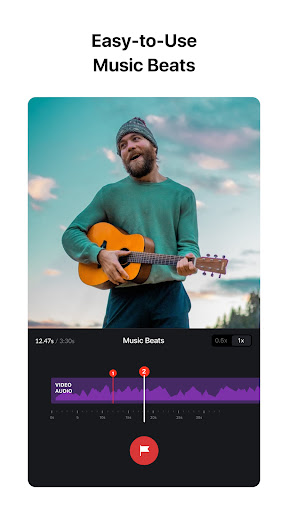
The app also excels in audio editing, offering music beats synchronization and convenient voice-over recording. Users can enhance their videos with trending effects, color grading filters, and customizable text templates. VN ensures secure project management through protection modes and seamless collaboration via cloud services, while supporting 4K exports at up to 60 FPS.
VN distinguishes itself through its robust feature set tailored for creative video production. The app's multi-track timeline allows users to layer videos, photos, stickers, and texts effortlessly. Its precision editing tools enable frame-accurate adjustments as short as 0.05 seconds, while the non-destructive editing feature preserves original image data during modifications.
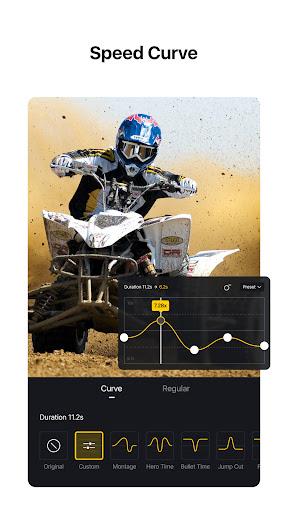
For audio enhancement, VN includes music beat markers and high-quality voice-over recording. The speed curve tool offers advanced time remapping similar to Adobe Premiere Pro, with six preset curves available. Users can apply various transitions, overlays, and blur effects to enrich their storytelling. The app also supports importing LUT files for cinematic color grading.
VN's advanced editing options include 19 built-in keyframe animations, reverse and zoom effects, and freeze-frame capabilities. The material library provides numerous stickers and fonts, while flexible import methods support bulk file transfers via Wi-Fi or messaging apps. Projects can be securely shared across devices through Google Drive or OneDrive integration, ensuring smooth workflow continuity.
User-friendly interface
Professional-grade tools
No watermark on exports
Advanced keyframe animation
Secure project sharing
Limited advanced features
Occasional performance lag
Fewer transition options
Basic audio effects
Interface complexity

?100% FREE! Download & save videos? safely in this app. All formats supported.
 4.60
4.60
Video Trimmer, Video to MP3 Converter. Extract music from video, Easy & Fast.
4.80
Create photo video with music & template. AI video maker for stunning slideshow.
4.60
Explore the largest library of free GIFs, Stickers & Memes - or create your own!
3.90
Play and download HD videos from all sources — fast, simple, and all-in-one.
4.2
Add date and time watermark to photos and videos
4.50
Flud is a simple and beautiful BitTorrent client for Android.
4.80
Fast & Private HD Video Downloader with Built-in Proxy Browser and Video Player.
4.50
Photo editor & video maker with music and slideshows.
4.10
A Simple app to download Video & Music from the Internet.
4.70
Search & download videos from net with all video downloader, auto-detect & safe.
4.60
Seamlessly connect and control your smart devices, anytime, anywhere with ease.
4.60
Watch IPTV on your Android device
4.60
Browser + Remote for Roku to stream webvideos, online movies and livestreams
4.60
Cast to Chromecast, Xbox, Fire Stick, Roku, DLNA, Smart TV & No Feature Limited!
4.50
AirMirror Receiver - Screen mirroring/cast web videos to Android TV by AirPlay.
4.40
Your media, on your terms.
4.10
Browser for Samsung TV to stream webvideos, online movies and livestreams in HD
4.10
Powerful HD video player with support for all formats & subtitles.
4.4


User Reveiws