SMS Backup & Restore Pro

4.10

Information

Category:

Tools

Price:

$ 5.99

Rank:

9

Rating:

4.10

Overview

SMS Backup & Restore Pro is a premium tool designed for users who need to safeguard their SMS, MMS messages, and call logs. This app allows you to create secure backups of your communication data on your device, with the added ability to restore from previous backups when needed. It offers advanced features such as encryption and cloud integration, making it an ideal solution for those looking to protect their personal information.

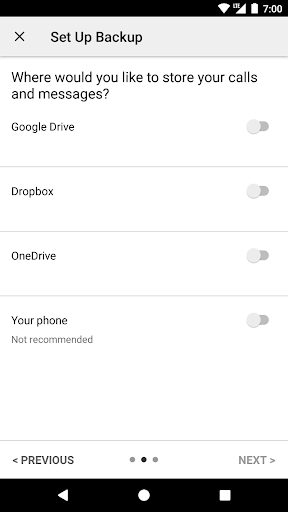
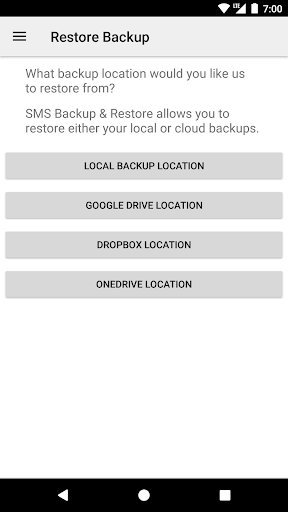
One of the standout capabilities of this app is its support for automatic scheduled backups and the option to upload these backups to popular cloud services like Google Drive, Dropbox, and OneDrive. Whether you're switching phones or simply want a reliable backup solution, SMS Backup & Restore Pro provides a seamless experience that ensures your data remains safe and accessible.

Features

This app stands out with its comprehensive feature set tailored for both casual users and power users alike. SMS Backup & Restore Pro supports backing up SMS, MMS, and call logs in XML format, which can be easily viewed on a computer through an online viewer. The app also includes advanced options such as compressing and encrypting backup files, ensuring that your data remains secure during storage and transfer.

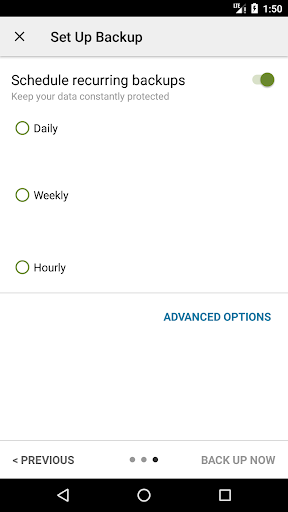
Another key feature is the ability to schedule automatic backups at recurring intervals, giving users peace of mind that their data is consistently backed up without manual intervention. Additionally, the app supports fast transfers between devices over WiFi Direct, making it easy to move your data to a new phone quickly and securely. With support for multiple cloud services and the ability to email backup files, SMS Backup & Restore Pro offers flexible solutions for managing your communication data.

Core function accuracy & effectiveness

The core functionality of SMS Backup & Restore Pro centers around its ability to accurately and effectively backup and restore SMS messages MMS and call logs on Android devices This functionality is crucial for users who need to safeguard their communication data and ensure they can retrieve it when necessary The app achieves this by creating XML format backups which are both comprehensive and versatile allowing users to store their data locally or upload it to cloud services like Google Drive Dropbox and OneDrive The app also offers advanced features such as the ability to compress and encrypt backups ensuring that user data remains secure and private during storage and transfer Furthermore the app provides a scheduling feature enabling automatic backups at recurring intervals which enhances the reliability of data protection Users can select specific conversations to backup or restore offering granular control over their data management Additionally the app supports fast transfer between two phones over WiFi direct making it easy to migrate data from one device to another regardless of Android version The effectiveness of these features ensures that users can maintain a reliable copy of their important communications and easily recover them when switching devices or after a factory reset Overall the precision and robustness of the backup and restore functions provide significant peace of mind to users who rely on consistent access to their messaging and call history data

Interface simplicity & intuitiveness

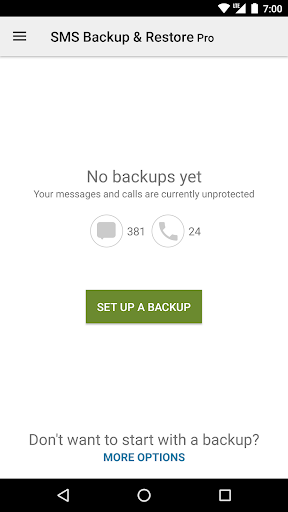
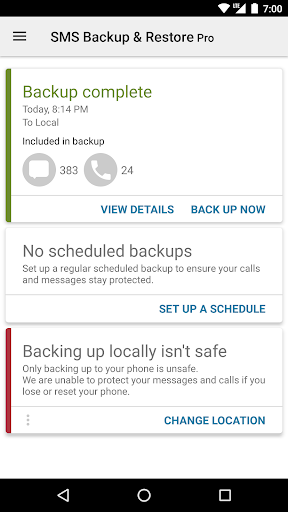
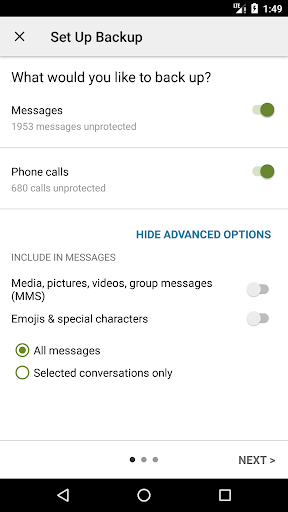
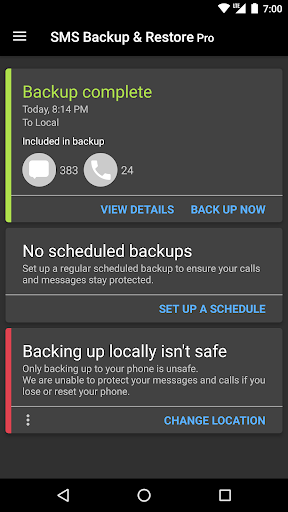
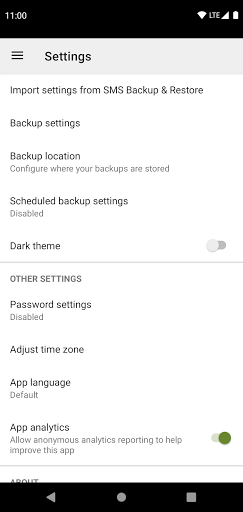
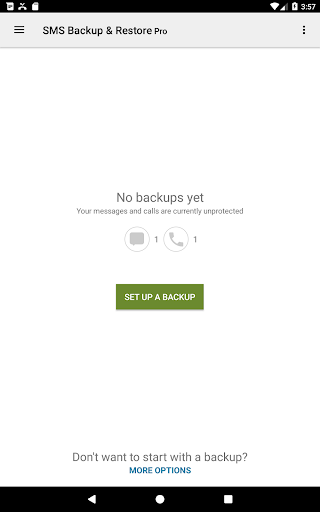
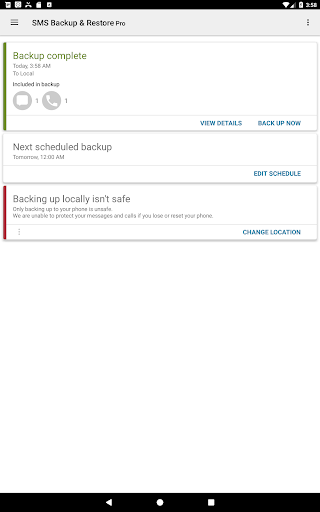
SMS Backup & Restore Pro excels in providing an interface that balances simplicity with intuitive design ensuring that users of all technical backgrounds can navigate and utilize its features effectively The app's main screen presents clear options for backing up restoring and viewing existing backups eliminating any confusion about where to begin Each function is accompanied by straightforward instructions and visual cues that guide users through processes such as selecting specific conversations setting up automatic backup schedules or choosing cloud storage locations The app also includes a search feature within backups allowing users to quickly locate specific messages or call logs without sifting through large datasets Another notable aspect is the ability to view and drill into local and cloud backups directly from the app interface providing transparency and easy access to stored data Moreover the app offers customization options such as selecting which types of data to backup and choosing encryption settings giving users control over their backup preferences while maintaining an uncluttered layout The overall design avoids unnecessary complexity focusing instead on delivering essential tools in a digestible manner This approach not only reduces the learning curve but also enhances user confidence when performing critical data management tasks As a result the app's interface successfully combines ease of use with powerful functionality making it accessible to a wide range of users seeking reliable message and call log backup solutions

Props

Automatic scheduled backups

Cloud service integration

Encryption for security

Fast WiFi Direct transfer

Easy-to-use interface

Cons

Paid version only

No ads-free free version

Requires existing backups

Limited to Android 5.0+

Permissions required

Features and Functions

What is this app and what can I use it for?

A tool to back up and restore SMS, MMS, and call logs securely

How do I download and install this app on my device?

Search for SMS Backup & Restore Pro on Google Play Store and tap Install

How do I get started after opening the app for the first time?

Grant necessary permissions and follow the setup wizard to configure initial settings

What are the main features and capabilities of this app?

Backup SMS, MMS, call logs, cloud uploads, encryption, scheduled backups

How can I customize my experience and adjust preferences?

Adjust backup schedules, select conversations, and choose cloud services

How do I save or bookmark my favorite content for later access?

Save backups locally or to cloud services like Google Drive or Dropbox

How can I share content with friends or on social media?

Share backup files via email or upload to cloud storage services

How do I access detailed information and explore more content?

View detailed backup contents through the app's interface or online viewer

What permissions does this app need and how do I manage them?

Needs access to messages, calls, contacts, network, and account information

How do I check for updates and keep the app running smoothly?

Check Google Play Store for updates and enable auto-update in settings
Show more

User Reveiws

{{ comment.reviewer_name }}
{{ comment.review_date_formatted}}
{{ comment.review_content }}
{{ tab.name }}
{{ comment.reviewer_name }}
{{ comment.review_date_formatted}}
{{ comment.review_content }}
No reviews with this rating