
Tor Browser

4.50

Information

Category:

Communication

Price:

Free

Rank:

35

Rating:

4.50

Overview

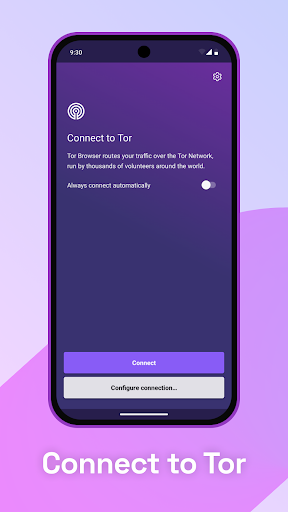
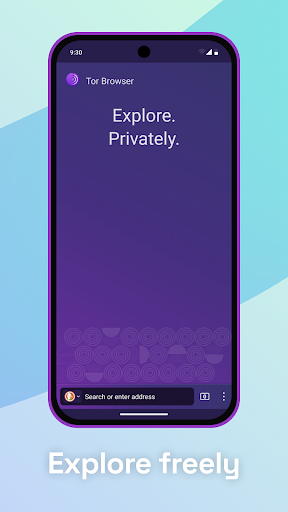
Tor Browser is the official mobile browser developed by the Tor Project, designed to provide users with unparalleled privacy and freedom online. This application ensures that your browsing activities remain anonymous and secure through multi-layered encryption and advanced anti-surveillance features.

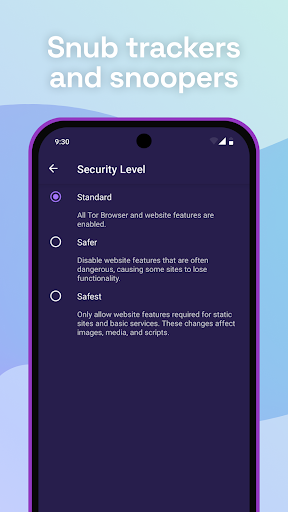
The browser isolates each website you visit, preventing third-party trackers from following your activity across the web. It also clears cookies automatically after each session, ensuring no trace of your browsing history remains. Additionally, Tor Browser makes all users appear identical, resisting fingerprinting attempts based on browser or device information.

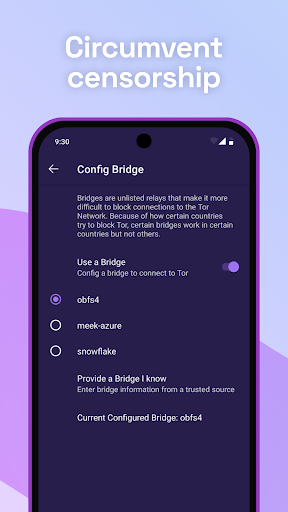
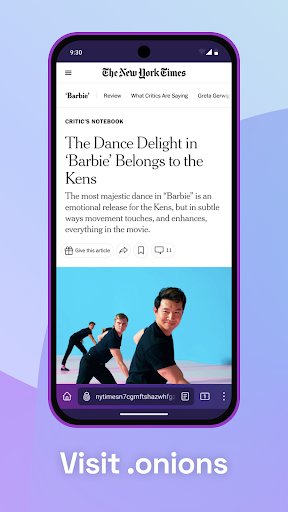
With its robust encryption protocols and a network of volunteer-run servers, Tor Browser allows users to browse the internet freely, even accessing sites that may be restricted by local ISPs. This powerful tool is made possible by donations and is committed to remaining free and open-source.

Features

Tor Browser offers several key features that set it apart in the realm of secure communication tools. One of its standout capabilities is the isolation of websites, which prevents third-party trackers and ads from following users across different sites. This ensures a private and uninterrupted browsing experience.

Another significant feature is its defense against surveillance. Tor Browser encrypts user traffic three times as it passes through the Tor network, making it nearly impossible for anyone monitoring the connection to know what sites are being visited. Only the fact that Tor is being used is visible, adding an extra layer of security.

Additionally, Tor Browser resists fingerprinting by standardizing user data, making it difficult to distinguish between different users. This, combined with the ability to bypass blocked sites and access the open web, provides a comprehensive suite of tools for maintaining privacy and freedom online.

Real-time messaging speed & reliability

Real-time messaging speed and reliability are crucial aspects of any communication application as they determine the efficiency and dependability of message delivery. For Tor Browser, although its primary function is to provide anonymous web browsing rather than traditional messaging services, these principles still apply in the context of interactive browsing experiences. The Tor network's multi-layered encryption and relay system ensure that user activities are not only secure but also reliably processed. When using Tor Browser for Android, each website visit is isolated, preventing third-party trackers and ads from following users across sessions. This isolation enhances privacy while maintaining a consistent browsing experience. Any cookies used during a session are automatically cleared upon completion, ensuring no residual data can be exploited to track user behavior. Additionally, the browser defends against surveillance by concealing visited websites from anyone monitoring the connection. Only the fact that Tor is being used is visible, adding another layer of security. Furthermore, Tor aims to make all users appear identical, resisting fingerprinting attempts based on browser and device information. These features collectively contribute to a reliable and private browsing environment where messages or interactions within web applications remain confidential and intact. Users benefit from knowing their communications via web forms or other interactive platforms are protected against eavesdropping and tampering. In essence, Tor Browser provides robust mechanisms ensuring both speed and reliability in maintaining privacy-focused real-time interactions.

Media sharing support

Media sharing support within communication applications enables users to exchange various types of content seamlessly and securely. While Tor Browser for Android primarily focuses on providing anonymous browsing capabilities, it indirectly supports media sharing through its comprehensive privacy protections. By isolating each website visit, Tor Browser prevents third-party trackers and ads from following users, thus safeguarding shared media from unauthorized tracking. Upon completing a browsing session, all cookies are automatically cleared, ensuring no remnants of shared media can be traced back to the user. Moreover, Tor Browser encrypts traffic three times as it passes through the Tor network, comprising thousands of volunteer-run servers known as Tor relays. This multi-layered encryption ensures that any media shared during browsing sessions remains confidential and protected from interception. Additionally, Tor Browser resists fingerprinting efforts based on browser and device information, making it difficult for adversaries to profile users based on shared media characteristics. These features collectively enhance the security and privacy of media sharing activities conducted over the web. Users gain peace of mind knowing that photos, videos, documents, and other forms of media exchanged through web interfaces are shielded from surveillance and censorship. Furthermore, Tor Browser allows unrestricted access to sites that may be blocked by local internet service providers, facilitating broader dissemination of shared media without geographical constraints. Overall, Tor Browser creates a secure environment conducive to private media sharing, empowering users to communicate freely without compromising their anonymity or exposing sensitive content to potential threats.

Props

Strong privacy protection

Free and open-source

Advanced encryption methods

Resists tracking and fingerprinting

Accessible worldwide

Cons

Slower browsing speed

Complex for beginners

Limited mobile features

Not fully intuitive UI

Potential legal concerns

Features and Functions

What is this app and what can I use it for?

Tor Browser offers strong online privacy and anonymity.

How do I download and install this app on my device?

Download Tor Browser from Google Play Store on Android devices.

How do I get started after opening the app for the first time?

Open Tor Browser and follow the setup wizard instructions.

What are the main features and capabilities of this app?

Key features include tracker blocking and multi-layered encryption.

How can I customize my experience and adjust preferences?

Customize settings via the preferences menu in Tor Browser.

How do I save or bookmark my favorite content for later access?

Bookmark content using the built-in bookmarking feature.

How can I share content with friends or on social media?

Share content directly via integrated social media options.

How do I access detailed information and explore more content?

Access detailed info through the help section in settings.

What permissions does this app need and how do I manage them?

Tor needs permissions for internet access and data encryption.

How do I check for updates and keep the app running smoothly?

Check updates in the app's settings or Google Play Store.
Show more

User Reveiws

{{ comment.reviewer_name }}
{{ comment.review_date_formatted}}
{{ comment.review_content }}
{{ tab.name }}
{{ comment.reviewer_name }}
{{ comment.review_date_formatted}}
{{ comment.review_content }}
No reviews with this rating