Video Downloader - HD & Easy

4.60

Information

Category:

Video Players & Editors

Price:

Free

Rank:

28

Rating:

4.60

Overview

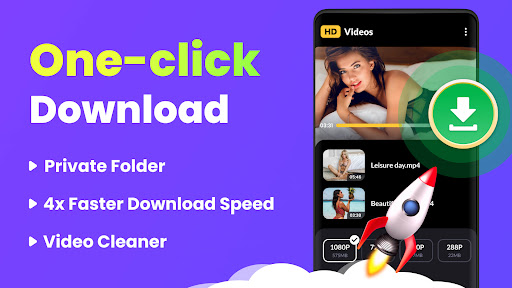
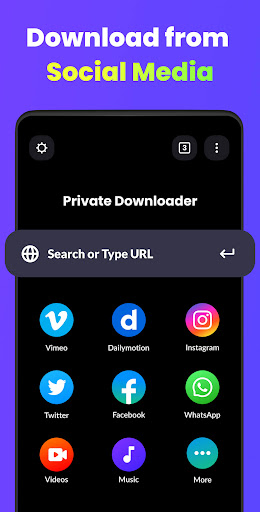
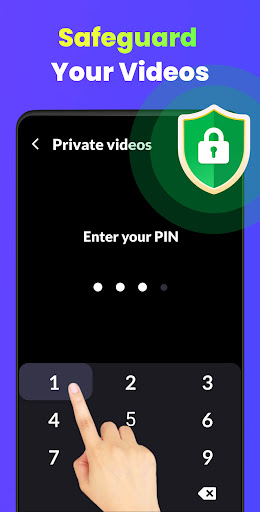
Video Downloader - HD & Easy is a versatile video downloading and playback application designed for Android users. This app stands out with its ability to download videos in all formats at lightning speed while supporting high-definition playback of HD, UHD, 4K, and 1080P videos without stuttering. The multi-thread and background download capabilities ensure efficient downloading, even when the app runs in the background. Additionally, it offers private video storage in password-protected folders, making it an ideal choice for users who prioritize both performance and privacy.

Beyond just downloading, Video Downloader provides an exceptional viewing experience with features like A-B repeat, smart gesture controls, and screen lock functionality. Whether you're looking to download multiple videos simultaneously or enjoy uninterrupted playback, this app caters to various user needs. Its intuitive interface and comprehensive format support make it suitable for anyone seeking a reliable tool for managing their video content.

Features

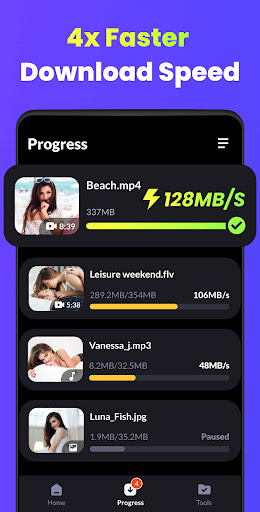
Video Downloader - HD & Easy boasts an array of advanced features that enhance both downloading and playback experiences. One of its standout capabilities is the support for multi-thread downloads, which significantly boosts download speeds across various video formats such as MKV, MP4, M4V, MOV, 3GP, FLV, F4V, and WEBM. The app also supports background downloading and playback, allowing users to multitask efficiently without interrupting their video entertainment.

In addition to its robust downloading tools, Video Downloader includes practical playback features. Users can take advantage of A-B repeat functionality, auto-detection of local video files, and smart gesture controls for seamless navigation. The app also offers privacy-focused options like password-protected folders to hide personal videos securely. With added functionalities such as sleep timers and screen lock prevention, Video Downloader ensures a comprehensive and user-friendly experience tailored to diverse viewing preferences.

Video format compatibility

Video format compatibility is a crucial feature for any video player and editor application as it determines the range of video files that can be processed and played back. For Video Downloader - HD & Easy, this functionality is at the core of its service offering. The app supports an extensive array of video formats including but not limited to MKV, MP4, M4V, MOV, 3GP, FLV, F4V, WEBM, and more. This wide-ranging support ensures that users are not limited by specific file types and can download and play videos from various sources without worrying about compatibility issues. The importance of this feature cannot be overstated as it directly impacts user experience. By accommodating multiple formats, Video Downloader caters to a diverse audience with varying needs and preferences. Whether downloading content for personal entertainment or professional use, users benefit from the assurance that their video files will be accessible and playable within the app. Furthermore, the ability to auto-detect and load local video files adds another layer of convenience. Users with existing libraries do not need to convert or modify their files before importing them into the app. Instead, they can seamlessly integrate their media collections and enjoy uninterrupted playback. In addition to supporting standard definitions, Video Downloader also handles high-definition content such as HD, UHD, 4K, and 1080P resolutions. This means that even users who demand premium visual experiences will find satisfaction in the crisp clear images delivered by the app. Overall, the comprehensive video format compatibility positions Video Downloader - HD & Easy as a versatile tool suitable for both casual viewers and discerning videophiles alike.

AI-powered editing features

AI-powered editing features represent the cutting-edge advancement in video players and editors allowing users to enhance their video content with minimal effort. Video Downloader - HD & Easy incorporates several intelligent functionalities that streamline the editing process making it accessible even to those without prior expertise. One notable feature is the smart detection system which automatically identifies scenes transitions and highlights within videos. This enables users to quickly navigate through lengthy footage and pinpoint segments they wish to edit or share. Additionally, the intuitive gesture control provides a tactile interface where simple swipes and taps translate into precise edits such as trimming splitting or merging clips. Another innovative aspect is the inclusion of AI beauty and enhancement tools which apply natural-looking filters and effects to improve video quality while maintaining authenticity. These enhancements can elevate ordinary recordings into visually appealing productions ready for sharing on social media platforms. Moreover, the app offers automated optimization suggestions based on the analysis of each video clip ensuring optimal brightness contrast and color balance. Beyond basic adjustments, Video Downloader also facilitates creative expression through customizable templates and overlays powered by artificial intelligence. Users can experiment with different styles themes and animations to craft unique narratives tailored to their vision. The integration of these advanced capabilities not only simplifies complex tasks but also inspires creativity among its users. As technology continues to evolve so does the potential for richer storytelling facilitated by apps like Video Downloader - HD & Easy. With robust AI-driven functionalities at their disposal creators can focus on unleashing their imagination rather than grappling with technical intricacies.

Props

Fast multi-format downloads

HD and 4K video playback

Background download support

Password-protected privacy

Intuitive gesture controls

Cons

Limited iOS compatibility

Occasional ads

Large file storage

Complex settings

Privacy concerns

Features and Functions

What is this app and what can I use it for?

A versatile video downloader and player for Android devices.

How do I download and install this app on my device?

Visit Google Play Store, search for the app, and tap Install.

How do I get started after opening the app for the first time?

Open the app, grant necessary permissions, and start downloading videos.

What are the main features and capabilities of this app?

Multi-format downloads, HD playback, and private video storage.

How can I customize my experience and adjust preferences?

Adjust settings via the Preferences menu to customize your experience.

How do I save or bookmark my favorite content for later access?

Use the Bookmark feature to save favorite videos for later viewing.

How can I share content with friends or on social media?

Tap Share button to send video links via social media or messaging apps.

How do I access detailed information and explore more content?

Access detailed info through the app's Info section or online help.

What permissions does this app need and how do I manage them?

The app needs storage and media permissions managed in Settings.

How do I check for updates and keep the app running smoothly?

Enable auto-updates in Google Play Store to keep the app current.
Show more

User Reveiws

{{ comment.reviewer_name }}
{{ comment.review_date_formatted}}
{{ comment.review_content }}
{{ tab.name }}
{{ comment.reviewer_name }}
{{ comment.review_date_formatted}}
{{ comment.review_content }}
No reviews with this rating