
Voice GPS Navigation Direction

3.90

Information

Category:

Maps & Navigation

Price:

Free

Rank:

34

Rating:

3.90

Overview

Voice GPS Navigation Direction is a comprehensive Maps & Navigation app designed to assist users in exploring new places and planning trips with accurate driving directions. The app provides real-time turn-by-turn navigation, ensuring safe travels by avoiding heavy traffic and road closures. With its reliable GPS route planner, it offers live updates on traffic conditions and street views.

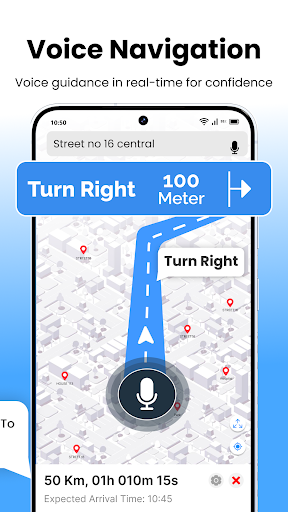
One of the standout features of this app is its voice navigation capability, which allows users to keep their focus on the road while receiving clear driving instructions. Additionally, the app serves as a travel companion by helping users discover nearby attractions, restaurants, gas stations, and more. Whether you're traveling to a new city or navigating your hometown, Voice GPS Navigation Direction ensures you reach your destination efficiently and safely.

Features

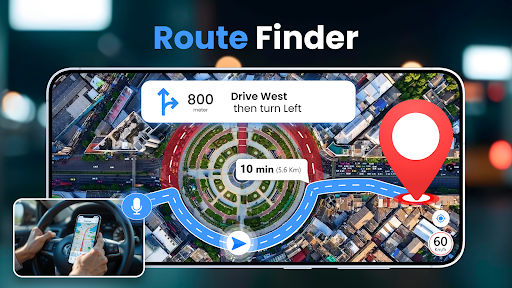
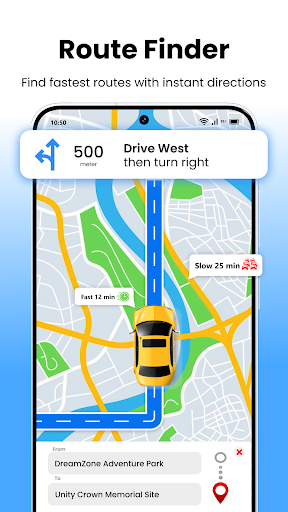
The Voice GPS Navigation Direction app boasts several key features that enhance the user experience. First and foremost, it includes a map tracker that finds the fastest routes to destinations, making it an essential tool for effortless world exploration. The app's live maps rotate in the driving direction, providing confidence during navigation.

Another significant feature is the voice navigation system, which delivers clear, turn-by-turn directions straight to the user. This makes driving both effortless and safe. Additionally, the app offers a 'Nearby Places' function, allowing users to discover attractions, businesses, and essential services around their current location. With precise GPS navigation, intuitive voice guidance, and a comprehensive view of surroundings, this app truly stands out in the Maps & Navigation category.

Map accuracy

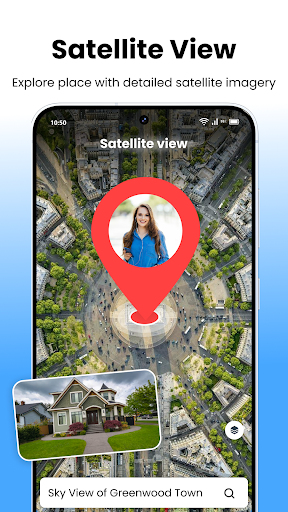
Map accuracy is a fundamental aspect of any navigation application as it ensures users receive precise location data and reliable route information. For Voice GPS Navigation Direction this feature is particularly crucial since the app serves as a comprehensive route planner for travelers exploring new areas. The application leverages advanced GPS technology to deliver real-time location tracking with exceptional precision. By utilizing satellite data and sophisticated mapping algorithms the app provides highly accurate representations of the user's surroundings including detailed street views and live traffic updates. This level of accuracy allows users to confidently navigate from one point to another without worrying about outdated or incorrect map information. Furthermore the app continuously updates its maps to reflect recent road changes closures or newly constructed routes ensuring that users always have access to the most current navigation data. The importance of map accuracy extends beyond basic navigation; it directly impacts safety and efficiency especially in unfamiliar territories. With precise mapping data users can avoid hazardous roads heavy traffic or other potential obstacles thus making their journeys not only faster but also safer. Additionally the app's ability to rotate live maps according to driving direction or maintain a north-up orientation enhances spatial awareness allowing drivers to better understand their position relative to the environment. Overall the emphasis on map accuracy within Voice GPS Navigation Direction transforms it into an indispensable tool for anyone relying on GPS guidance whether commuting locally or traveling globally.

Route planning

Route planning represents a critical functionality within navigation apps like Voice GPS Navigation Direction as it empowers users to determine the most efficient paths for their journeys. This feature goes beyond merely plotting a course from point A to point B by incorporating dynamic elements such as real-time traffic conditions road closures and alternative routes which collectively contribute to a seamless travel experience. In the case of Voice GPS Navigation Direction route planning is elevated through the integration of intelligent algorithms that analyze multiple variables to suggest optimal routes tailored to specific needs such as avoiding tolls minimizing distance or reducing travel time. One standout aspect of the appu2019s route planning capability is its voice-guided navigation system which delivers clear turn-by-turn directions enabling drivers to focus on the road while receiving timely instructions. This hands-free approach significantly enhances safety and convenience particularly during long trips or when navigating complex urban environments. Moreover the app includes a unique map tracker feature designed to identify the fastest available routes helping users reach their destinations promptly even under challenging circumstances such as peak traffic hours or unexpected detours. Another advantage lies in the appu2019s ability to share location details with friends or family ensuring peace of mind for both drivers and their loved ones. Whether planning a cross-country adventure or simply commuting to work the robust route planning tools offered by Voice GPS Navigation Direction ensure that every trip is as smooth and efficient as possible ultimately saving users valuable time and effort while enhancing overall travel satisfaction.

Props

User-friendly interface

Accurate GPS tracking

Real-time traffic updates

Voice-guided navigation

Nearby places discovery

Cons

Occasional GPS inaccuracies

Heavy battery consumption

Limited offline functionality

Ads in free version

Subscription fees

Features and Functions

What is this app and what can I use it for?

A GPS navigation app offering real-time directions and trip planning.

How do I download and install this app on my device?

Visit Google Play Store, search for the app, and tap install.

How do I get started after opening the app for the first time?

Grant necessary permissions and follow on-screen setup instructions.

What are the main features and capabilities of this app?

Key features include live maps, voice navigation, and route planning.

How can I customize my experience and adjust preferences?

Adjust settings via the preferences menu for a personalized experience.

How do I save or bookmark my favorite content for later access?

Use the bookmark feature to save favorite locations for future access.

How can I share content with friends or on social media?

Share locations directly through the app's share option.

How do I access detailed information and explore more content?

Access detailed info by tapping on specific points of interest.

What permissions does this app need and how do I manage them?

The app needs location access; manage in device settings.

How do I check for updates and keep the app running smoothly?

Enable auto-updates in Google Play Store to keep the app current.
Show more

User Reveiws

{{ comment.reviewer_name }}
{{ comment.review_date_formatted}}
{{ comment.review_content }}
{{ tab.name }}
{{ comment.reviewer_name }}
{{ comment.review_date_formatted}}
{{ comment.review_content }}
No reviews with this rating