
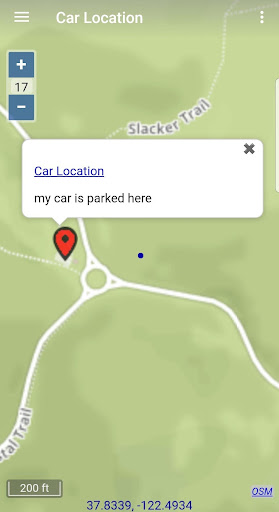
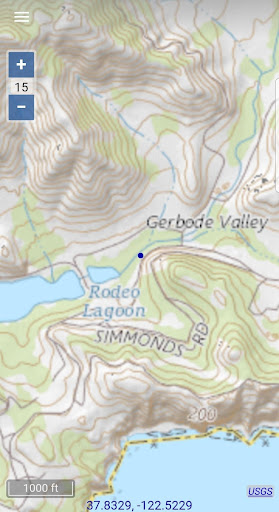
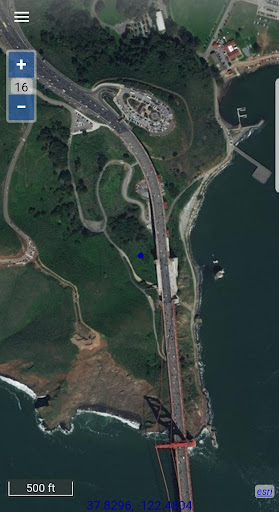
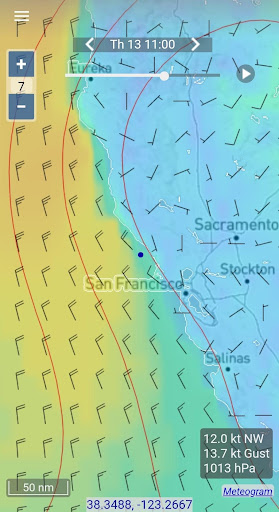
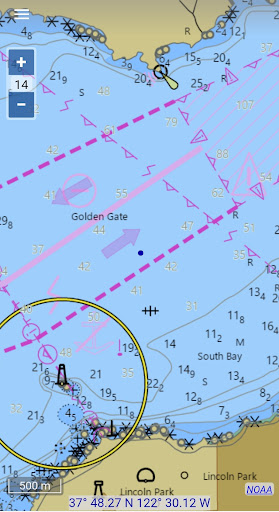
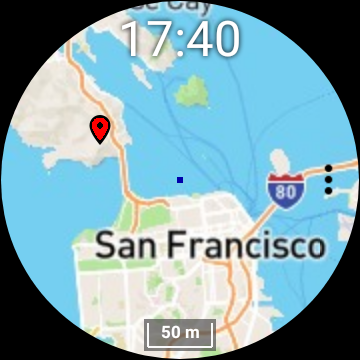
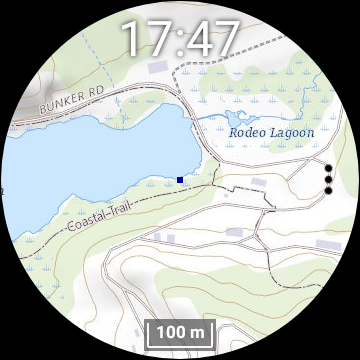

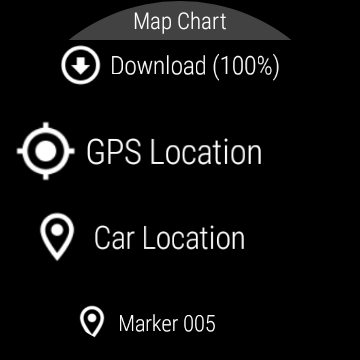
Map Chart Mosaic is a comprehensive offline mapping application designed for both smartphones and smartwatches. The app provides users with access to topographic maps, satellite images, GRIB weather forecasts, and road maps complete with cycling and hiking trails. A standout feature is the availability of nautical charts, currently limited to USA and Canada. Users can watch an instructional video and read FAQs on the official website to get started.
The app's core functionality lies in its seamless switching between different map sources, providing detailed location information. Maps are automatically cached offline on the device, allowing users to view them without an internet connection. Additionally, users can download maps directly to their Wear OS smartwatch, enabling independent use from the phone. With features like map markers, notes, travel routes, GPS tracking, and GPX file sharing, Map Chart Mosaic offers extensive tools for navigation and exploration.
This app is particularly useful for outdoor enthusiasts who require reliable offline maps and real-time GPS data such as speed, course, odometer readings, and estimated time of arrival (ETA). By integrating with Iridium Go satellite connections, it ensures that users remain informed even in remote areas. However, it is crucial to note the disclaimer: the app should not be used for critical navigation purposes where personal injury or property damage could occur.
Map Chart Mosaic stands out due to its rich set of features tailored for diverse mapping needs. One of its primary advantages is the ability to store map views in an offline cache, ensuring users can access maps without an internet connection. This feature is especially beneficial for travelers venturing into areas with limited connectivity. Furthermore, the app supports downloading maps to Wear OS smartwatches, allowing users to navigate independently of their phones.
The app also excels in customization and interaction. Users can add map markers and notes, create travel routes, and record GPS tracks. These elements can be shared as GPX files, enhancing collaboration and data exchange among users. Real-time GPS information such as speed, course, odometer readings, and ETA further enriches the user experience by providing essential travel metrics. Another innovative aspect is the integration of GRIB weather forecast maps, which can be obtained via internet download, email, or Iridium Go satellite connections.
These features collectively offer significant value by empowering users with robust tools for exploration and navigation. Whether planning a hiking trip or navigating cycling routes, Map Chart Mosaic equips users with detailed maps and critical data to enhance their outdoor adventures while maintaining safety and preparedness.
Comprehensive offline maps
Seamless smartwatch integration
Detailed GPS tracking
GRIB weather forecasts
GPX file sharing
Limited nautical charts
No critical navigation
Complex for beginners
Region-specific content
Smartwatch dependency

Fully offline 1:50k New Zealand topographical map North Island
 4.2
4.2
CamSam PLUS - The speed and red light camera warning system!
4.40
Route tracker, Speedometer, Odometer, Fuel, HUD mode, save route as .GPX
4.40
Use GPS maps or search by property owner, address or parcel to view parcel data
4.30
Parcel map, property lines, owner, acres, land use, zoning and more from Regrid.
4.60
Get directions, Maps, GPS navigation & GPS Maps using GPS App
4.10
NJ TRANSIT information and ticketing at your fingertips
3.70
Navigate via GPS Maps of GPS Voice Navigation, driving directions to find routes
3.60
GPS navigation offers route finder, compass, translator, currency converter, etc
4.30
Order a cab online. An affordable taxi ride and driver in no time. What a bolt!
4.80
This app is military GPS coordinate systems helper. (MGRS, UTM & DMS Maps)
4.80
Bolt is a ride-hailing app for requesting fast, safe, and affordable transport
4.80
Find AI powered cameras, ALPRs, and other surveillance infrastructure near you
4.70
Complete offline 1:50k South Island topo map including DOC Hunting Permit Areas
4.60
Track friends in real-time and explore worldwide live cameras.
4.60
The fastest and most convenient way to pay for parking on our lots.
4.40
Explore a light pollution map to find suitable dark sky locations for observing.
4.30
Lets explore the world's famous places by using Live Cams, GPS & Satellite View.
4.20
Start your next adventure confidently using our Accurate Compass App
3.70


User Reveiws