All Recovery

4.50

Information

Category:

Business

Price:

Free

Rank:

17

Rating:

4.50

Overview

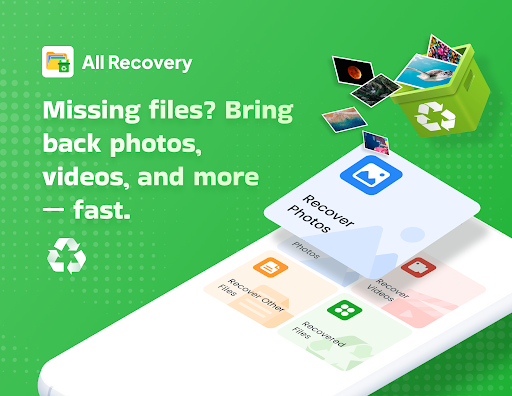
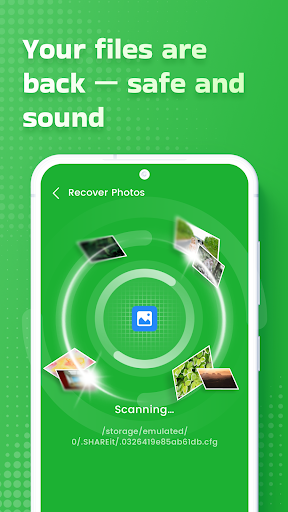
All Recovery is a powerful business tool designed to retrieve lost data from your device. Whether it's important documents, cherished photos, or critical business files, this app ensures you can recover them with ease. Using advanced scanning technology, the app digs deep into your device's storage to uncover files that were accidentally deleted or lost due to system errors.

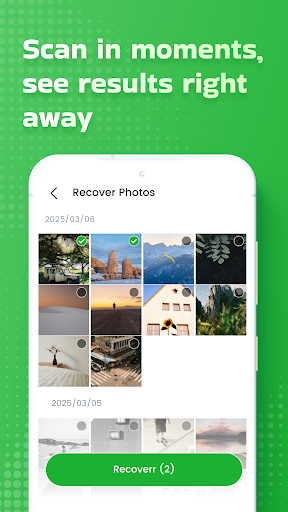
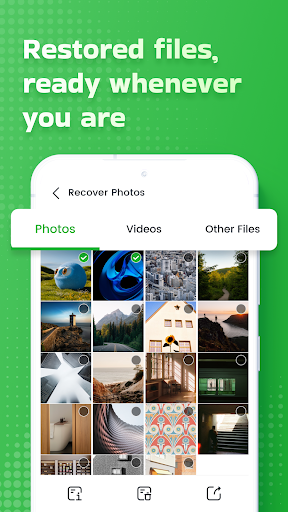
The app provides a preview feature, allowing users to view files before recovery, ensuring you restore exactly what you need. With support for multiple file types and formats, All Recovery caters to various business needs, making it an essential utility for professionals who cannot afford to lose valuable data. Its user-friendly interface and efficient recovery process make it suitable for both individual and enterprise use.

Features

All Recovery stands out with its comprehensive set of features tailored for business users. The app employs cutting-edge scanning algorithms capable of detecting and recovering over 100 different file formats, including documents, images, videos, and more. This versatility ensures that no matter what type of file you've lost, All Recovery can help retrieve it.

Another key feature is the secure recovery process, which guarantees that your files are restored in their original quality without any data corruption. Additionally, the app offers cloud backup integration, enabling users to store recovered files directly to cloud services like Google Drive or Dropbox. This functionality not only saves local storage space but also provides an extra layer of security for your important business data.

Collaborative work features

In the modern business environment, collaborative work features are essential for ensuring seamless teamwork and efficient project management. All Recovery provides a unique approach to collaboration by allowing teams to recover lost files and data that are critical for ongoing projects. The application's advanced scanning technology not only recovers individual files but also entire folders, making it an invaluable tool for group assignments where multiple documents and resources are involved. With its ability to restore files in their original quality, teams can continue their work without any disruptions or loss of important information. This feature is particularly beneficial in scenarios where team members accidentally delete shared files or when system failures occur. By enabling users to preview files before recovery, All Recovery ensures that teams can verify the integrity and relevance of the data they are restoring. This verification process helps maintain the accuracy and consistency of collaborative projects. Moreover, the quick and secure recovery process minimizes downtime, allowing teams to focus on their core tasks without worrying about data loss. Overall, All Recovery enhances collaborative efforts by providing a reliable solution for recovering lost data, thereby supporting uninterrupted workflow and productivity.

Task management

Effective task management is crucial for maintaining productivity and meeting deadlines in any business setting. All Recovery contributes to this aspect by offering a robust solution for managing tasks related to data recovery. When important files such as photos, videos, or documents are lost, it can significantly hinder progress and create bottlenecks in task completion. All Recovery addresses this issue by providing an advanced scanning mechanism that digs deep into the device to uncover lost files. This capability allows users to quickly identify and restore missing data, ensuring that tasks can proceed without unnecessary delays. The application's ability to recover entire folders is particularly advantageous for complex projects that involve multiple files and resources. By restoring data in its original quality, All Recovery ensures that tasks dependent on specific file formats or resolutions can be completed accurately. Additionally, the preview feature enables users to confirm the relevance of the recovered files, which is essential for maintaining the integrity of task outputs. This functionality is especially useful in scenarios where time-sensitive tasks require immediate attention, and data loss could jeopardize project timelines. Furthermore, the secure and effortless recovery process provided by All Recovery reduces the stress and complexity associated with data loss incidents. As a result, businesses can maintain a smooth workflow, enhance task management efficiency, and ensure that all project milestones are achieved on time.

Props

User-friendly interface

Advanced scanning technology

Supports multiple file formats

Preview before recovery

Cloud backup integration

Cons

Limited free version

Occasional slow scans

No customer support chat

High cost for premium

Ads in free version

Features and Functions

What is this app and what can I use it for?

All Recovery retrieves lost files like photos and documents securely and quickly.

How do I download and install this app on my device?

Download All Recovery from Google Play Store and install it on your Android device.

How do I get started after opening the app for the first time?

Open the app, grant necessary permissions, and start a scan to find lost files.

What are the main features and capabilities of this app?

Main features include advanced scanning, preview, and multiple format support.

How can I customize my experience and adjust preferences?

Customize experience by adjusting scan depth and selecting specific file types.

How do I save or bookmark my favorite content for later access?

Save favorite content by exporting recovered files to local or cloud storage.

How can I share content with friends or on social media?

Share content via email or social media directly from the app's interface.

How do I access detailed information and explore more content?

Access detailed info by viewing file previews and exploring scan results.

What permissions does this app need and how do I manage them?

The app needs storage permissions; manage them in your device settings.

How do I check for updates and keep the app running smoothly?

Check updates in the app's settings to ensure smooth operation and new features.
Show more

User Reveiws

{{ comment.reviewer_name }}
{{ comment.review_date_formatted}}
{{ comment.review_content }}
{{ tab.name }}
{{ comment.reviewer_name }}
{{ comment.review_date_formatted}}
{{ comment.review_content }}
No reviews with this rating