
Blue Iris

2.50

Information

Category:

Video Players & Editors

Price:

$ 9.99

Rank:

11

Rating:

2.50

Overview

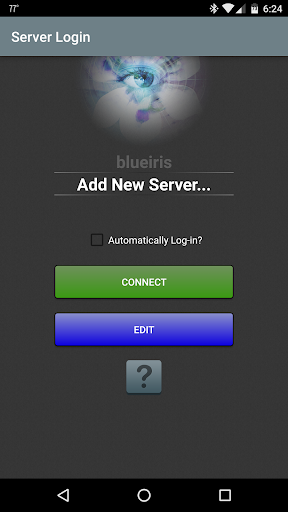
Blue Iris is a specialized client application designed to work seamlessly with the Blue Iris Windows PC software version 5.x, providing users with secure and efficient access to their home camera network. This app eliminates the need for insecure individual camera connections by employing a session-based protocol that ensures no plain text passwords are transmitted.

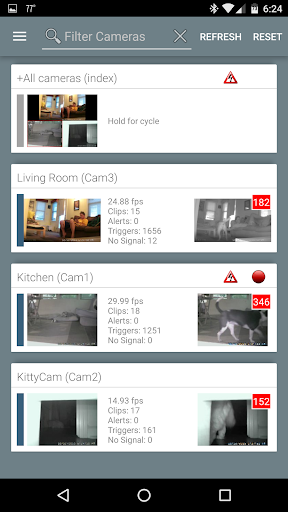
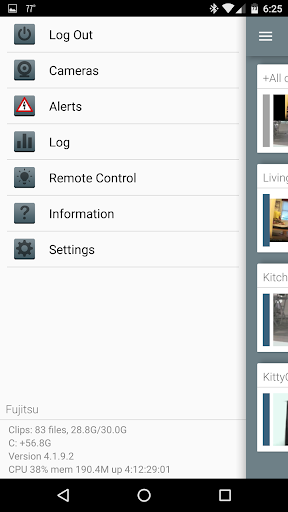
The core functionality of Blue Iris revolves around its ability to serve as a centralized control hub for multiple installations. Users can manage traffic signals, schedules, and profiles while enjoying features like fast H.264 streaming, PTZ control, and two-way audio communication. The app also supports Android push alerts for triggered cameras or critical status updates, making it an essential tool for comprehensive home security management.

Features

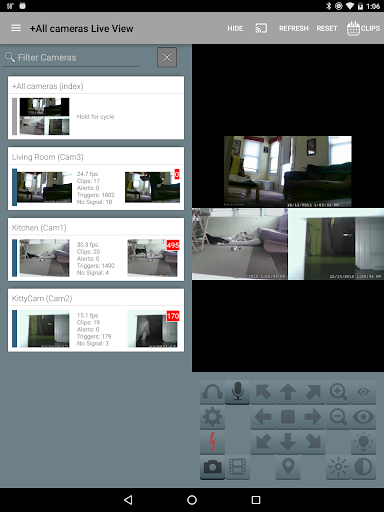
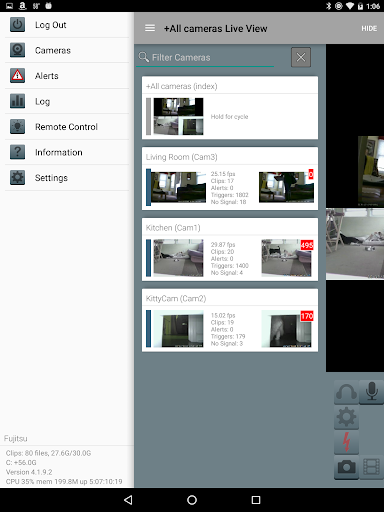
Blue Iris stands out with its robust feature set tailored for advanced home security management. One of its key strengths is the ability to manage multiple Blue Iris installations from a single interface, allowing users to switch between different setups effortlessly.

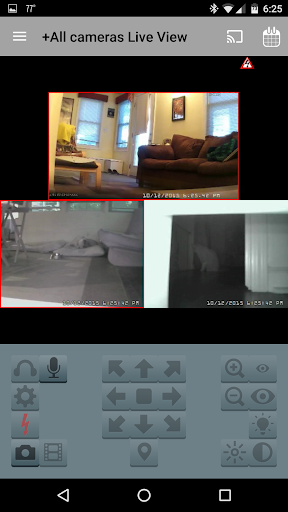
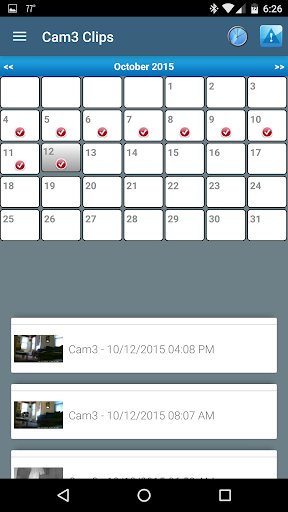
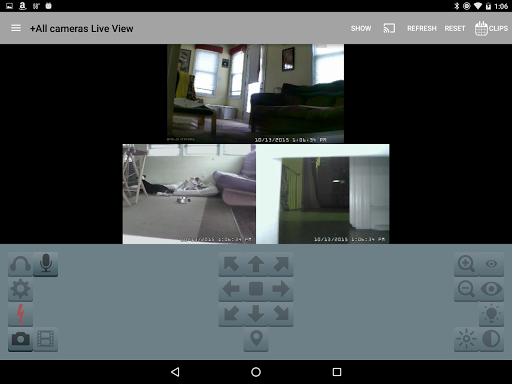
The app's innovative session-based protocol ensures secure connections without transmitting plain text passwords. It offers fast H.264 streaming for smooth video playback and includes advanced controls for PTZ (pan-tilt-zoom) cameras, IR functions, and DIO output signals on compatible devices. Additionally, users can review recordings at up to 64x speed and selectively delete files directly from the Blue Iris PC storage.

Video format compatibility

Video format compatibility refers to an application's ability to support and process various video file types and codecs ensuring users can work with a wide range of video content without facing issues related to unsupported formats. For Blue Iris this aspect is crucial as it functions as a CLIENT for the Blue Iris Windows PC software allowing users to manage their home camera network efficiently. The app supports fast H.264 streaming which is one of the most commonly used video codecs known for its balance between high-quality video and efficient compression. This ensures that users can stream video content from their cameras smoothly without excessive bandwidth consumption or quality degradation. Additionally by connecting securely to the Blue Iris PC software the app enables users to review recordings stored on the PC at speeds up to 64x facilitating quick playback and analysis of recorded footage. The ability to selectively delete recordings directly from the Blue Iris PC further enhances the user experience by providing convenient management options for stored video data. Overall Blue Iris's video format compatibility empowers users to seamlessly interact with their camera network ensuring reliable performance and broad format support which are essential for effective video surveillance and management.

AI-powered editing features

AI-powered editing features represent advanced functionalities within an application that leverage artificial intelligence to enhance and streamline the video editing process. While Blue Iris primarily focuses on providing a secure and efficient way to manage and monitor home camera networks it incorporates several innovative features that align with AI-driven capabilities enhancing user interaction and control over their video content. For instance the app allows users to navigate cameras by tapping and swiping offering an intuitive interface that simplifies the selection and viewing of different camera feeds. Furthermore Blue Iris supports two-way audio communication enabling users to listen to and talk through any compatible camera connected to the Blue Iris PC. This feature not only adds a layer of interactivity but also enhances security by allowing users to communicate remotely with individuals at their property. Additionally the app provides remote control over DIO output signals on compatible devices expanding its utility beyond basic video monitoring. Although Blue Iris may not include traditional AI-based video editing tools like automated scene detection or smart trimming its integration with Android push alerts for triggered events showcases a form of intelligent notification system. This ensures users receive timely updates when specific conditions are met such as motion detection or critical status messages thereby improving situational awareness and response times. In summary while Blue Iris emphasizes robust video surveillance and secure connectivity its incorporation of intelligent features contributes significantly to a more dynamic and responsive video management experience.

Props

User-friendly interface

Secure connection protocol

Comprehensive camera controls

Fast video streaming

Multi-installation management

Cons

Requires Windows PC

No standalone functionality

Limited to Blue Iris ecosystem

Dependent on network stability

Complex initial setup

Features and Functions

What is this app and what can I use it for?

Blue Iris is a mobile client for managing home security cameras through Blue Iris PC software

How do I download and install this app on my device?

Search for Blue Iris in Google Play Store and tap Install to download the app

How do I get started after opening the app for the first time?

Follow the Networking instructions in Help file to connect the app to your Blue Iris PC

What are the main features and capabilities of this app?

Key features include multi-installation management push alerts and PTZ controls

How can I customize my experience and adjust preferences?

Customize settings through the app's interface and adjust notification preferences

How do I save or bookmark my favorite content for later access?

Save favorite camera views by setting them as default in the app's options menu

How can I share content with friends or on social media?

Share camera snapshots by capturing images within the app and using Android sharing

How do I access detailed information and explore more content?

Access detailed information by reviewing recorded footage stored on the Blue Iris PC

What permissions does this app need and how do I manage them?

The app needs network permissions to connect securely to your Blue Iris system

How do I check for updates and keep the app running smoothly?

Check for updates regularly in Google Play Store to maintain optimal performance
Show more

User Reveiws

{{ comment.reviewer_name }}
{{ comment.review_date_formatted}}
{{ comment.review_content }}
{{ tab.name }}
{{ comment.reviewer_name }}
{{ comment.review_date_formatted}}
{{ comment.review_content }}
No reviews with this rating