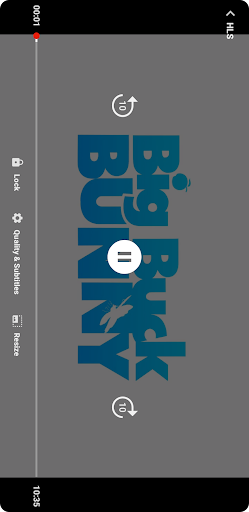
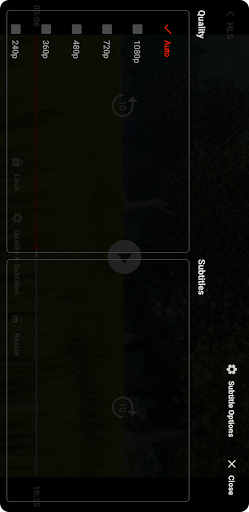

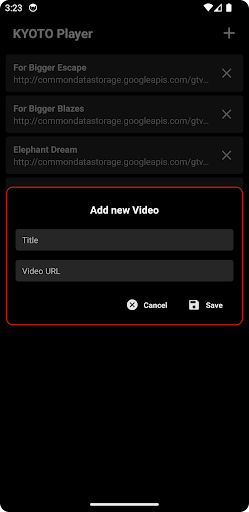
KYOTO Player

3.90

Information

Category:

Video Players & Editors

Price:

Free

Rank:

61

Rating:

3.90

Overview

KYOTO Player is a versatile video player app designed for seamless playback of various online video formats. Supporting an extensive range of file types including MP4, HLS, DASH, MP3, WebM, MKV, and more, it ensures compatibility with most media files you may encounter.

The app's main strength lies in its ability to handle both common and specialized video formats without requiring additional codecs or plugins. Whether you're watching standard MP4 files or streaming adaptive bitrate content through HLS or DASH protocols, KYOTO Player delivers smooth playback performance across devices.

For users who frequently consume multimedia content from different sources, KYOTO Player provides a reliable solution that simplifies video playback without compromising quality or performance.

Features

KYOTO Player stands out with its comprehensive format support, covering not only popular video formats but also professional-grade options like MPEG-TS and MPEG-PS. This wide-ranging compatibility eliminates the need for multiple specialized players.

The app incorporates advanced streaming technologies, enabling smooth playback of adaptive bitrate content through HLS and DASH protocols. Its optimized decoding engine ensures efficient resource usage while maintaining high-quality video rendering.

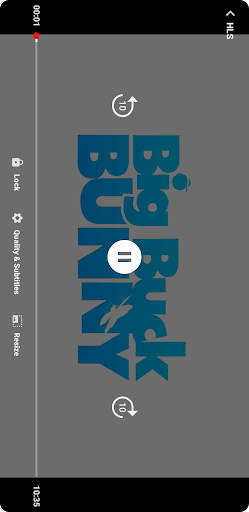
Additional features include intuitive playback controls, customizable viewing options, and robust error handling. These elements combine to create a user-friendly experience that caters to both casual viewers and technical enthusiasts.

Video format compatibility

Video format compatibility refers to the ability of a video player to support and play various file formats ensuring users can access their preferred content without restrictions KYOTO Player excels in this area by offering extensive support for numerous video and audio formats including MP4 HLS DASH MP3 WebM MKV OGG WAV MPEG-TS MPEG-PS FLV and more This wide-ranging compatibility ensures that regardless of the source or type of media files users will be able to enjoy their content without the need for additional conversion software or plugins The importance of this feature cannot be overstated as it directly impacts user convenience and satisfaction By supporting both common and less frequently used formats KYOTO Player caters to a broad audience from casual viewers to professionals who require reliable playback of specialized formats Furthermore the inclusion of adaptive streaming formats like HLS and DASH enables smooth playback of online content even under varying network conditions This adaptability ensures uninterrupted viewing experiences which is crucial for streaming services and online media consumption Additionally KYOTO Player's comprehensive format support extends to audio files making it a versatile tool for multimedia playback Whether users are watching movies listening to music or viewing specialized video formats they can rely on KYOTO Player to deliver consistent performance across different file types This versatility positions KYOTO Player as an excellent choice for users seeking a video player that can handle diverse media libraries without limitations

AI-powered editing features

AI-powered editing features represent the integration of artificial intelligence technologies into video editing tools enabling users to enhance their content creation process with minimal effort KYOTO Player incorporates several AI-driven functionalities that streamline video playback and basic editing tasks While primarily a video player the application offers intelligent features that improve user experience through smart processing algorithms These AI capabilities include automatic format detection optimized playback settings and intelligent buffering systems that adapt to network conditions ensuring smooth video rendering The significance of these features lies in their ability to simplify complex technical aspects of video playback For instance the automatic format detection eliminates the need for users to manually configure settings when switching between different file types while the optimized playback system adjusts parameters for the best possible viewing experience based on device capabilities and content characteristics Moreover KYOTO Player's AI-powered enhancements extend to its efficient handling of high-definition and adaptive streaming content where intelligent algorithms predict and preload video segments reducing buffering times and maintaining consistent quality during playback Although not a full-fledged video editor KYOTO Player's AI features contribute significantly to its overall value proposition by providing users with advanced playback capabilities that require no technical expertise to operate This approach democratizes access to sophisticated video playback technologies making professional-grade features available to everyday users who may not possess specialized technical knowledge

Props

User-friendly interface

Wide format support

Smooth streaming

Customizable settings

Cross-device compatibility

Cons

Limited editing tools

No built-in downloader

Premium features locked

Occasional bugs

Ads in free version

Features and Functions

What is this app and what can I use it for?

KYOTO Player is a versatile video player supporting multiple formats for seamless playback.

How do I download and install this app on my device?

Download KYOTO Player from Google Play Store and install by following on-screen instructions.

How do I get started after opening the app for the first time?

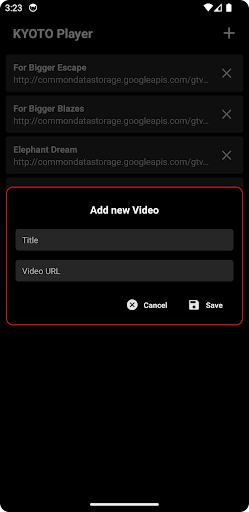
Launch the app, grant necessary permissions, and start adding video files.

What are the main features and capabilities of this app?

Main features include wide format support, smooth streaming, and customizable playback options.

How can I customize my experience and adjust preferences?

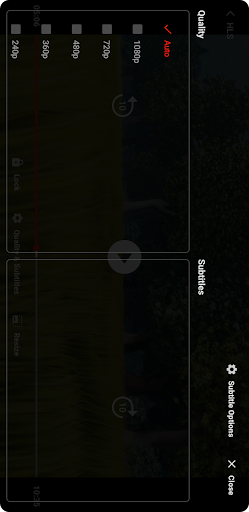
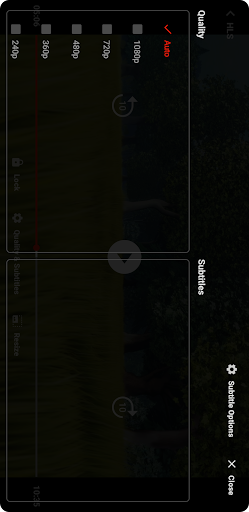
Access settings menu to adjust playback speed, subtitles, and other preferences.

How do I save or bookmark my favorite content for later access?

Use playlist feature to save favorite videos for later viewing within the app.

How can I share content with friends or on social media?

Share video links or files directly through supported social media platforms.

How do I access detailed information and explore more content?

Explore detailed information about video files in properties section after selection.

What permissions does this app need and how do I manage them?

App requires storage access; manage permissions through device settings.

How do I check for updates and keep the app running smoothly?

Check Google Play Store regularly for updates and enable auto-update in settings.
Show more

User Reveiws

{{ comment.reviewer_name }}
{{ comment.review_date_formatted}}
{{ comment.review_content }}
{{ tab.name }}
{{ comment.reviewer_name }}
{{ comment.review_date_formatted}}
{{ comment.review_content }}
No reviews with this rating