ScanBizCards Premium

4.20

Information

Category:

Business

Price:

$ 0.99

Rank:

N/A

Rating:

4.20

Overview

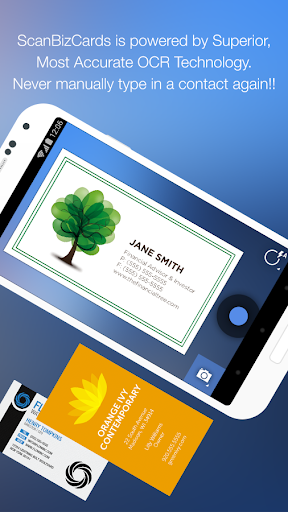
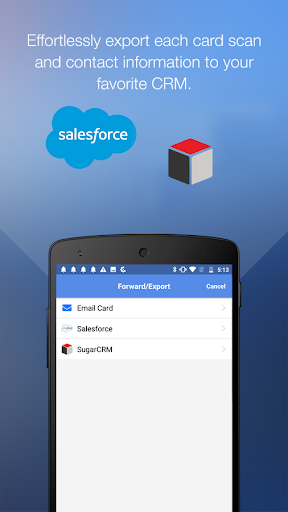
ScanBizCards Premium is a versatile business card management app for Android, designed to streamline contact organization and CRM integration. The app allows users to scan business cards directly using their phone's camera or submit them for 100%-accurate human transcription. With advanced features like email signature capture, batch scanning, and direct export to CRMs such as Salesforce and SugarCRM, it ensures seamless lead management.

The app supports 22 languages and offers tools like double-sided card scanning, custom folder organization, and a 3D gallery view mode. It is particularly beneficial for sales professionals attending conferences or trade shows, enabling them to quickly convert scanned business cards into actionable leads. By integrating with email accounts, ScanBizCards helps users automatically find and update contacts from incoming emails, keeping address books current without manual entry.

Features

ScanBizCards Premium stands out with its robust feature set tailored for efficient contact management. The app incorporates an upgraded OCR engine that delivers faster and more accurate scans, making the process up to 5x quicker than before. Users can leverage batch scanning to process multiple cards at once, significantly reducing time spent on manual data entry.

One of the key highlights is its ability to connect with email accounts for automatic signature capture, which extracts contact details from incoming emails and updates the user’s address book. Additionally, the app provides unlimited exports to Salesforce CRM, allowing businesses to maintain updated records effortlessly. Other notable features include double-sided card scanning, personal notes creation, and a search function for easy retrieval of stored contacts.

Collaborative work features

Collaborative work features are essential for modern business applications as they enable teams to work together efficiently regardless of their physical locations Collaborative functions in ScanBizCards Premium provide users with the ability to connect their email accounts for signature capture which automatically finds new contacts and updates existing ones from incoming emails This feature ensures that all team members have access to the most up-to-date contact information without manual entry or synchronization The app also supports unlimited card exports to Salesforce CRM allowing sales teams to keep their customer relationship management system updated in real time By enabling batch scanning users can process multiple business cards quickly and export them directly to their preferred CRM platform such as Salesforce or SugarCRM This streamlined workflow significantly reduces the time required to convert new leads into actionable sales opportunities Additionally the app's capability to scan conference badges makes it an ideal tool for trade shows and networking events where capturing numerous contacts rapidly is crucial Overall these collaborative features enhance team productivity by ensuring everyone has immediate access to accurate and comprehensive contact details which is vital for maintaining effective communication and driving business growth

Task management

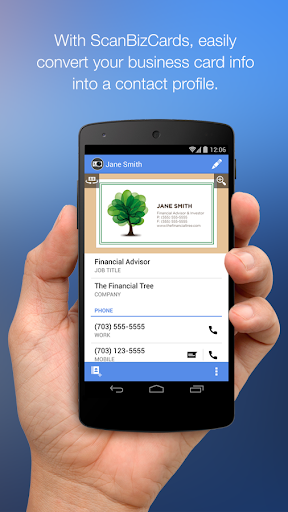
Task management is a critical component of productivity tools especially in business environments where organizing and tracking various tasks can significantly impact efficiency ScanBizCards Premium offers robust task management capabilities through its comprehensive business card scanning and contact management system Users can easily snap or import photos of business cards and the app's advanced OCR engine scans the card information five times faster than before The scanned data can be reviewed and edited alongside the card image ensuring accuracy before being added to the address book or merged with existing contacts This systematic approach streamlines the task of managing professional relationships For users who require absolute precision the option to submit cards for human transcription guarantees 100 percent accuracy Furthermore the app allows users to create personal notes for each card and organize them using custom folder names enhancing the ability to categorize and retrieve contacts efficiently The integration with email signature capture automates the process of finding new contacts and updating existing ones directly from email signatures This automation not only saves time but also reduces the risk of human error in data entry With the ability to export contacts to various CRMs like Salesforce and SugarCRM users can ensure that their customer relationship management systems remain up-to-date and synchronized across different platforms These task management features collectively empower users to maintain an organized and efficient contact management system which is indispensable in today's fast-paced business world

Props

Fast and accurate scanning

Unlimited CRM exports

Email signature capture

Batch scanning capability

Multi-language support

Cons

Premium version costly

Requires internet

Occasional OCR errors

Limited free exports

Complex setup

Features and Functions

What is this app and what can I use it for?

A business card scanner app for organizing contacts and exporting to CRMs.

How do I download and install this app on my device?

Download from Google Play Store and follow installation prompts.

How do I get started after opening the app for the first time?

Grant permissions, connect email, and start scanning cards.

What are the main features and capabilities of this app?

Business card scanning, CRM export, email signature capture.

How can I customize my experience and adjust preferences?

Adjust preferences in settings for customized experience.

How do I save or bookmark my favorite content for later access?

Save scanned cards in custom folders for future access.

How can I share content with friends or on social media?

Share contacts via email or social media directly from the app.

How do I access detailed information and explore more content?

Use search and detailed view options to explore content.

What permissions does this app need and how do I manage them?

App needs camera and storage access; manage in settings.

How do I check for updates and keep the app running smoothly?

Check Google Play Store for updates and enable auto-update in settings.
Show more

User Reveiws

{{ comment.reviewer_name }}
{{ comment.review_date_formatted}}
{{ comment.review_content }}
{{ tab.name }}
{{ comment.reviewer_name }}
{{ comment.review_date_formatted}}
{{ comment.review_content }}
No reviews with this rating