Cleaner Elite

4.50

Information

Category:

Tools

Price:

Free

Rank:

40

Rating:

4.50

Overview

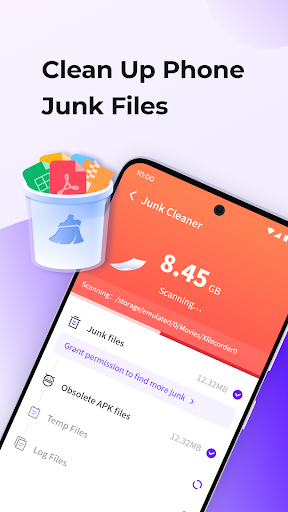
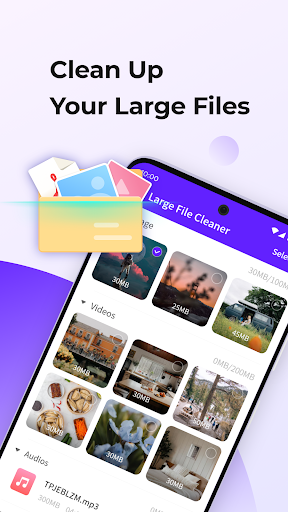
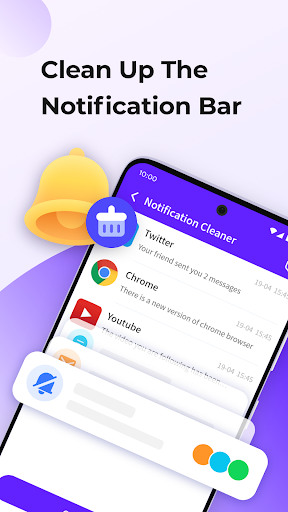
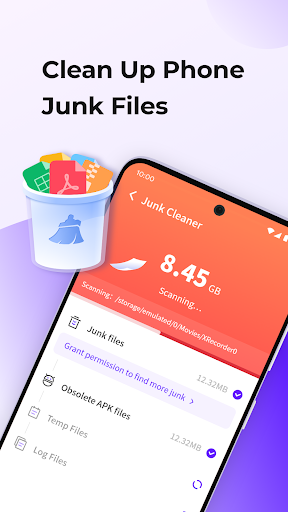
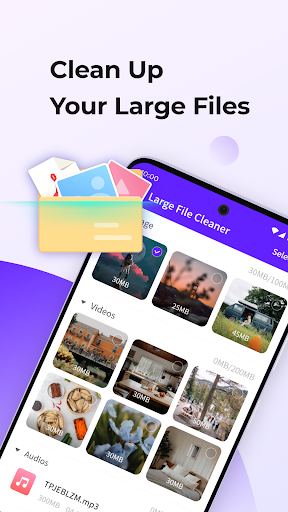
Cleaner Elite is a comprehensive cleaning tool designed to optimize your mobile device's performance. The app focuses on three core functionalities: junk file cleaning, large file management, and notification clearing. By removing unnecessary temporary files, users can free up valuable storage space. Its large file cleaning feature allows for easy identification and removal of space-consuming files, while the one-click notification cleaner helps maintain an organized notification bar. These features collectively ensure your device runs smoothly and efficiently.

In addition to its cleaning capabilities, Cleaner Elite offers a powerful file manager that simplifies file exploration and organization. The intelligent classification system makes media browsing more efficient, allowing users to manage their photos, videos, and documents with ease. Whether you're looking to declutter your phone or need a reliable file management solution, Cleaner Elite provides the tools necessary to keep your device in top condition.

Features

Cleaner Elite stands out with its diverse range of practical features tailored to enhance your device's functionality. One of its key features is the junk cleaning tool, which scans and removes temporary files that accumulate over time, freeing up storage space. This ensures your device remains responsive and clutter-free. Additionally, the large file cleaning option empowers users to identify and delete sizable files that may be taking up unnecessary space, making it easier to manage storage effectively.

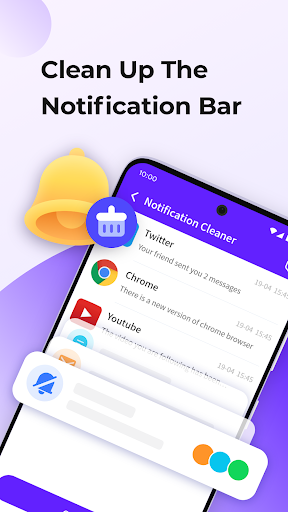
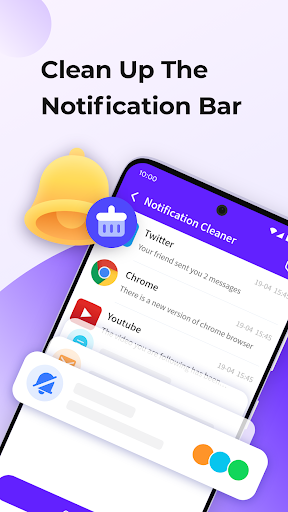
The app also includes a unique notification cleaning feature, offering a one-click solution to clear all notifications, thus helping users maintain a tidy notification bar. Furthermore, Cleaner Elite boasts a robust file manager that enables seamless file exploration and organization. Coupled with intelligent classification, users can browse through media files effortlessly. These features collectively provide a complete package for users seeking both cleaning and file management solutions.

Core function accuracy & effectiveness

The core functions of Cleaner Elite are designed to provide users with an efficient and reliable tool for managing and optimizing their mobile devices. The application focuses on several key areas including junk cleaning, large file management, and notification bar optimization. Junk cleaning allows users to remove temporary files that accumulate during regular phone usage, which can significantly free up storage space and improve device performance. Large file cleaning offers a convenient way to identify and delete sizable files that may no longer be necessary, further enhancing the user's ability to maintain optimal device functionality. Notification cleaning provides a simple one-click solution to clear the notification bar, ensuring that users are not overwhelmed by unnecessary alerts or messages. These features collectively contribute to a cleaner and more organized mobile environment, allowing users to focus on their essential tasks without distractions. The powerful file manager included in Cleaner Elite enables users to explore and manage their files with ease, offering intuitive navigation and control over their data. Additionally, the intelligent classification system helps users browse through all media efficiently, categorizing content in a manner that makes it easily accessible. This comprehensive suite of tools ensures that Cleaner Elite stands out as a highly effective solution for maintaining a well-organized and high-performing mobile device.

Interface simplicity & intuitiveness

Cleaner Elite places a strong emphasis on providing an interface that is both simple and intuitive, ensuring that users of all technical backgrounds can navigate and utilize its features with ease. The design philosophy behind the application prioritizes user experience, focusing on creating a seamless interaction between the user and the app's core functionalities. Upon launching Cleaner Elite, users are greeted with a clean and organized layout that clearly presents the available tools and options. Each feature such as junk cleaning, large file management, and notification clearing is represented by distinct icons and labels, making it straightforward for users to identify and select the desired function. The process of cleaning temporary files or removing large files is streamlined through clear instructions and progress indicators, keeping users informed at every step. Similarly, the notification cleaning feature is implemented with a single-click mechanism, eliminating any unnecessary complexity and delivering immediate results. Beyond its primary cleaning functions, Cleaner Elite also includes a powerful file manager that simplifies file exploration and management. The interface of this file manager is crafted to offer intuitive controls and logical organization, enabling users to locate and manipulate their files effortlessly. Furthermore, the intelligent classification system enhances the browsing experience by categorizing media content in a coherent manner, allowing users to quickly find what they need. Overall, Cleaner Elite's commitment to interface simplicity and intuitiveness ensures that users can harness the full potential of the application without encountering steep learning curves or confusing design elements.

Props

Efficient cleaning tools

User-friendly interface

Powerful file manager

Intelligent media classification

One-click notification cleaner

Cons

Limited advanced options

No cloud backup feature

Occasional slow performance

Ads in the free version

Basic design aesthetics

Features and Functions

What is this app and what can I use it for?

A tool for cleaning junk, large files, and notifications

How do I download and install this app on my device?

Search Cleaner Elite on Google Play, tap Install, and open after download

How do I get started after opening the app for the first time?

Grant necessary permissions and follow the setup wizard for initial configuration

What are the main features and capabilities of this app?

Junk cleaning, large file deletion, notification clearing, file management, and media browsing

How can I customize my experience and adjust preferences?

Adjust settings via the Preferences menu to customize your cleaning experience

How do I save or bookmark my favorite content for later access?

Use the Favorites folder option to bookmark important files for future access

How can I share content with friends or on social media?

Tap the Share button to send content directly to friends or social media platforms

How do I access detailed information and explore more content?

Utilize the Explore feature to access detailed information and additional content

What permissions does this app need and how do I manage them?

The app requires storage and notification access; manage these in your device settings

How do I check for updates and keep the app running smoothly?

Enable automatic updates in Google Play Store settings to keep Cleaner Elite current
Show more

User Reveiws

{{ comment.reviewer_name }}
{{ comment.review_date_formatted}}
{{ comment.review_content }}
{{ tab.name }}
{{ comment.reviewer_name }}
{{ comment.review_date_formatted}}
{{ comment.review_content }}
No reviews with this rating
















