1DM+

4.70

Information

Category:

Tools

Price:

$ 3.99

Rank:

25

Rating:

4.70

Overview

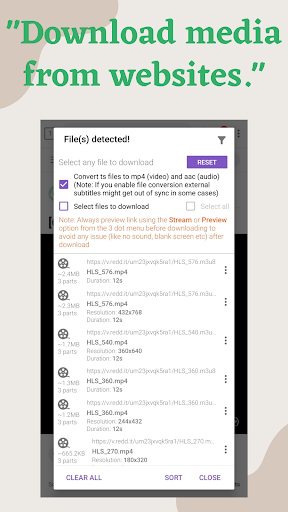
1DM+ is a cutting-edge download manager for Android, offering advanced features like torrent downloading and up to 500% faster download speeds. The app excels in efficiency by not running background services unnecessarily, which helps conserve device battery life. It supports direct downloads to SD cards and HTTP Live Streaming websites, making it versatile for various user needs.

The application provides a comprehensive suite of tools including smart download options, pause/resume capabilities, and an intelligent scheduler. With support for multiple web browsers and all file formats, 1DM+ ensures seamless integration into users' digital workflows. Its ability to handle up to 30 simultaneous downloads and 32 parts per download makes it ideal for power users who demand high performance and reliability from their download manager.

Features

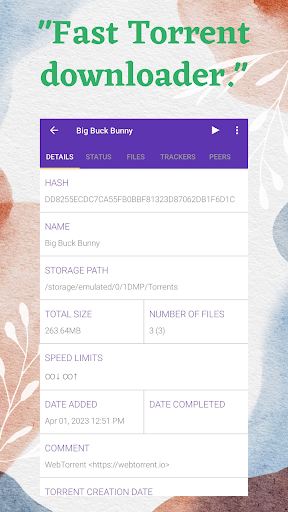
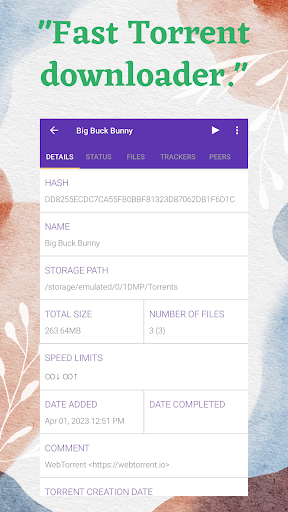
1DM+ stands out with its rich feature set tailored for both casual and power users. The app supports ad-free torrent downloads through magnet links, URLs, or local files, while offering dark and light themes for user comfort. With multilingual support and the ability to hide downloaded files, it caters to privacy-conscious individuals across different regions.

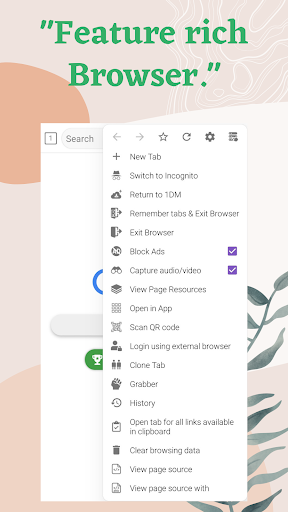
Advanced functionalities include proxy support, speed limiters, and MD5 checksum calculations, providing users with precise control over their downloads. The built-in browser with incognito mode and multi-tab support further enhances the downloading experience. These features collectively ensure that 1DM+ delivers a robust, flexible solution for managing complex download tasks efficiently.

Core function accuracy & effectiveness

The core function accuracy and effectiveness of 1DM+ is demonstrated through its advanced download management capabilities which are designed to optimize the downloading process on Android devices The application supports a wide range of file formats including archive files music video documents and programs ensuring that users can download virtually any type of content they require One of the standout features is the multi-part downloading functionality which allows for up to 32 simultaneous parts per download significantly increasing download speeds This is further enhanced by the ability to perform up to 30 simultaneous downloads making it an ideal tool for users who need to manage multiple download tasks at once The app also includes smart error handling mechanisms which prevent data loss and ensure that downloads are completed successfully even in the event of unexpected interruptions such as network failures or system crashes Another important aspect is the speed limiter which provides both global and individual controls allowing users to manage their bandwidth usage effectively This ensures that other online activities are not impacted by ongoing downloads Additionally the refresh expired links feature enables users to easily resume interrupted downloads without having to restart from scratch These comprehensive features collectively contribute to a highly accurate and effective download management experience providing users with reliable and efficient tools to handle their downloading needs

Interface simplicity & intuitiveness

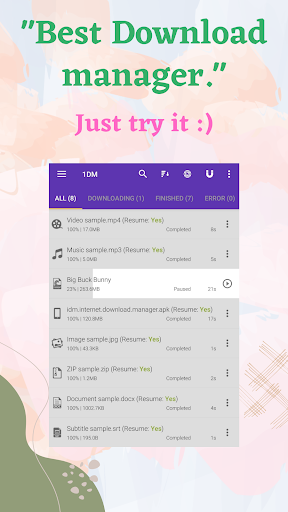
1DM+ excels in providing an interface that balances simplicity with intuitiveness creating a user-friendly environment for managing downloads The application's design incorporates both dark and light themes catering to user preferences and ensuring comfortable use in various lighting conditions The interface is structured to provide easy access to essential functions while maintaining a clean and uncluttered appearance Users can benefit from features such as direct download to SD card and the ability to sort files by name size date and categorize by types and time which streamline the file management process The built-in web browser with support for multiple tabs history and bookmarks further enhances the user experience by integrating browsing and downloading functionalities within a single application The smart download option automatically initiates downloads when users copy downloadable links to the clipboard reducing the number of steps required to start a download Additionally the pause and resume feature along with options to pause all start all or remove all downloads helps users manage their download queue efficiently The extended notifications with download progress provide real-time updates keeping users informed about the status of their downloads Furthermore the application supports vibration and notification sounds upon download completion serving as immediate alerts for users Overall these interface elements work together to create an intuitive and straightforward user experience enabling both novice and experienced users to effectively utilize the application's powerful download management features

Props

Fast download speeds

Torrent support

Built-in browser

Smart scheduler

Multi-language support

Cons

No YouTube support

Paid version only

Complex interface

Requires permissions

Large app size

Features and Functions

What is this app and what can I use it for?

A fast download manager with torrent support and advanced scheduling.

How do I download and install this app on my device?

Search for 1DM+ on Google Play Store and tap Install.

How do I get started after opening the app for the first time?

Grant necessary permissions and explore the main dashboard.

What are the main features and capabilities of this app?

Torrent downloads, speed control, and multi-part downloading.

How can I customize my experience and adjust preferences?

Adjust settings via the Preferences menu for customization.

How do I save or bookmark my favorite content for later access?

Use the bookmark feature to save favorite download links.

How can I share content with friends or on social media?

Share content directly through integrated sharing options.

How do I access detailed information and explore more content?

Access detailed information in the download history section.

What permissions does this app need and how do I manage them?

Needs storage and network access; manage in settings.

How do I check for updates and keep the app running smoothly?

Enable auto-update in Google Play Store settings.
Show more

User Reveiws

{{ comment.reviewer_name }}
{{ comment.review_date_formatted}}
{{ comment.review_content }}
{{ tab.name }}
{{ comment.reviewer_name }}
{{ comment.review_date_formatted}}
{{ comment.review_content }}
No reviews with this rating