


drawnames

4.80

Information

Category:

Tools

Price:

Free

Rank:

28

Rating:

4.80

Overview

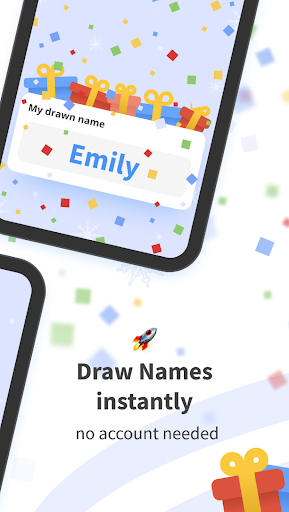
Drawnames is a comprehensive Secret Santa gift exchange organizer designed to simplify holiday and event planning. The app allows users to create groups, set exclusions, and generate wish lists without requiring an account. Its cross-device compatibility ensures accessibility for all participants regardless of their device type.

The platform offers features such as exclusion settings, personalized wish lists, and gift inspiration suggestions. Users can manage multiple gift exchanges and utilize the app for various occasions throughout the year. Drawnames eliminates manual tracking and paper-based organization, offering a streamlined digital solution for efficient and enjoyable gift exchanges.

Features

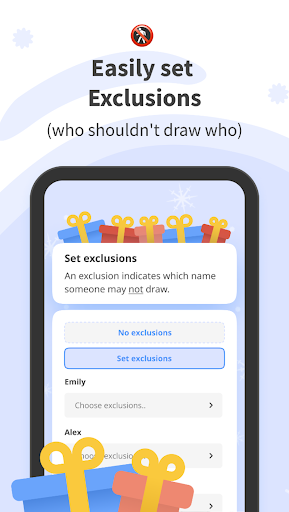
Drawnames stands out with its user-friendly interface and versatile functionality. The app's key feature is its simple three-step Secret Santa generator, allowing effortless group creation and name drawing. It supports exclusion settings to avoid unwanted pairings and enables sharing through popular messaging apps.

Additional notable features include personalized wish lists, gift inspiration browsing, and multi-event management. The app provides thousands of gift ideas and suggestions, ensuring thoughtful present selection. With no account requirement and cross-device compatibility, Drawnames delivers a seamless experience across different platforms and devices.

Core function accuracy & effectiveness

The drawnames Secret Santa app excels in its core function of simplifying gift exchanges and managing wish lists with remarkable accuracy and effectiveness. The app's primary purpose is to facilitate the organization of Secret Santa events by allowing users to create groups, set exclusions, and draw names seamlessly. This process ensures that each participant is assigned another member of the group for whom they will purchase a gift, eliminating the need for manual drawings or paper-based tracking. The app achieves this through an intuitive interface where users can easily input participant details, specify any exclusions to avoid unwanted pairings, and manage multiple gift exchanges simultaneously. By integrating features such as personal wish lists and gift inspiration suggestions, drawnames enhances the overall experience by making it easier for participants to choose appropriate gifts. Furthermore, the app supports cross-device compatibility, enabling users on various platforms to participate without barriers. The effectiveness of drawnames lies not only in its ability to streamline the gift exchange process but also in its capacity to adapt to different occasions beyond traditional holidays, such as birthdays and weddings. With no account required and flexible invitation methods via popular messaging apps, email, or text, the app ensures that organizing a gift exchange is both quick and hassle-free. Overall, the precision with which drawnames executes its core functions significantly reduces the stress associated with planning and executing gift exchanges, thereby enhancing user satisfaction and engagement.

Interface simplicity & intuitiveness

The drawnames Secret Santa app stands out for its interface simplicity and intuitiveness, making it accessible to users of all technical backgrounds. Upon launching the app, users are greeted with a clean and straightforward layout that guides them through the process of setting up a gift exchange in just three easy steps: creating a group, setting exclusions, and drawing names. Each step is clearly labeled and accompanied by concise instructions, ensuring that even first-time users can navigate the app with ease. The minimalist design avoids clutter, focusing instead on essential features such as adding participants, specifying exclusions, and inviting members via preferred communication channels like email, Messenger, or WhatsApp. Additionally, the app provides helpful prompts and tooltips throughout the setup process, further enhancing the user experience. For instance, when setting exclusions, users receive clear guidance on how to prevent specific individuals from being paired together, thus maintaining harmony within the group. Moreover, the inclusion of features such as personal wish lists and gift suggestions does not detract from the app's simplicity; rather, these elements are integrated seamlessly into the main interface, allowing users to access them without feeling overwhelmed. The absence of ads and the option to use the app without creating an account contribute to a streamlined and distraction-free environment. This focus on simplicity extends to the app's cross-device compatibility, ensuring that whether users are accessing drawnames from a mobile phone, tablet, or computer, they encounter a consistent and intuitive experience. By prioritizing clarity and ease of use, drawnames successfully removes the complexity often associated with organizing gift exchanges, empowering users to concentrate on the joy of giving rather than the logistics of coordination.

Props

User-friendly interface

No account required

Cross-device compatibility

Personalized wish lists

Gift inspiration suggestions

Cons

Limited to gift exchanges

No advanced customization

Basic UI design

Occasional ads

Feature limitations

Features and Functions

What is this app and what can I use it for?

A Secret Santa app for managing gift exchanges and wish lists

How do I download and install this app on my device?

Download from Google Play Store and install on your Android device

How do I get started after opening the app for the first time?

Create a new group and set basic parameters like budget and date

What are the main features and capabilities of this app?

Name drawing, wish lists, gift suggestions, and group management

How can I customize my experience and adjust preferences?

Adjust notification settings and personal preferences in-app

How do I save or bookmark my favorite content for later access?

Save favorite gifts directly to your personal wish list section

How can I share content with friends or on social media?

Share content via email, WhatsApp, or other messaging apps

How do I access detailed information and explore more content?

Access detailed information through the app's help section

What permissions does this app need and how do I manage them?

Requires basic permissions for notifications and contacts access

How do I check for updates and keep the app running smoothly?

Check for updates automatically through the Google Play Store
Show more

User Reveiws

{{ comment.reviewer_name }}
{{ comment.review_date_formatted}}
{{ comment.review_content }}
{{ tab.name }}
{{ comment.reviewer_name }}
{{ comment.review_date_formatted}}
{{ comment.review_content }}
No reviews with this rating














