Files by Google

4.50

Information

Category:

Tools

Price:

Free

Rank:

55

Rating:

4.50

Overview

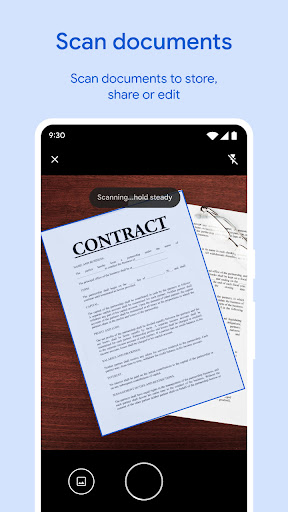
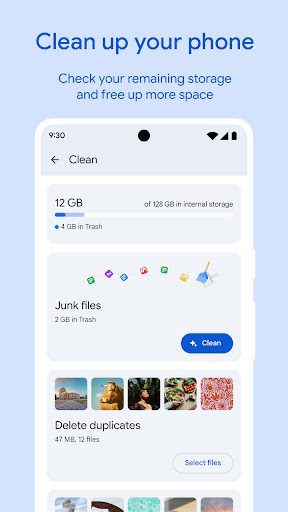
Files by Google is a powerful file management tool designed to help users efficiently organize, secure, and optimize their mobile storage. The app provides comprehensive features for space management, including cleaning recommendations, duplicate file detection, and cache clearing.

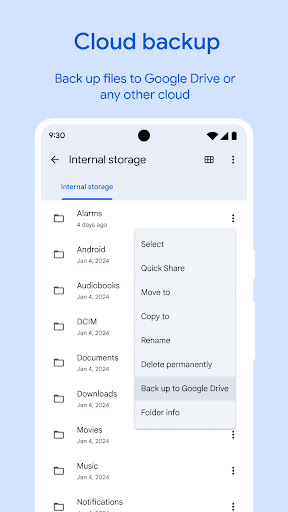
Beyond storage optimization, Files by Google offers fast file searching, offline file sharing through Quick Share, and cloud backup options. It ensures security with separate PIN or pattern locks for sensitive files. Whether you need to free up space, share files quickly, or back up important data, this app delivers a complete solution for Android users.

Features

One of the standout features of Files by Google is its ability to help users free up space on their devices. It scans for old photos, duplicate files, and cached data that can be removed. Additionally, it provides smart recommendations to protect your device and manage storage effectively.

The app also excels in file sharing and security. With Quick Share, users can transfer files at speeds up to 480 Mbps without an internet connection, all secured with end-to-end encryption. For added protection, sensitive files can be secured with a unique PIN or pattern lock, independent of the device's primary security settings.

Core function accuracy & effectiveness

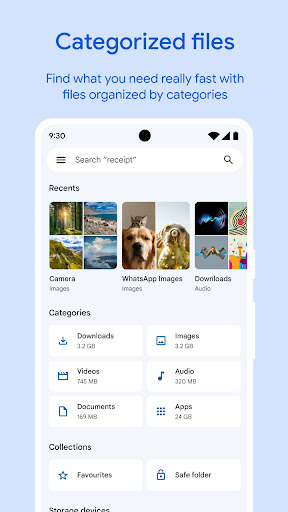
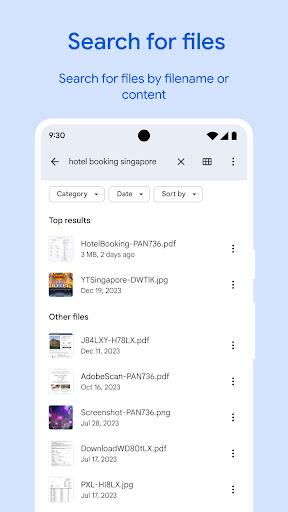
The Files by Google app demonstrates exceptional core function accuracy and effectiveness through its comprehensive suite of tools designed to manage device storage efficiently. At the heart of this application lies its ability to provide precise recommendations for freeing up space on your device including internal storage SD card and USB drive. The app meticulously identifies old photos from chat apps duplicate files and cache that consume valuable space allowing users to make informed decisions about which files to delete or retain. This targeted approach ensures that users can reclaim significant storage without compromising important data. Additionally the app's search functionality enables faster file retrieval by intelligently categorizing content such as photos videos and documents. Users can sort files by size to quickly understand what is occupying their storage and locate specific items with ease. The Quick Share feature further enhances the app's effectiveness by facilitating rapid offline file transfers at speeds up to 480 Mbps all secured with end-to-end encryption. These capabilities collectively establish Files by Google as a reliable tool for maintaining an organized and efficient device ecosystem while delivering tangible value to users seeking optimal storage management solutions.

Interface simplicity & intuitiveness

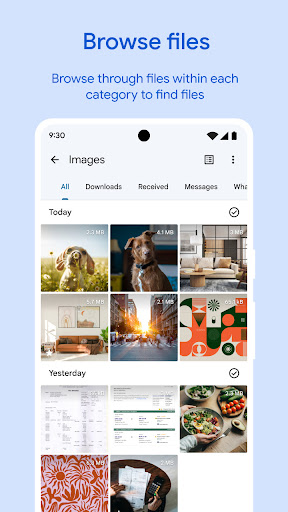
Files by Google excels in providing an interface that balances simplicity with intuitiveness making it accessible to users of varying technical proficiencies. Upon opening the app users are greeted with a clean and uncluttered layout that prioritizes essential functions such as freeing up space finding files quickly and securing sensitive data. Each primary feature is represented by clear icons and labels ensuring that even first-time users can navigate the app effortlessly. For instance the storage overview section presents a straightforward visualization of available and occupied space eliminating any guesswork involved in understanding one's current storage situation. Similarly the search and browse functionalities are streamlined offering intuitive filters and sorting options that allow users to pinpoint desired files rapidly whether they are looking for large videos or recently downloaded documents. Moreover advanced features like playback speed controls for media files and customizable security settings for sensitive content do not complicate the user experience but rather integrate seamlessly into the overall design. This thoughtful arrangement ensures that both basic and sophisticated operations remain approachable without overwhelming the user. By maintaining a lightweight footprint of under 20 MB the app reinforces its commitment to simplicity ensuring swift performance and minimal resource consumption. Overall Files by Google achieves an exemplary standard of interface design where every element serves a purpose contributing to an experience that feels both natural and empowering for its users.

Props

User-friendly interface

Fast offline sharing

Smart cleaning tips

Secure file locking

Cloud backup support

Cons

Limited to Android

No advanced editing

Small feature set

Requires Google account

Offline-only sharing

Features and Functions

What is this app and what can I use it for?

A file manager app to organize and free up space

How do I download and install this app on my device?

Visit Google Play Store, search 'Files by Google', and tap Install

How do I get started after opening the app for the first time?

Grant necessary permissions and follow setup prompts

What are the main features and capabilities of this app?

Space cleanup, file search, offline sharing, cloud backup

How can I customize my experience and adjust preferences?

Adjust settings via the Preferences menu in-app

How do I save or bookmark my favorite content for later access?

Use the Favorites option to bookmark key files

How can I share content with friends or on social media?

Tap Share button and select preferred platform

How do I access detailed information and explore more content?

Browse categories or use the Search bar for details

What permissions does this app need and how do I manage them?

App needs storage access; manage in Settings

How do I check for updates and keep the app running smoothly?

Enable auto-updates in Google Play Store settings
Show more

User Reveiws

{{ comment.reviewer_name }}
{{ comment.review_date_formatted}}
{{ comment.review_content }}
{{ tab.name }}
{{ comment.reviewer_name }}
{{ comment.review_date_formatted}}
{{ comment.review_content }}
No reviews with this rating