
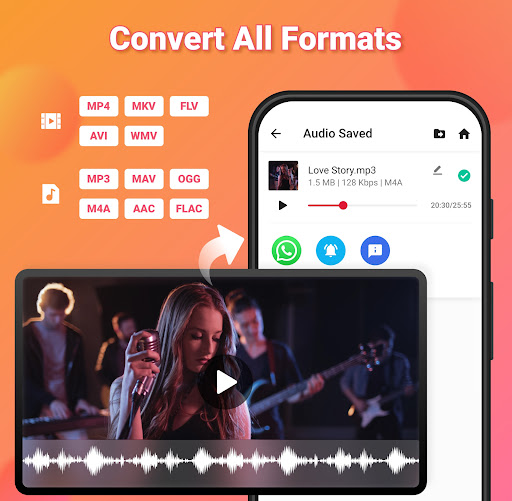
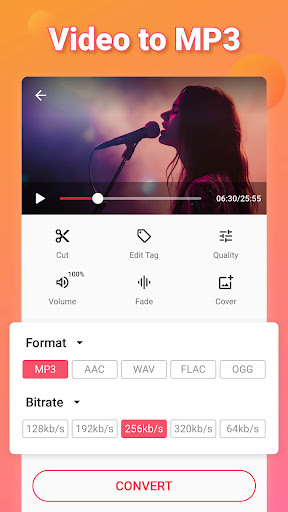
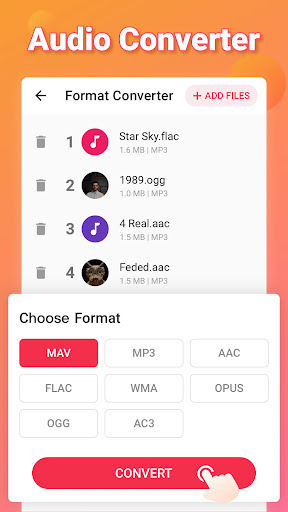
Video to MP3 is a versatile media converter tool that allows users to convert video files to high-quality audio formats. The app supports batch conversion of up to 15 videos at once, making it efficient for processing multiple files. It also offers advanced format compatibility, supporting popular video formats like MOV, MKV, and AVI, as well as audio formats such as MP3, WAV, and FLAC.
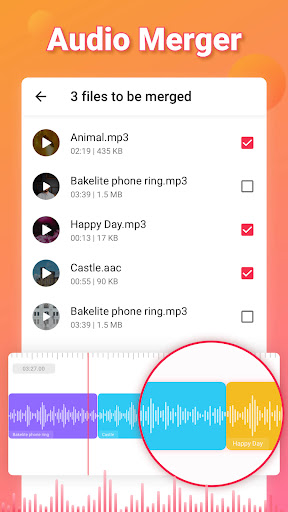
In addition to its core conversion capabilities, Video to MP3 provides editing features like trimming videos, cutting audio, merging tracks, and applying fade-in and fade-out effects. Users can also edit metadata tags, adjust bitrates, and even boost sound levels. With its user-friendly interface, this app is suitable for both casual users looking to extract music from videos and professionals needing robust media editing tools.
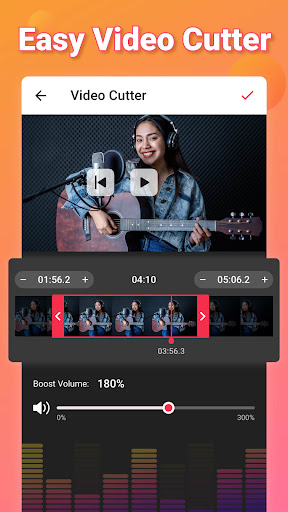
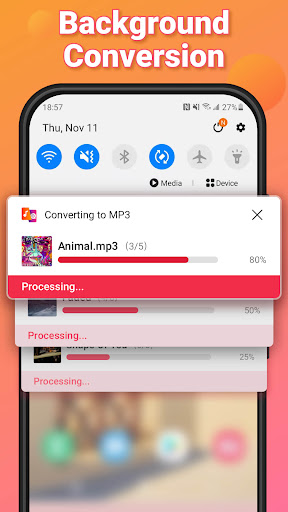
One of the standout features of Video to MP3 is its ability to handle various multimedia tasks beyond simple conversions. For instance, the app includes a video trimmer and cutter, enabling users to isolate specific segments from longer videos quickly. This functionality is particularly useful when extracting short clips or creating custom ringtones. Additionally, the app's support for background conversion ensures that users can continue using their devices without interruption while files are being processed.
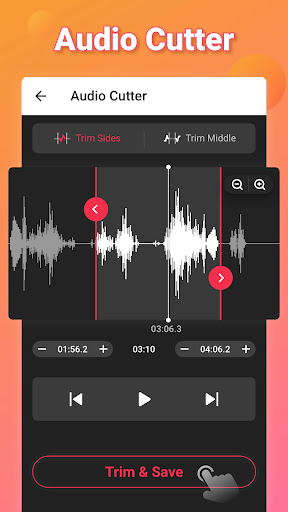
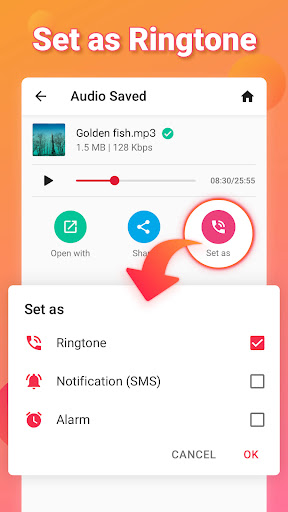
The app also excels in audio manipulation, offering an MP3 cutter and ringtone maker. Users can easily trim audio files, add music covers, and set the edited tracks as ringtones or notification sounds. Furthermore, the inclusion of bitrate settings ranging from 32kb/s to 320kb/s allows for precise control over output quality. These comprehensive features make Video to MP3 a one-stop solution for all video-to-audio conversion and editing needs.
User-friendly interface
Batch conversion support
Wide format compatibility
Advanced editing tools
Free to use
Limited advanced features
No cloud integration
Occasional bugs
Ads in free version
Basic UI design

?100% FREE! Download & save videos? safely in this app. All formats supported.
 4.60
4.60
Cast to Chromecast, Xbox, Fire Stick, Roku, DLNA, Smart TV & No Feature Limited!
4.50
Play ALL formats in 4K & HD. Video downloader, MP3 player, Chromecast & more.
4.80
VLC Remote lets you control your VLC Media Player on Mac, PC or Linux.
4.60
Explore the largest library of free GIFs, Stickers & Memes - or create your own!
3.90
Powerful Video Editor & Photo Editing App —— Quick Edits & Stunning Effects!
4.30
Cast movies, tv shows and live streams to Chromecast, Roku, DLNA, Fire TV & more
4.60
Viddo: Generate Action Figure, AI Anime, AI kiss, AI hug Video from image & text
4.40
Photo editor & video maker with music and slideshows.
4.10
Pro video editor app for Instagram, edit video with song, AI, effect & slowmo.
4.80
A Quick and Pro Video Editor
4.70
HD Video player all format, HD Videos, Cast & Subtitle. No annoying ads.
4.60
Create photo video with music & template. AI video maker for stunning slideshow.
4.60
Support 1000+ Video Format, Subtitle Download, mp3 & Background Play, Cast On TV
4.60
HD video maker with no watermark, no ads & vlog maker with music, PIP, text
4.50
Fast video downloader & private browser. Save HD clips to watch offline.
4.40
Browser for Fire TV to stream webvideos, online movies, livestreams in HD
4.40
Movie maker & video editing app with AI effects and green screen
4.30
Video player with 4K & 1080P support, popup play, background play and subtitle.
4.20


User Reveiws