
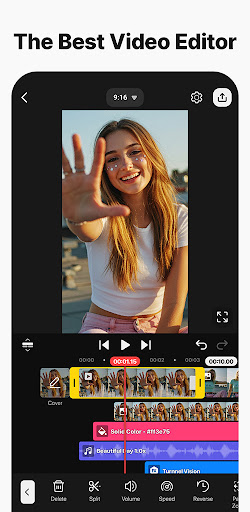
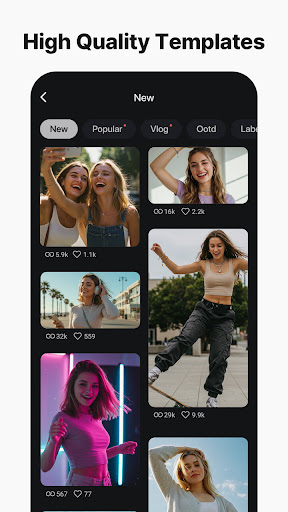
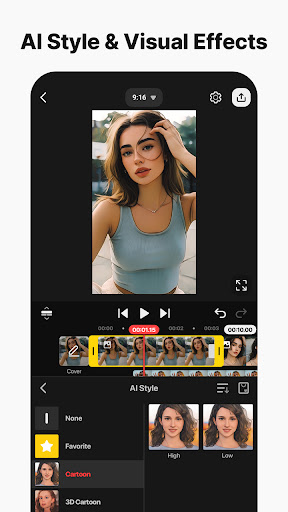
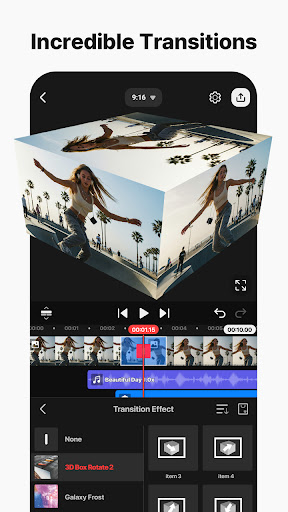
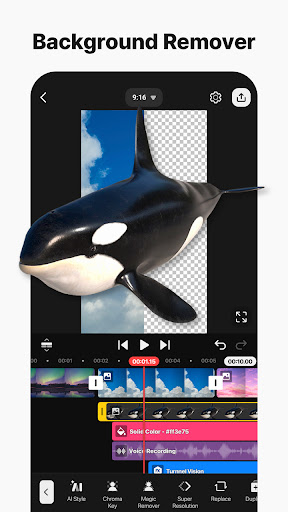
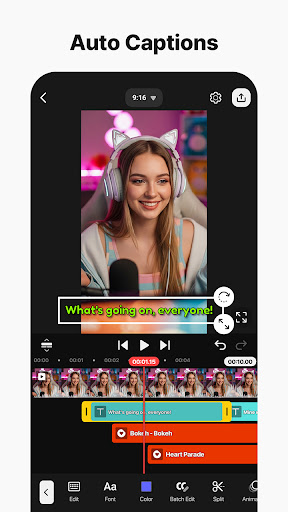
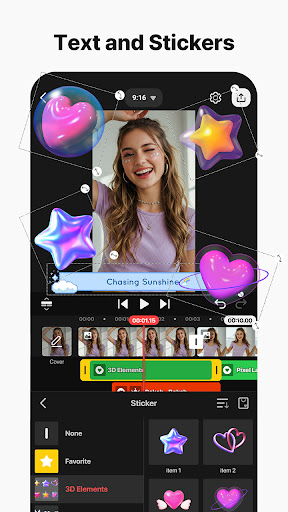

KineMaster is a comprehensive video editing application designed for both amateur and professional content creators. This app allows users to edit various types of videos including movies, vlogs, Reels, and Shorts with ease. It offers a wide array of AI-powered tools that simplify the process of creating complex videos quickly. These include features like AI Auto Captions, AI Text-to-Speech, and AI Noise Removal among others.
One of KineMaster's standout features is its professional-grade editing tools which are accessible to everyone. Users can take advantage of keyframe animation, chroma key (green screen) effects, and speed control to craft high-quality videos. Additionally, the app provides thousands of templates to jumpstart creativity, along with an extensive asset store filled with effects, stickers, music, and fonts. Whether you're looking to produce videos in 4K 60 FPS or optimize them for social media sharing, KineMaster has got you covered.
KineMaster stands out due to its rich set of features tailored for efficient and creative video editing. The app includes advanced AI tools such as AI Auto Captions, which automatically generates subtitles from audio, and AI Vocal Separator, allowing users to split songs into vocals and instrumentals. These features not only save time but also enhance the quality of the final product by providing unique customization options.
In addition to AI capabilities, KineMaster offers professional video editing functionalities like keyframe animation, chroma key effects, and precise speed controls. Users can leverage these tools to create visually stunning videos. Furthermore, the app supports multi-layer editing, magnetic guides for alignment, and full-screen previews, ensuring that every detail of your project meets high standards. With support for both portrait and landscape modes, KineMaster caters to diverse video formats and styles.
User-friendly interface
Extensive AI toolset
Professional editing features
Variety of customizable templates
High-quality export options
Subscription model required
Watermark on free version
Limited free assets
Advanced tools may overwhelm beginners
Occasional performance issues

Connect 2 UVC devices for recording and broadcast video/audio stream
 3.90
3.90
HD Video player all format, HD Videos, Cast & Subtitle. No annoying ads.
4.60
You can play SWF format file!
2.50
Stream high quality video from your camera over NDI protocol
4.2
VLC Remote lets you control your VLC Media Player on Mac, PC or Linux.
4.60
IPTV Player - Watch live TV from m3m & m3u8 playlist, stream IPTV on mobile
3.30
Cast to Smart TV, Fire TV. Cast video, photo - Fast & Stable!
3.90
#1 Torrent App on Android ** No Ads Ever + Battery Saver **
4.80
Cast movies, tv shows and live streams to Chromecast, Roku, DLNA, Fire TV & more
4.60
An easy-to-use and all-round screen recorder with audio
4.80
Screen recorder with audio to take live videos & Screenshot in high quality!
4.70
Fast, private downloading, video saving, social media
4.50
Powerful video player with advanced hardware acceleration and subtitle supports
4.20
Online Videos Player
3.90
Livestream, news, & gaming content. Watch, chat, and upload. Join Rumble today!
3.80
Kodi media center, a free and open source cross-platform entertainment hub
3.60
Connect EasyCap or UVC devices for recording and broadcast video/audio stream
3.60
Watch full episodes of your favorite Cartoon Network and Cartoonito shows!
3.50
The smartest M3U IPTV Player your playlists have ever seen.
4.5


User Reveiws