

Key VPN فیلتر شکن پرسرعت قوی

4.70

Information

Category:

Communication

Price:

Free

Rank:

44

Rating:

4.70

Overview

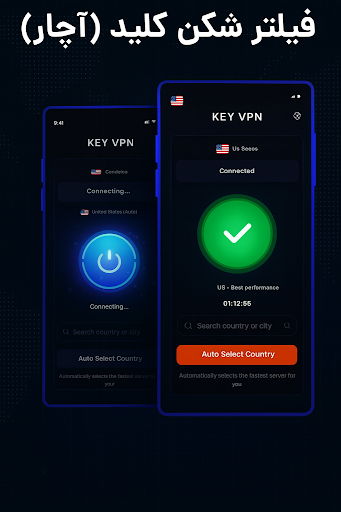
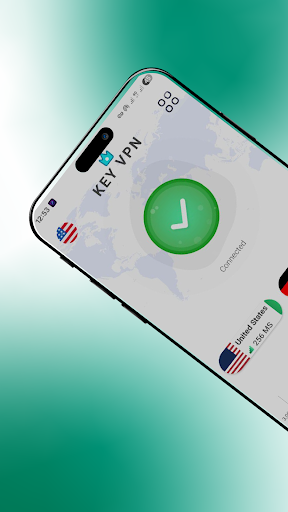
Key VPN is a fast and secure virtual private network (VPN) application designed to provide users with high-speed connections, particularly optimized for USA servers. The app allows users to unblock restricted sites, protect their privacy on WiFi hotspots, and browse the internet anonymously. With its one-tap connection feature, users can easily connect to a secure proxy server, making it an ideal tool for those seeking both simplicity and security in their online activities.

The application offers numerous cloud proxy servers that ensure stable and reliable service. It encrypts data using OpenVPN protocols (UDP/TCP), providing users with a secure browsing experience. Compatible with various networks including WiFi, LTE, and 3G, Key VPN ensures seamless connectivity across different carriers. Whether you're looking to bypass geo-restrictions or safeguard your personal information, this app delivers a comprehensive solution for all your communication needs.

Features

Key VPN stands out due to its impressive speed and ease of use. One of the key features is its ability to connect successfully at high speeds, ensuring that users experience minimal lag while browsing or streaming content. This makes it especially useful for accessing geo-blocked websites without any noticeable delay.

Another notable feature is the one-tap connection functionality, which simplifies the process of connecting to a secure proxy server. Users don't need to navigate through complex settings; just a single tap establishes a secure connection. Additionally, the app boasts multiple cloud proxy servers, enhancing stability and reliability. These servers are strategically located to offer better network performance and uninterrupted service, making Key VPN a dependable choice for maintaining consistent internet access.

Real-time messaging speed & reliability

In the realm of communication applications like Key VPN a fast and reliable connection is paramount to user satisfaction and functionality Real time messaging speed refers to how quickly data packets are transmitted between the sender and receiver ensuring minimal delay in communications For a VPN service this means providing users with the ability to browse and communicate without noticeable lag which is crucial for maintaining a seamless online experience The Key VPN app achieves high speed connections through its network of proxy servers strategically located to optimize routing paths This ensures that users can unblock sites and maintain secure connections even under restrictive network conditions such as WiFi hotspots Furthermore the stability of having numerous cloud proxy servers enhances the overall reliability of the service by providing fallback options in case of server issues or high traffic volumes This infrastructure not only supports fast browsing but also enables stable video calls and uninterrupted streaming which are essential for both personal and professional communications In practical terms this means users can enjoy private browsing with high speed performance while their network traffic is encrypted and protected from tracking Encrypting data using OpenVPN protocols further strengthens the security aspect making sure that communications remain confidential and tamper proof All these features combined deliver a robust communication tool that meets the demands of users seeking both speed and security in their online interactions

Media sharing support

Media sharing support is an essential feature for modern communication tools especially within a VPN application like Key VPN where users expect not only text based interactions but also the ability to share various types of media securely The capability to transfer images videos and other files across a network while maintaining privacy and security is highly valued in today s digital environment Key VPN addresses this need by integrating a secure tunneling client that routes all traffic including media transfers through encrypted channels This ensures that any shared content remains confidential and is not intercepted or logged by third parties The use of OpenVPN protocols UDP TCP provides an additional layer of security during file transfers safeguarding against unauthorized access Moreover the application s compatibility with different network types such as WiFi LTE and 3G guarantees that media sharing is not limited by connectivity type Users can download and upload media files regardless of their internet source enjoying consistent performance levels The one tap connection feature simplifies the process of establishing a secure link for media sharing making it accessible even to those with limited technical expertise Additionally the app s permission structure which includes receiving boot completed notifications and operating a foreground service ensures that the VPN remains active and ready to handle media requests at all times This comprehensive approach to media sharing combines ease of use with stringent security measures offering users peace of mind when exchanging sensitive information Overall Key VPN delivers a versatile solution for individuals who prioritize both the speed and safety of their media exchanges

Props

Fast connection speeds

Easy one-tap connection

Multiple secure servers

Encrypts user data

Compatible with various networks

Cons

Limited server locations

No advanced customization

Basic interface design

Occasional connection drops

Ads in free version

Features and Functions

What is this app and what can I use it for?

A fast USA VPN app to unblock sites and protect privacy

How do I download and install this app on my device?

Search 'Key VPN' on Google Play Store and click install

How do I get started after opening the app for the first time?

Tap the one-tap connect button to start using the app

What are the main features and capabilities of this app?

High-speed connection, secure proxy, and privacy protection

How can I customize my experience and adjust preferences?

Adjust preferences like protocol type in settings menu

How do I save or bookmark my favorite content for later access?

Save favorite servers manually from server list page

How can I share content with friends or on social media?

Share app via social media or direct link sharing option

How do I access detailed information and explore more content?

Explore detailed info about servers in server details tab

What permissions does this app need and how do I manage them?

Needs VPN permission for routing traffic securely

How do I check for updates and keep the app running smoothly?

Check updates automatically in app's settings section
Show more

User Reveiws

{{ comment.reviewer_name }}
{{ comment.review_date_formatted}}
{{ comment.review_content }}
{{ tab.name }}
{{ comment.reviewer_name }}
{{ comment.review_date_formatted}}
{{ comment.review_content }}
No reviews with this rating