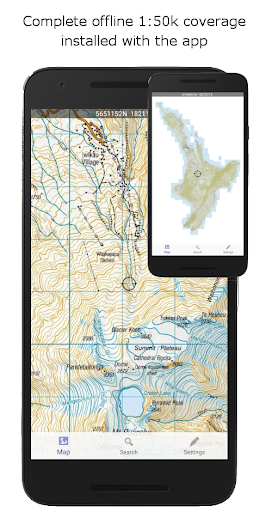
NZ Topo50 Offline - South is a comprehensive offline mapping application that provides complete 1:50k topographic map coverage of the South Island using the LINZ NZTopo50 series maps. The app comes with all maps fully included upon installation, ensuring users have seamless access without the need for additional downloads or incurring extra fees.
Designed specifically for backcountry navigation, this app is ideal for outdoor enthusiasts including trampers, hunters, and adventurers who require reliable map access without cellular coverage. With built-in GPS positioning, track logging, user waypoints, and other essential navigation tools, it ensures accurate and detailed exploration support.
The app stands out by utilizing the NZ national map grid, offering unparalleled accuracy compared to global datums like WGS84. This guarantees precise map projections with perfectly parallel gridlines, making it an invaluable tool for search and rescue operations, Te Araroa walkers, and more.
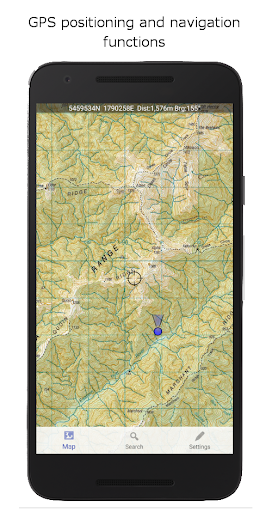
This app boasts a wide array of features tailored for outdoor navigation enthusiasts. Key functionalities include GPS positioning, allowing users to pinpoint their exact location on the map. Track logging and user waypoints enable users to mark and record important locations, while orientation tools such as compass display, altitude, and speed readings enhance situational awareness.
Additional capabilities encompass distance and bearing calculations to points on the map, route creation and following, and the ability to search for named places and features. Tracks and waypoints can be imported, exported, and shared in popular formats like KML or GPX, facilitating easy data exchange.
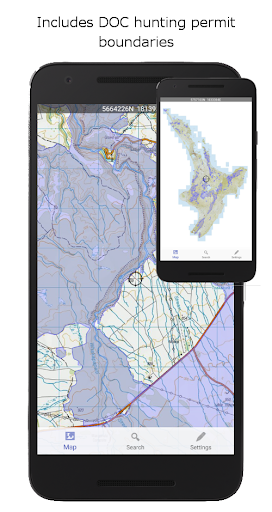
Unique overlays such as DOC open permit hunting boundaries and Te Araroa tracks provide added value for specific user groups. Importantly, the app functions entirely offline, requiring no internet or cellular connection, thus ensuring reliability in remote areas. Its large storage footprint is a trade-off for the extensive map data and functionality provided.
Accurate NZ grid
Offline functionality
Comprehensive map data
User-friendly interface
Essential navigation tools
Large storage space
No real-time updates
Limited to South Island
Not beginner-friendly
Highly specialized use
Compass is an accurate compass and a great tool for any outdoor activities
 4.3
4.3
Find AI powered cameras, ALPRs, and other surveillance infrastructure near you
4.70
Offline maps & GPS for hiking, travel, fieldwork & outdoor adventures
4.70
Find shortest way and save energy . Distance and area calculator.
4.70
"Balad" is a map and navigator with a Persian voice assistant and a complete city guide
4.40
Use GPS maps or search by property owner, address or parcel to view parcel data
4.30
Truck Safe GPS Navigation & Maps: Parking, Fuel, Diesel, Weight Station
4.80
Gas Station & Fuel Rewards Points
3.70
MapQuest is your go-to app for maps, GPS, voice navigation & live traffic.
3.80
Park in Chicago, NYC, Boston, SF, Houston & more!
4.70
Explore with GPS Navigation with GPS offline, voice GPS, speed camera radar
4.60
Affordable rides and food delivery with incredible discounts in just one app.
4.50
CamSam PLUS - The speed and red light camera warning system!
4.40
Route schedules, maps, and real-time tracking of MTA buses in New York City.
4.20
Number locator, real connection map
4.10
Navigation, weather, offline maps & tools for smarter, safer travel planning.
4.00
Live Satellite view app for find GPS navigation Direction and live location map
3.70
Ride CTA, Metra & Pace: Manage your fares, buy Metra tickets, get arrivals.
3.00
Find 93 Octane Gas: Locate Gasoline Stations Selling Premium 93 Octane or Higher
4.2


User Reveiws