
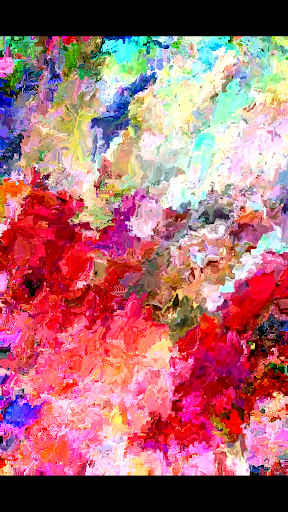
MoshUp is a creative photography app that allows users to perform live datamoshing on their mobile devices. This innovative tool enables you to film one scene, then another, and see the first recording transformed by the motion captured in the second. The result is a unique blend of visuals that creates fascinating mapping effects.
One standout feature is the ability to hold the screen to repeat the last frame, giving creators more control over their final output. With the latest update, users can now import videos from their gallery, expanding creative possibilities. Whether you're an experimental filmmaker or simply enjoy trying new visual techniques, MoshUp offers a fresh approach to mobile photography that's both fun and artistically rewarding.
MoshUp stands out with its distinctive live datamoshing capabilities, setting it apart from traditional photography apps. The core functionality lets users capture two separate video clips, where the motion data from the second clip transforms the visual appearance of the first. This creates dynamic, unpredictable visual effects that are perfect for artistic experimentation.
The app includes practical features like touch-to-hold frame repetition, allowing precise control over specific moments in your creations. Recent updates have expanded its capabilities by enabling video imports from your device's gallery. This enhancement opens up new creative avenues, letting you apply datamoshing effects to existing footage. For mobile artists seeking unique visual manipulation tools, MoshUp provides a specialized set of features that cater specifically to experimental digital art forms.
Unique datamoshing effect
Live transformation capability
Frame repetition control
Gallery import function
Creative experimentation tool
Limited device compatibility
Development still in progress
Complex for beginners
Performance may vary
Requires technical understanding
Search, tag and rate your way to an organized image gallery
 4.40
4.40
Create & Edit with AI: AI Remove, Enhance, Retouch, Filter
4.10
Natural Beauty, Selfie Retouch
4.30
Perfect body tune & face app - photo retouch, makeup, slim body & beautify face.
4.80
Light-weight Media Gallery app for Android made with Jetpack Compose
4.60
Future baby face generator: AI kids generator, kid face! What my baby look like?
4.40
Pro version: AR sun/moon tracker for any date. Tool for photographers & planners
4.90
Catch sunlight, sunrise sunset times and sun phases with the AR sun tracker.
4.10
Your Family Calendar + Photos. Manage your Skylight Calendar and Skylight Frame.
4.40
Photo editor: AI filters, photo enhancer, pic collage maker, AI art generator.
4.80
Discover & download millions of art for The Frame TV or Hisense CanvasTV
4.60
Create collages easily! Nice pic collage maker & background eraser for Instagram
4.50
[3DSteroid Pro] is a stereoscopic application for Android.
4.30
What celebrity do you look like? Celebs will find your celebrity match!
4.10
Transform Photos: Edit, Beautify and Craft Memories & Make Collages!
4.10
Photobooth mini FULL app will allow you to add more fun to your parties
4.00
How old age camera Gender Swap App Face Shape Hairstyle App Hair Styler App fun!
4.00
USB Storage Access for Photos, Videos, Music and Documents
3.80
Create amazing frames with up to five photos. Rounded corners, effects and more!
3.60


User Reveiws