
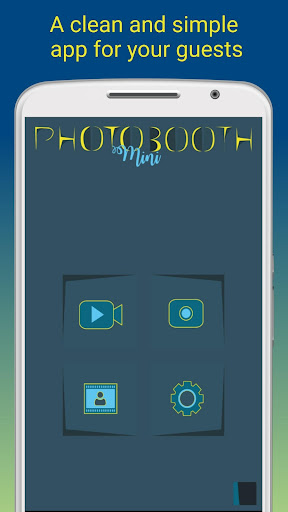
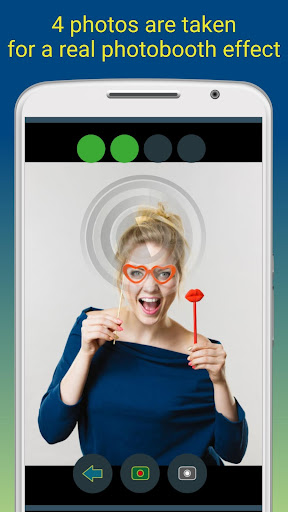
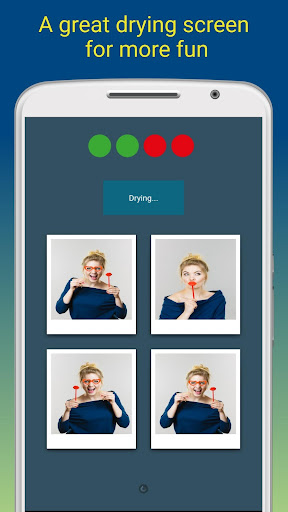

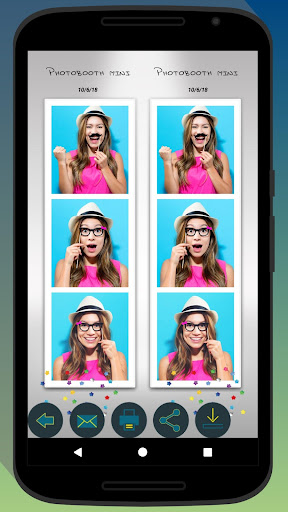
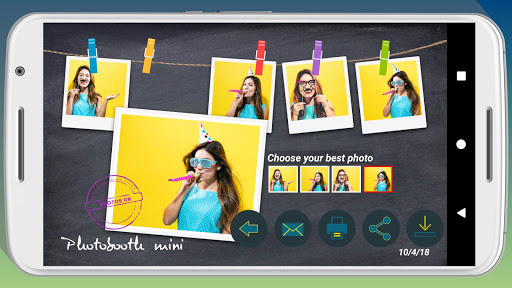
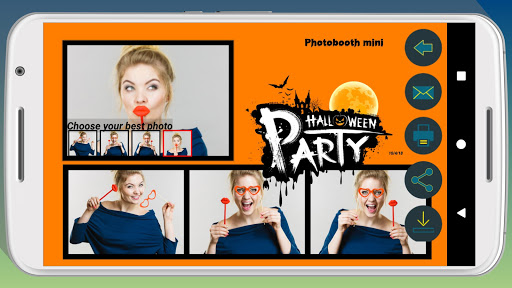
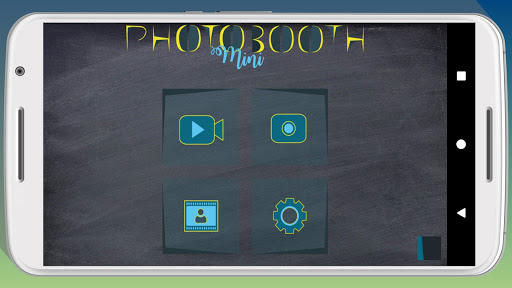
Photobooth mini FULL is a feature-rich photography app designed to capture fun moments at parties and events. The app offers a full-screen preview that adapts to the user's distance, mimicking a real photo booth experience. With functionalities like a timer, multiple picture capture, and video messaging, it ensures an engaging experience. Users can take 4-5 photos per session, enjoy a realistic drying effect with sound, and customize their experience extensively.
The application shines in social settings, allowing continuous use over days without performance degradation. It supports direct printing, sharing, and emailing of photos, making it ideal for gatherings. Additionally, users can personalize photos with text and dates, replace background images, and configure settings to match their event's theme. Its ability to queue email requests when internet access is unavailable further enhances its reliability and user-centric design.
Photobooth mini FULL stands out with its comprehensive set of features tailored for event photography. The app provides a unique full-screen preview that maintains zoom levels using volume buttons, ensuring consistent framing. Its timer function and capability to capture 4-5 images per session cater perfectly to creating memorable photo strips. The innovative photo drying simulation, complete with sound effects, adds a playful touch to the photo-taking process.
Customization options are abundant, allowing users to tailor the app to their specific needs. From changing background images to adjusting the timer and other settings, personalization is intuitive. The app facilitates seamless photo sharing and printing directly from the interface. Moreover, its robust system handles high usage demands effortlessly, storing unlimited photos and managing email queues efficiently when network access is intermittent, thus promising uninterrupted service during important events.
User-friendly interface
Highly customizable settings
Fun and engaging features
Reliable performance over extended use
Efficient photo and email management
Occasional bugs reported
Interface may feel dated
Limited free features
Requires technical setup
Not ideal for casual use

Easily stitch panoramas from multiple photos or video.
 4.40
4.40
Movie camera, supports pro recording settings for filming. Try it and be amazed!
4.50
Luminar: Photo Editor - easy picture editing with AI
4.20
Collage your moments in one tap: 1000+ layouts, filters, stickers, and texts.
4.90
Hair color changer, AI haircut app, fun hair editor and buzz cut filter for all!
3.80
Unblur, enhance & restore photos with powerful AI photo enhancer tools.
4.60
A light meter for true photographers.
4.20
Discover How to Plan any Sun, Moon and Milky Way Photo You Imagine in Seconds
4.70
Photo & Video Gallery app to manage albums and save WA Status easily.
4.70
Create funny photos and videos with the popular Time Warp Scan filter.
4.90
Android Native system HD camera app. Never been so simple and faster.
4.70
A must-have app for landscape photographers
4.60
Create Business Headshots, Polaroid Filter, Retake Photos,Profile Pics,AI Photos
4.50
Create AI photos & videos with Enhancer; restore, fix, beautify, enhance photos
4.50
Smart, light, and fast photo and video gallery
4.30
The #1 app for B&W film developing featuring an advanced darkroom timer.
4.10
Professional quality photo edits with the new Snapseed.
4.00
Remote control the phone camera shutter from your smartwatch and take a picture
1.60
Snap photos remotely using your Garmin watch as the camera trigger
4.4


User Reveiws