Facemoji AI Emoji Keyboard

4.70

Information

Category:

Personalisation

Price:

Free

Rank:

18

Rating:

4.70

Overview

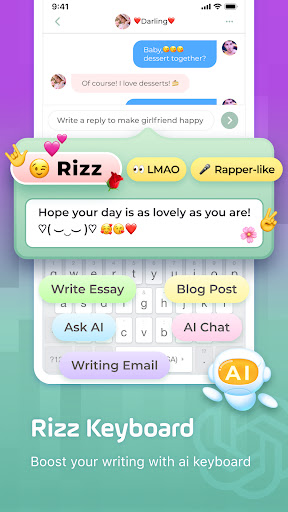
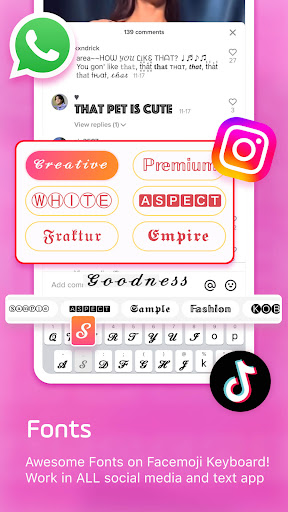
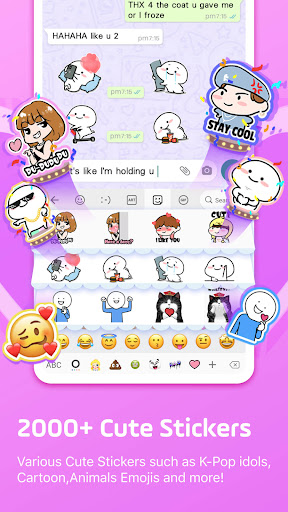
Facemoji AI Emoji Keyboard is a feature-rich personalization app that transforms your mobile typing experience through its advanced AI-powered keyboard. With over 6000 emojis, custom emoji creation tools, and unique features like the Genmoji AI Generator, it allows users to design personalized emojis and stickers based on their facial features or creative preferences. The app also includes 100+ cool fonts, GIF support, and stylish themes, making it ideal for enhancing social media posts and messaging apps like WhatsApp, TikTok, and Facebook.

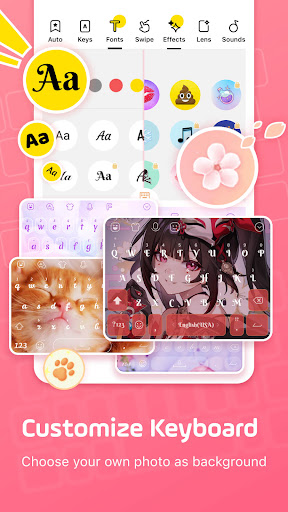
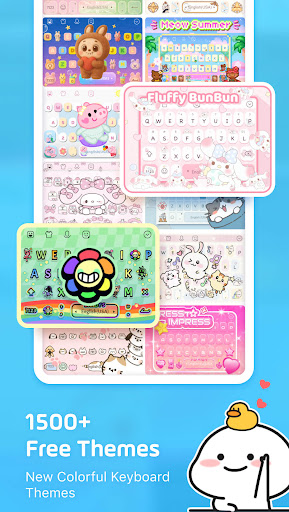
Beyond its emoji capabilities, Facemoji offers extensive customization options for the keyboard itself. Users can create their own keyboard wallpapers, customize button colors, sounds, and effects, and choose from over 1500 free themes ranging from K-Pop idols to Japanese anime styles. Its smart typing features include emoji predictions, swipe typing, autocorrect, and bilingual language support across 100+ languages. Whether you're looking to express yourself creatively or improve typing efficiency, Facemoji provides a versatile solution tailored to modern communication needs.

Features

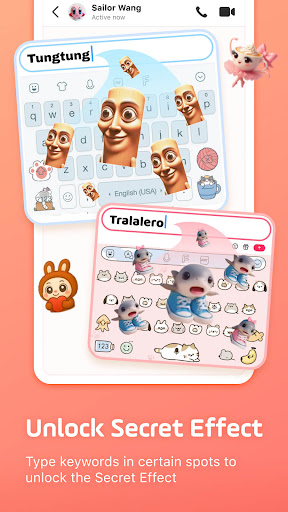
Facemoji AI Emoji Keyboard stands out with its innovative features designed to enhance both creativity and functionality. One of its key highlights is the Genmoji-style Emoji Maker, which uses AI technology to generate custom emojis and animated GIFs resembling the user's face. This feature goes beyond standard emoji keyboards by enabling users to craft unique, shareable content for platforms like TikTok, WhatsApp, and Instagram. Additionally, the app supports DIY avatar stickers, allowing users to input phrases and instantly convert them into personalized stickers.

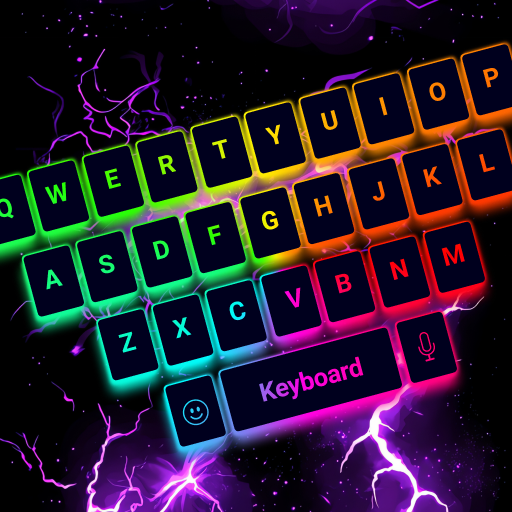
The app also excels in aesthetic and practical customization. It offers over 1500 stylish themes, including trendy designs like Neon, LED, and K-Pop-inspired visuals. Users can further personalize their keyboard layout with custom wallpapers, button colors, tapping sounds (like piano or guitar), and even BTS lightstick effects. For efficient typing, Facemoji includes smart suggestions, sticker predictions, and a swipe keyboard function. Privacy-conscious users will appreciate the app’s commitment to data security, ensuring no personal information is collected without explicit permission.

Customization options variety

Customization options variety refers to the range and depth of personalization features available within an application allowing users to tailor their experience to match personal preferences and needs This is particularly important in applications like Facemoji AI Emoji Keyboard where user engagement heavily relies on the ability to create a unique and personalized interface Facemoji offers extensive customization capabilities including over 1500 stylish themes that cater to diverse interests such as Japanese anime Neon LED RGB KPop idols cute animals and more These themes are not only visually appealing but also allow users to express their individuality through their keyboard design Additionally users can create their own keyboard wallpapers using favorite photos or pictures further enhancing personal connection with the app The level of customization extends to functional elements as well Users can modify buttons colors fonts tapping effects and sounds providing a fully immersive and tailored typing experience For instance tapping sounds can be customized to mimic musical instruments or even fun sounds like dog barking This high degree of customization ensures that every user can configure the keyboard to suit their aesthetic and functional preferences making each interaction with the app uniquely theirs Furthermore Facemoji supports DIY Avatar Stickers enabling users to generate stickers based on their input and share them across various platforms This feature adds another layer of personalization as users can create and use stickers that reflect their personality or current mood Overall the wide array of customization options in Facemoji AI Emoji Keyboard significantly enhances user satisfaction by providing tools to create a keyboard environment that feels personal and engaging This leads to increased usage and stronger user retention as individuals are more likely to stick with an application that resonates with their personal identity and preferences

Theme compatibility

Theme compatibility refers to the seamless integration and functionality of various visual themes within an application ensuring that all design elements work together harmoniously without compromising usability or aesthetic appeal In the context of Facemoji AI Emoji Keyboard theme compatibility is crucial as it directly impacts the user's typing experience and overall satisfaction with the app Facemoji boasts over 1500 free stylish themes that cover a wide range of popular aesthetics including Japanese anime Neon LED RGB KPop idols cute animals Boba milk tea Avocado Ironman Unicorn and many others Each theme is carefully designed to maintain consistency across different elements of the keyboard interface such as buttons icons and background images This ensures that regardless of which theme a user selects the keyboard remains visually cohesive and functions smoothly One of the standout features of Facemoji's theme system is its flexibility Users have the option to create their own custom keyboard wallpapers using personal photos or pictures This DIY approach allows for unparalleled personalization while maintaining full compatibility with the app's existing design framework The ability to customize buttons colors fonts tapping effects and sounds further enhances this compatibility as users can fine-tune these elements to complement their chosen theme or custom wallpaper Moreover Facemoji regularly updates its theme collection adding new designs weekly This commitment to freshness ensures that users always have access to the latest trends in keyboard customization without worrying about compatibility issues The app's robust architecture guarantees that new themes integrate seamlessly with existing features maintaining optimal performance and visual appeal Another aspect of theme compatibility is crossplatform consistency Facemoji ensures that its themes look great and function properly across different devices and operating systems This means that whether users switch between smartphones or tablets their chosen theme will retain its quality and functionality Lastly the app's support for DIY Avatar Stickers adds another dimension to theme compatibility Users can create and share personalized stickers that blend perfectly with their selected themes or custom designs This comprehensive approach to theme compatibility in Facemoji AI Emoji Keyboard not only enhances the visual appeal of the typing experience but also reinforces the app's position as a leader in customizable keyboard solutions By providing a vast selection of compatible themes and customization options Facemoji empowers users to create a truly unique and harmonious typing environment that reflects their personal style and preferences

Props

Highly customizable

AI-powered emoji maker

Extensive theme library

Smart typing features

Multilingual support

Cons

May overwhelm new users

Some features require premium

Occasional ad interruptions

Large storage footprint

Complex setup process

Features and Functions

What is this app and what can I use it for?

Facemoji is an AI-powered keyboard app offering 6000+ emojis, custom emoji creation, and stylish themes.

How do I download and install this app on my device?

Visit Google Play Store, search 'Facemoji', tap Install, and follow prompts to complete installation.

How do I get started after opening the app for the first time?

Open Facemoji, grant necessary permissions, select preferred settings, and start customizing your keyboard.

What are the main features and capabilities of this app?

Key features include AI emoji generation, 1500+ themes, swipe typing, autocorrect, and multilingual support.

How can I customize my experience and adjust preferences?

Access settings, adjust themes, sounds, fonts, and enable/disable specific features to tailor your experience.

How do I save or bookmark my favorite content for later access?

Use the bookmark option or save favorite emojis/themes directly within the app's customization menu.

How can I share content with friends or on social media?

Tap the share button, select desired platform, and send customized emojis, stickers, or GIFs effortlessly.

How do I access detailed information and explore more content?

Explore detailed guides via the Help section or visit official social media pages for tutorials and tips.

What permissions does this app need and how do I manage them?

Facemoji requires basic permissions like storage access; manage these in device settings under App Permissions.

How do I check for updates and keep the app running smoothly?

Enable automatic updates in Google Play Store settings or manually check for updates in the My Apps section.
Show more

User Reveiws

{{ comment.reviewer_name }}
{{ comment.review_date_formatted}}
{{ comment.review_content }}
{{ tab.name }}
{{ comment.reviewer_name }}
{{ comment.review_date_formatted}}
{{ comment.review_content }}
No reviews with this rating