
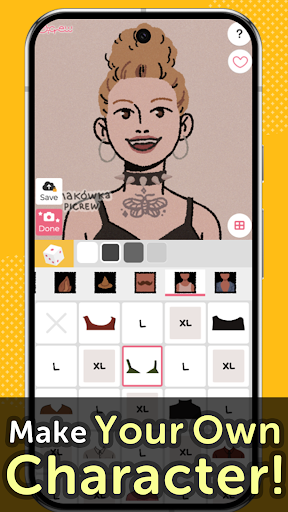
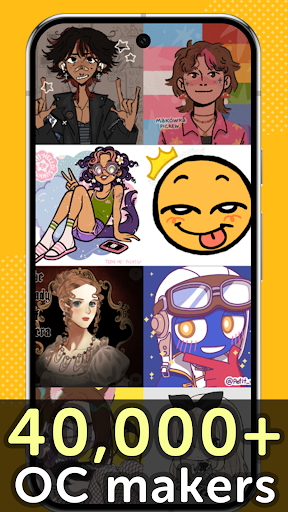
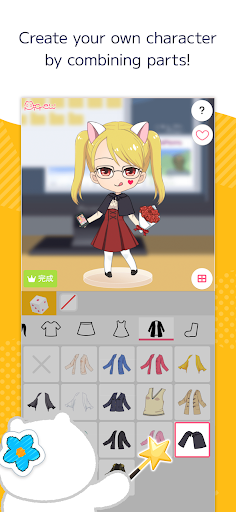
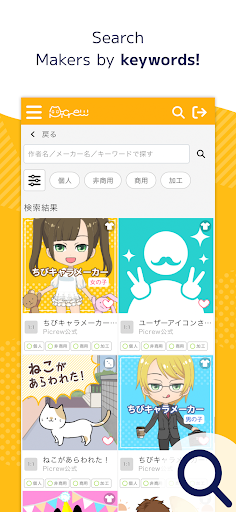
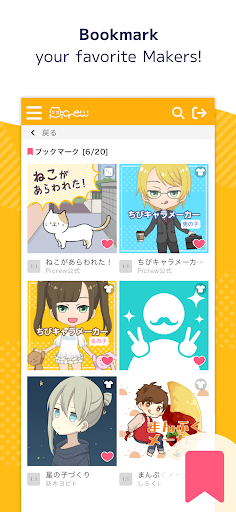
Picrew PFP & OC Maker is a versatile avatar creation platform that allows users to design unique profile pictures, characters, and icons for free. With over 10,000 Image Makers available, the app caters to various tastes including cute, cool, stylish, and more. Users can create avatars resembling themselves or craft original characters using an intuitive interface.
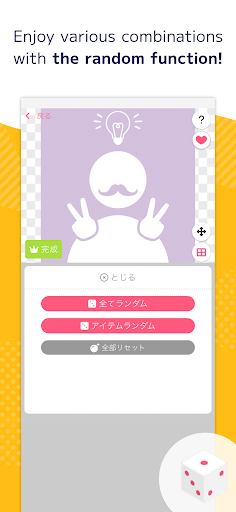
The app offers two main creation modes: Dress-up Maker for manual customization and Random Maker for luck-based designs. It also features social media integration, allowing easy sharing of creations on platforms like Facebook and X. The search and tag functions help users find specific Image Makers, while bookmarking enables saving favorite creators for future use.
Whether you're looking to create anime-style avatars, aesthetic profile pictures, or custom icons for social media, Picrew provides all necessary tools in one place. The platform's diverse creator base ensures endless possibilities for character customization, making it ideal for both casual users and serious designers.
Picrew stands out with its comprehensive suite of creative tools designed for maximum customization. The Dress-up Maker lets users manually select and combine different parts to create personalized avatars, while the Random Maker generates surprise designs based on pre-set parameters. These features cater to both methodical designers and those who enjoy element of chance.
The app's social media integration extends beyond simple sharing capabilities. Users can connect their accounts to automatically post creations, track engagement, and discover new Image Makers through community recommendations. Advanced search functions allow filtering by keywords, categories, and creator-defined tags, ensuring quick access to desired content.
Additional professional-grade features include reporting inappropriate content, blocking unwanted Image Makers, and accessing detailed usage guidelines for each creation. The platform maintains quality control through active administration while providing clear commercial usage information for every Image Maker, giving users confidence in utilizing their creations across different platforms.
User-friendly interface
Extensive customization options
Vibrant creator community
Free to use
Cross-platform compatibility
Limited advanced features
Occasional loading issues
Dependent on creator content
No offline mode
Ads between sessions

Customizable Outlined Fonts. Watch Face Format. Battery friendly Digital Clock.
 4.20
4.20
Design your dream room with AI. Get decor ideas & plan home interiors
3.90
Trace, draw, and create art with AR - from memes to masterpieces!
4.30
Novices can also easily complete diamond painting masters
4.70
Minecraft & Roblox Clothes
4.70
Get creative and make art with your Sesame Friends!
4.00
Everything you need to create hand drawn animation, anywhere you go!
4.40
An intuitive, high-performance painting app that lets you focus on creating
4.40
How to draw anime step by step for beginner easily by AR drawing sketch & paint.
3.60
Logo Generator powered by AI: Create stunning logos effortlessly!
4.70
Digital, Abstract, Classic - all types of color wheels in one app!
4.60
Draw glowing spinners, relax, and spin your creative art
4.60
Turn your drawings into flipbook-style animations with simple creative tools
4.60
Create neon drawing with magic doodle and fun doodle art effects!
4.50
Create color palette from Image, RGB & RYB Color wheel harmonies, Color Scheme
4.50
Share the joy of painting with ibis Paint! Drawing anime and manga art.
4.50
Remove Background, Magic Eraser, Photo Enhancer, Story Templates, Collage Maker
4.30
Create Logos, Tattoos, AI Art & more with our AI Photo Generator & Design Editor
4.20
Digital Drawing: Draw & Paint
4.10


User Reveiws