Pixelcut AI Photo Editor

4.30

Information

Category:

Art & Design

Price:

Free

Rank:

33

Rating:

4.30

Overview

Pixelcut AI Photo Editor is a comprehensive design tool tailored for creators and e-commerce businesses. This all-in-one editor leverages artificial intelligence to simplify complex design tasks, allowing users to create stunning visuals effortlessly.

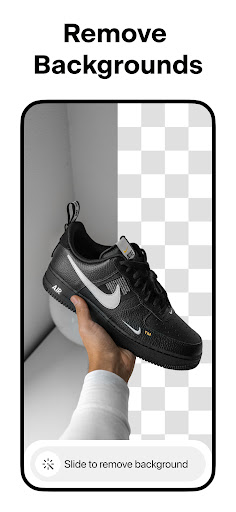
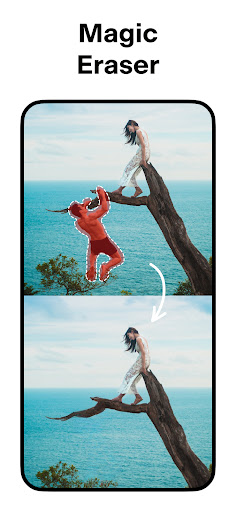
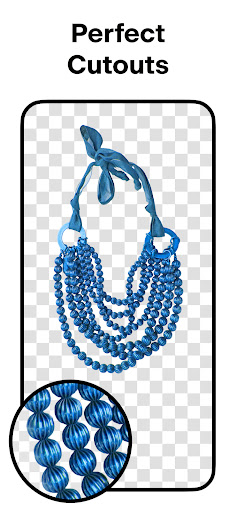
The app's core features include background removal with perfect cutouts, an AI-powered magic eraser for object removal, and an innovative AI photoshoot function that generates unlimited product photography options. These capabilities make it particularly valuable for online sellers who need professional-quality images for their stores.

With over 15 million users worldwide, Pixelcut serves as an essential tool for social media managers, small business owners, and digital creators looking to enhance their visual content across platforms like Instagram, Shopify, and Poshmark.

Features

Pixelcut distinguishes itself through its diverse range of AI-powered design tools. The background remover handles complex edges with precision, while the magic writer feature functions as an AI copywriter, generating product descriptions and social media content using advanced GPT technology.

The application provides professional-grade tools including customizable templates specifically designed for e-commerce, sophisticated text styles for image overlays, and realistic shadow effects for product photography. Users can also access thousands of community-created templates for various platforms such as YouTube and podcasts.

For content creators, Pixelcut offers additional features like collage creation with creative layouts, video making tools for business promotion, and a vast library of fonts and backdrops. The Pro membership unlocks unlimited access to these premium features, updated monthly.

Creative tool completeness

In the realm of digital art and design applications like Pixelcut AI Photo Editor creative tool completeness refers to the breadth and depth of features that empower users to execute their artistic visions with precision and flexibility The importance of having a comprehensive suite of creative tools cannot be overstated as it directly impacts the user's ability to produce highquality work efficiently Pixelcut addresses this need by offering an extensive array of functionalities ranging from its powerful BACKGROUND REMOVER which allows for flawless extraction of subjects from their original settings to the MAGIC ERASER that aids in eliminating unwanted elements within images This ensures that creators can focus on enhancing their artwork rather than being hindered by technical limitations Additionally the inclusion of AI PHOTOSHOOT technology revolutionizes product photography enabling users to generate countless variations of product shots effortlessly This not only saves time but also elevates the standard of visual presentation crucial for e-commerce success Moreover the availability of diverse TEXT STYLES and customizable TEMPLATES caters to various aesthetic preferences allowing designers to craft unique compositions tailored to specific audiences or branding requirements By integrating such robust tools Pixelcut empowers artists and entrepreneurs alike to elevate their creative projects whether they are designing marketing materials for social media platforms like Instagram or preparing listings for online stores The result is a streamlined workflow that enhances productivity while maintaining artistic integrity ultimately leading to more engaging and professionallooking outputs

Canvas/format flexibility

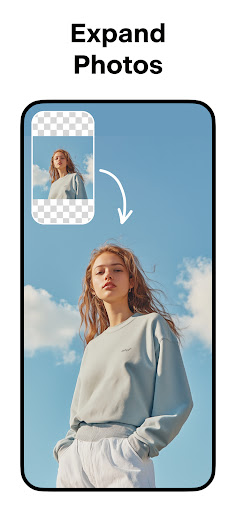
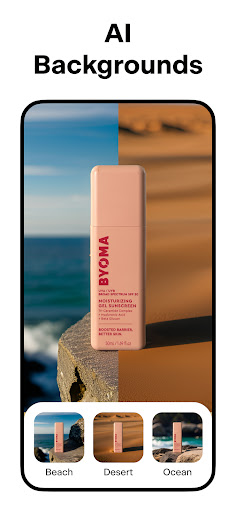
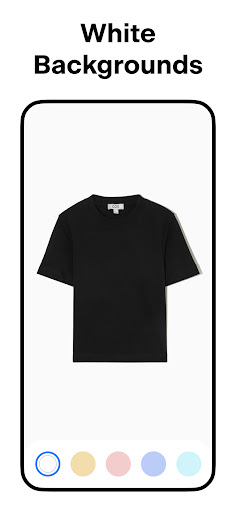
Canvas and format flexibility within design applications like Pixelcut AI Photo Editor plays a pivotal role in accommodating diverse project requirements and ensuring that creators can adapt their work to suit various mediums and platforms This aspect of design software pertains to the ability to manipulate canvas sizes orientations and formats seamlessly thereby supporting a wide range of creative endeavors For instance Pixelcut offers users the capability to place their products against WHITE AND COLOR BACKGROUNDS providing a versatile backdrop solution that caters to different stylistic choices and branding guidelines This feature is particularly beneficial for businesses looking to maintain consistency across their marketing collateral Furthermore the application supports the creation of REELS MAKER videos which opens up opportunities for dynamic storytelling and promotional content beyond static images The flexibility extends to COLLAGE creation where users can experiment with numerous layouts to compile their photos into visually appealing arrangements suitable for sharing on social media or printing as keepsakes Additionally the SHADOWS control function adds another layer of realism to product images allowing designers to fine-tune lighting effects to match the desired ambiance or setting Such meticulous attention to detail enhances the overall authenticity of the visuals making them more compelling to viewers In summary Pixelcut's commitment to providing canvas and format flexibility equips users with the necessary tools to tackle projects of varying scales and complexities Whether one is preparing images for a website designing graphics for a podcast cover or crafting content for a YouTube channel the adaptability offered by Pixelcut ensures that creators can deliver polished and contextually appropriate results every time

Props

AI-powered editing tools

Instant background removal

Professional templates

Advanced text styles

Community support

Cons

Premium features locked

Subscription required

Basic tools limited

Pro version expensive

Learning curve present

Features and Functions

What is this app and what can I use it for?

An AI photo editor for creating professional images

How do I download and install this app on my device?

Download from Google Play Store directly

How do I get started after opening the app for the first time?

Follow onboarding tutorial for setup

What are the main features and capabilities of this app?

Background removal, AI photoshoot, text tools

How can I customize my experience and adjust preferences?

Adjust settings in preferences menu

How do I save or bookmark my favorite content for later access?

Use save option for favorite designs

How can I share content with friends or on social media?

Share directly via app interface

How do I access detailed information and explore more content?

Explore templates and design assets

What permissions does this app need and how do I manage them?

Manage permissions in system settings

How do I check for updates and keep the app running smoothly?

Check Play Store for updates regularly
Show more

User Reveiws

{{ comment.reviewer_name }}
{{ comment.review_date_formatted}}
{{ comment.review_content }}
{{ tab.name }}
{{ comment.reviewer_name }}
{{ comment.review_date_formatted}}
{{ comment.review_content }}
No reviews with this rating