

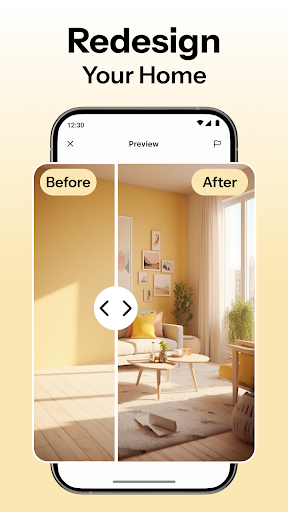
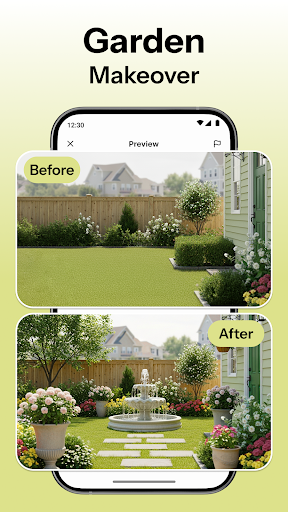
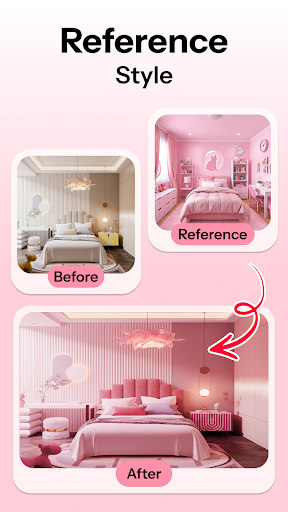
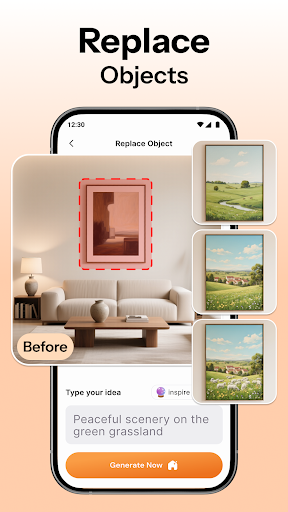
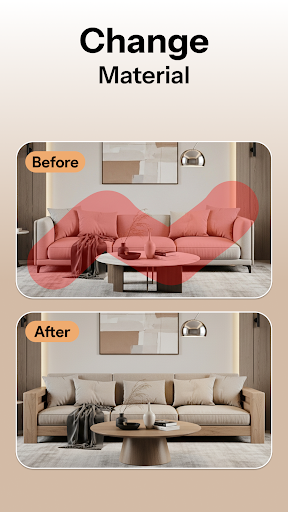
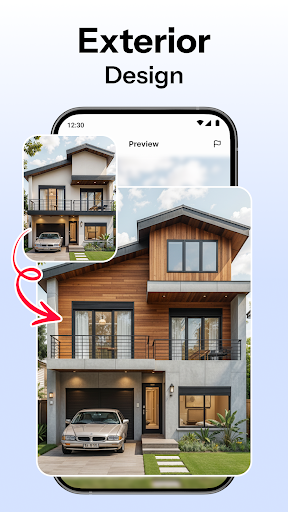

HomeMagic is an innovative AI-powered interior design application that transforms your living spaces with ease. The app allows users to capture a photo of any room and instantly visualize professionally designed makeovers in various styles, including Modern, Retro, Tropical, and more. Its powerful AI engine generates realistic designs tailored to individual preferences, making it perfect for homeowners, renters, and design professionals alike.
Beyond simple transformations, HomeMagic offers advanced features such as smart furniture layout planning, decor experimentation with wall colors and textures, and before-and-after comparisons. These tools enable users to optimize their space efficiently while exploring creative design possibilities. Whether you're renovating, redecorating, or seeking inspiration, HomeMagic provides the resources to bring your dream home to life quickly and effortlessly.
HomeMagic stands out with its comprehensive suite of AI-driven design tools. The app's AI Interior Design Generator allows users to upload photos and apply multiple design styles within seconds, offering unparalleled customization options. With over ten distinct style filters, including Bohemian, Vintage, and Cyberpunk, users can experiment until they find their ideal aesthetic.
The Room Makeover Preview feature lets users see potential renovations in photorealistic detail before committing to any changes. Additionally, the Smart Furniture Layout Planner optimizes spatial arrangements by suggesting ideal placements for furniture, lighting, and decorative elements. Users can also save their favorite designs into a personal gallery, export high-quality images, and share them with others. This combination of practical planning tools and creative freedom makes HomeMagic an indispensable resource for anyone interested in interior design.
User-friendly interface
Wide range of styles
Realistic design previews
Smart layout suggestions
High-quality image exports
Limited free features
Subscription required
Occasional AI inaccuracies
Advanced tools need learning
Device compatibility issues

Digital Drawing: Draw & Paint
 4.10
4.10
AI Face Swap, Video Effects Editor, Realtime Morph, Funny Video FX,AI Filters
3.70
Novices can also easily complete diamond painting masters
4.70
2D animation studio for Android tablets - unlimited layers, infinite timeline
4.70
Experience next-gen icons with a modern liquid glass look.
3.60
Photo stitcher for automatically screenshot stitching into a long screenshot
4.70
Share the joy of painting with ibis Paint! Drawing anime and manga art.
4.50
Create and Design Custom Logos in Seconds with AI-Powered Tools!
4.40
Create amazing pictures and unleash your creative genius with AR Drawing Sketch
4.40
Draw glowing spinners, relax, and spin your creative art
4.60
The perfect place to start sketching! Use Sketchbook to draw and paint sketches.
4.50
Everything you need to create hand drawn animation, anywhere you go!
4.40
Just trace a projected picture on paper and color! Draw & Paint with AR drawing
4.40
Turning simple sketches into captivating tales filled with life and motion
3.90
Your homescreen as an elegant glass with customized blur, lighting, and visuals.
3.70
Sketch, trace and master AR drawing with awesome anime art!
3.30
Meet the magic aı 3d photo generator and smart AI video generator app.
3.20
Create stunning video, photo & magic from text with FlixAI GPT video generator.
3.10
Inky runs Inkscape on Android devices and Chromebooks
2.90


User Reveiws