Stylish Text

4.40

Information

Category:

Art & Design

Price:

$ 2.99

Rank:

28

Rating:

4.40

Overview

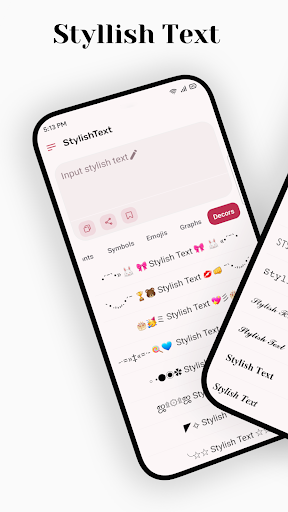
Stylish Text is a creative tool designed for users who want to enhance their text with unique fonts and symbols. This app allows you to transform ordinary text into visually appealing content, perfect for social media platforms like Instagram, Facebook, and WhatsApp.

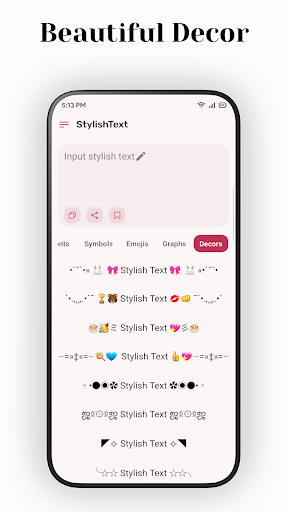
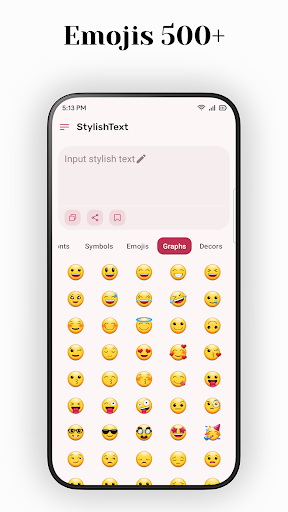
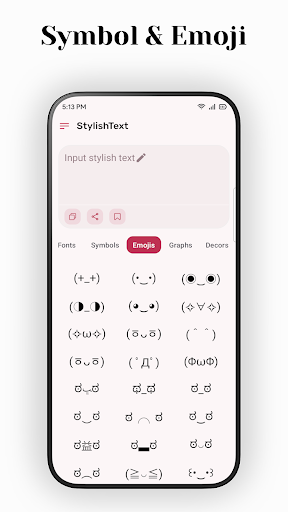
The application supports a wide range of emojis, symbols, and universal letter fonts, enabling users to customize their messages extensively. Whether it's decorating greetings or creating standout gaming names, Stylish Text offers the tools needed to make your text distinctive.

With its user-friendly interface, Stylish Text ensures that anyone can easily create stylish messages. Its ability to handle long texts and support mixed input makes it versatile for various creative needs, helping users capture attention in digital communications.

Features

Stylish Text stands out with its comprehensive feature set tailored for creative expression. The app supports almost all symbols and mainstream emojis, allowing users to incorporate these elements seamlessly into their text.

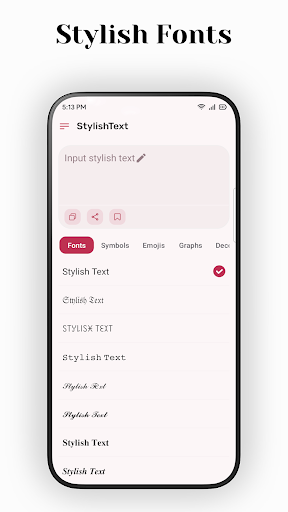
One of the key features is the ability to transform existing text using multiple universal letter fonts. This functionality enables users to experiment with different styles, ensuring their messages are unique and eye-catching.

Additionally, Stylish Text provides easy-to-use tools for free transformation and supports long text inputs without compromising performance. These capabilities make it an essential app for anyone looking to add a personal touch to their digital communication across various platforms.

Creative tool completeness

In the realm of digital creativity, having access to a comprehensive suite of creative tools is essential for users who wish to express themselves in unique and engaging ways. Stylish Text offers an extensive array of features that cater to this need by providing support for mainstream emojis, almost all symbols, and multiple universal letter fonts. This allows users to transform existing text into something more personal and expressive. The app's ability to handle mixed input for free transformation means that users are not limited to predefined styles or formats; instead, they can experiment with different combinations to create truly one-of-a-kind content. Whether it's crafting a distinctive social media profile, decorating greetings with beautiful symbols, or creating cool names for games, Stylish Text ensures that its users have all the necessary tools at their disposal. By supporting long text inputs without compromising on performance, the application demonstrates its commitment to delivering a complete creative experience. The ease of use further enhances the appeal of these creative tools, making them accessible even to those who may be new to digital artistry. With such a robust set of features, Stylish Text empowers users to push the boundaries of textual expression and stand out in various online platforms.

Canvas/format flexibility

The flexibility of canvas and format options within a design application like Stylish Text plays a crucial role in enabling users to bring their creative visions to life without constraints. Recognizing this, Stylish Text has been developed with a keen focus on providing unparalleled canvas and format flexibility. Users can seamlessly integrate stylish fonts and symbols into their work across different social media platforms such as Instagram, Facebook, WhatsApp, and others. This cross-platform compatibility ensures that no matter where the user chooses to share their creations, the integrity and style of their text remain intact. Moreover, the app supports transforming existing text, which means users can take any piece of writing and give it a fresh look by applying various font styles and decorative elements. The capability to mix different types of inputu2014be it standard alphabets, emojis, or special charactersu2014provides an additional layer of customization that is vital for achieving the desired aesthetic effect. Stylish Text also accommodates lengthy texts, ensuring that even verbose messages can be styled without losing quality or coherence. Such versatility in handling diverse content forms makes the app suitable for a wide range of applications from enhancing personal communications to professional branding efforts. Ultimately, the combination of broad symbol support, flexible formatting options, and adaptability to varying lengths of text positions Stylish Text as a powerful ally for anyone looking to infuse their digital communications with personality and flair.

Props

User-friendly interface

Wide range of fonts

Supports long texts

Versatile symbol use

Unique text styles

Cons

Limited font options

No offline mode

Ads may appear

Premium features cost

Occasional bugs

Features and Functions

What is this app and what can I use it for?

Stylish Text lets you create unique text styles for social media and messaging apps.

How do I download and install this app on my device?

Visit Google Play Store, search for Stylish Text, and tap Install to download it on your device.

How do I get started after opening the app for the first time?

Open Stylish Text, select a font style, and start typing or paste text to transform it instantly.

What are the main features and capabilities of this app?

Key features include emoji support, text transformation, and multiple universal fonts for creative expression.

How can I customize my experience and adjust preferences?

Customize preferences by choosing different fonts and symbols to suit your style in Stylish Text settings.

How do I save or bookmark my favorite content for later access?

Save favorite styles by copying transformed text and storing it in your preferred notes or clipboard app.

How can I share content with friends or on social media?

Share styled text directly to social media or messaging apps via the Share button in Stylish Text.

How do I access detailed information and explore more content?

Access detailed info by exploring various font categories and experimenting with text transformation options.

What permissions does this app need and how do I manage them?

The app requires basic permissions like storage access; manage them in your device settings if needed.

How do I check for updates and keep the app running smoothly?

Check for updates in the Google Play Store to ensure Stylish Text runs smoothly with the latest version.
Show more

User Reveiws

{{ comment.reviewer_name }}
{{ comment.review_date_formatted}}
{{ comment.review_content }}
{{ tab.name }}
{{ comment.reviewer_name }}
{{ comment.review_date_formatted}}
{{ comment.review_content }}
No reviews with this rating