


Timestamp Camera Pro

4.50

Information

Category:

Video Players & Editors

Price:

$ 4.99

Rank:

21

Rating:

4.50

Overview

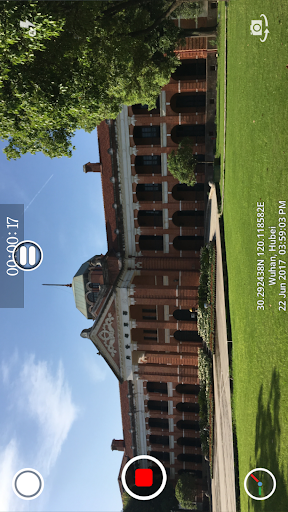
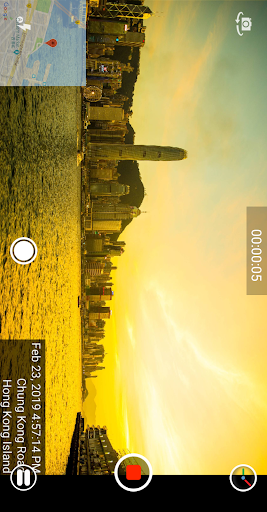
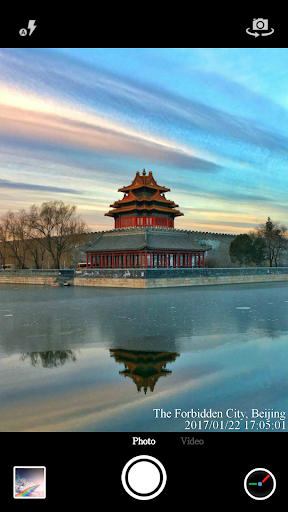
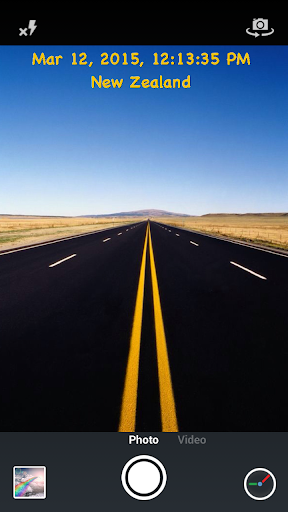
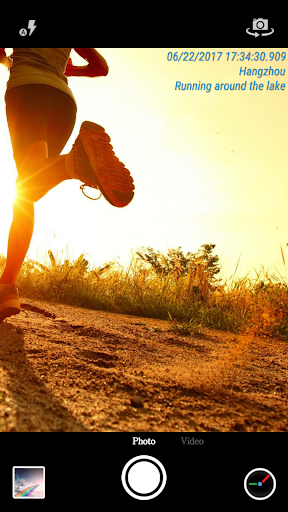
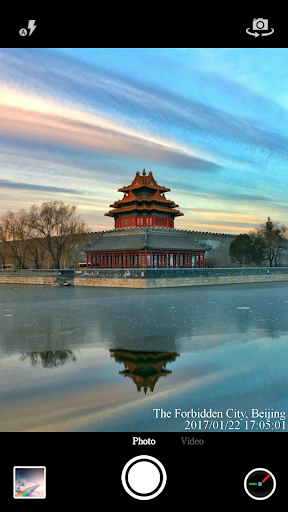
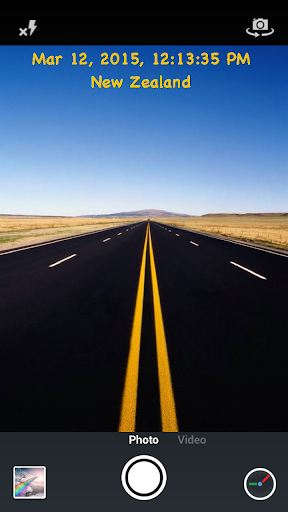
Timestamp Camera Pro is a powerful video and photo editing application that allows users to add real-time timestamp watermarks while capturing media. The app supports 61 timestamp formats and offers precise time tracking up to milliseconds, making it an ideal tool for professionals who need accurate time recording in their projects.

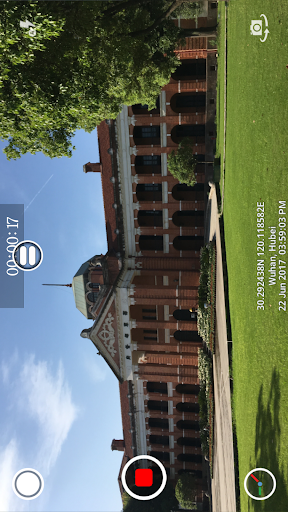
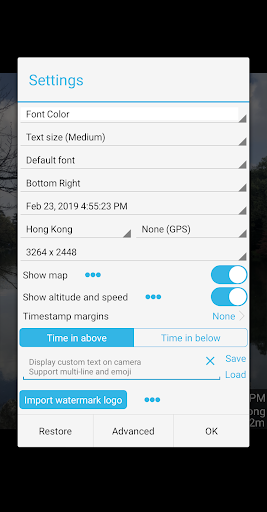
In addition to timestamps, the app provides extensive customization options including font styles, colors, sizes, and positioning. Users can also include location data, GPS coordinates, altitude, and speed within their watermarks. With support for custom text, emoji display, logo integration, and map overlays, Timestamp Camera Pro delivers a comprehensive suite of features tailored for creative and professional use.

Features

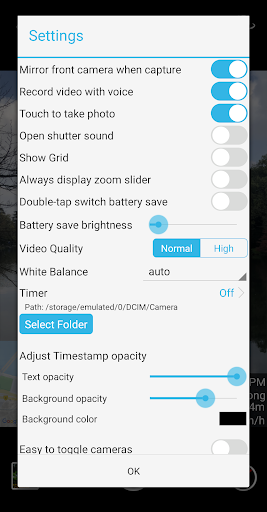
One of the standout features of Timestamp Camera Pro is its ability to record videos with millisecond accuracy in timestamp watermarks. This feature is complemented by advanced customization options such as changing font attributes, adjusting timestamp positions, and setting transparency levels for the watermark background.

The app also excels in providing versatile shooting modes. Users can record videos with or without audio, toggle between front and rear cameras during recording, and capture photos while recording. Additionally, the 'Battery Saver Mode' helps conserve device power by reducing screen brightness, which is particularly useful during extended recording sessions.

Timestamp Camera Pro further enhances user experience by supporting both portrait and landscape orientations, offering resolution adjustments, and enabling direct saving of media files to an SD card. These practical features ensure that users can efficiently manage their storage space and adapt the app's functionality to various devices and preferences.

Video format compatibility

Video format compatibility refers to an application's ability to support various video formats for both recording and playback purposes. This feature is crucial as it ensures that users can create and view content without worrying about format restrictions or the need for additional conversion software. Timestamp Camera Pro excels in this area by offering extensive format support while providing unique real-time timestamp watermarking capabilities. The app supports 61 different timestamp formats which can be accurately recorded down to the millisecond during video capture. Users have the flexibility to choose from a variety of timestamp styles including font type, color, size, and position on the frame. Beyond just timestamps, the app also allows for custom text, emoji display, map overlays, and even logo integration within the camera interface. These features are all rendered in real-time ensuring that the final output is immediately usable without further editing. Additionally, the app provides options to adjust video resolution, toggle between front and rear cameras during recording, and capture photos simultaneously while recording. With its ability to save videos directly to an SD card and support for both portrait and landscape orientations, Timestamp Camera Pro ensures that users have maximum flexibility in their video projects. The inclusion of GPS data such as location, altitude, and speed further enhances the metadata attached to each video file making it invaluable for professionals who require detailed documentation of their footage.

AI-powered editing features

AI-powered editing features represent the cutting-edge integration of artificial intelligence into video editing applications allowing for smarter more efficient content creation. Timestamp Camera Pro incorporates several AI-driven functionalities that significantly enhance the user experience beyond traditional manual editing methods. One of the standout features is the automatic addition of geolocation data which utilizes AI to pinpoint the user's location with remarkable accuracy. This information is then seamlessly integrated into the video as a timestamp overlay eliminating the need for manual entry and ensuring authenticity. Furthermore the app employs intelligent algorithms to optimize battery usage through its Battery Saver Mode which dynamically adjusts screen brightness based on activity patterns thus extending device longevity during prolonged shoots. Another innovative aspect is the app's ability to intelligently manage audio settings by allowing users to toggle sound on or off during recordings catering to scenarios where silence is preferred. The real-time effects processing powered by AI ensures minimal latency when applying various visual enhancements such as timestamp modifications text overlays and map displays. These modifications can be previewed instantly within the camera interface before capturing ensuring that users achieve their desired outcome without post-production work. Additionally the app's sophisticated AI recognizes different shooting environments and automatically suggests optimal settings for parameters like map scale transparency and size based on contextual cues. By leveraging these advanced AI-powered tools Timestamp Camera Pro not only simplifies complex editing tasks but also empowers creators to produce high-quality professional-grade videos with ease and efficiency.

Props

Real-time timestamp watermarking

Millisecond time accuracy

Extensive customization options

Versatile shooting modes

Battery saver mode included

Cons

No built-in social sharing

Limited free features

Occasional bugs reported

Interface not very intuitive

Heavy on battery usage

Features and Functions

What is this app and what can I use it for?

A camera app adding real-time timestamps on photos and videos

How do I download and install this app on my device?

Search 'Timestamp Camera Pro' on Google Play Store and tap install

How do I get started after opening the app for the first time?

Grant necessary permissions and start using the timestamp feature

What are the main features and capabilities of this app?

Offers 61 timestamp formats and millisecond accuracy in video recordings

How can I customize my experience and adjust preferences?

Adjust font style size color and position via settings menu

How do I save or bookmark my favorite content for later access?

Save favorite settings as presets for quick future access

How can I share content with friends or on social media?

Share content directly through compatible apps installed on device

How do I access detailed information and explore more content?

Explore detailed options in settings for advanced features

What permissions does this app need and how do I manage them?

Requires camera and location permissions managed in app settings

How do I check for updates and keep the app running smoothly?

Enable automatic updates in Google Play Store app settings
Show more

User Reveiws

{{ comment.reviewer_name }}
{{ comment.review_date_formatted}}
{{ comment.review_content }}
{{ tab.name }}
{{ comment.reviewer_name }}
{{ comment.review_date_formatted}}
{{ comment.review_content }}
No reviews with this rating