
IPTV Player - Smarters Watch TV is a versatile media player designed for seamless streaming of live TV channels, sports events, and movie series. This application allows users to enjoy high-definition content anytime, anywhere, making it an ideal choice for entertainment enthusiasts. With support for M3U and M3U8 playlists, the app ensures wide compatibility across various devices including smartphones, tablets, and Android TV.
One of the standout features of IPTV Player is its ability to stream content simultaneously on multiple devices using a single IPTV account. The app's reliable integrated player guarantees uninterrupted viewing, while its user-friendly interface makes navigation effortless. Whether you're looking to watch live football matches or explore a vast library of movies, this app provides a personalized and flexible streaming experience tailored to meet all your entertainment needs.
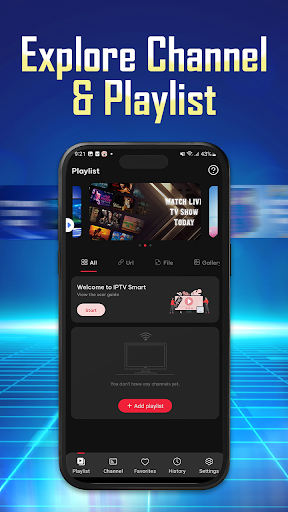
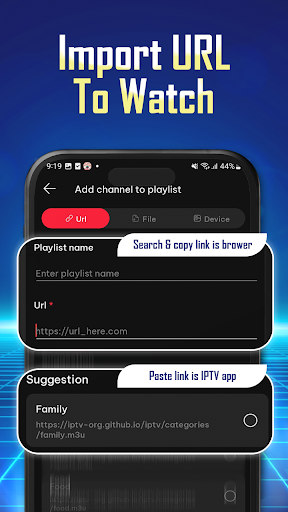
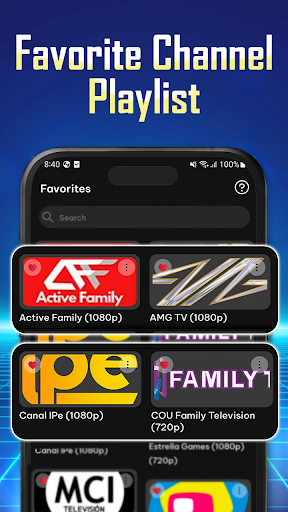
IPTV Player offers a comprehensive set of features that enhance the streaming experience. Users can easily import and manage playlists using Playlist URLs or by adding M3U/M3U8 files directly. The app supports organizing preferred channels, shows, and movies, allowing quick access to favorite content. Its high-definition streaming capability ensures that users enjoy crisp and clear visuals, elevating the overall viewing experience.
The app stands out with its wide compatibility, working seamlessly on phones, tablets, and Android TV. It also offers a personalized experience by maintaining a history of played and replayed channel lists, enabling users to pick up where they left off. Additionally, IPTV Player provides effortless navigation, allowing users to find channels quickly and save favorites with ease. These features collectively ensure that users have a smooth, flexible, and enjoyable streaming experience.
User-friendly interface
High-definition streaming
Wide device compatibility
Multiple playlist formats
Seamless multi-device support
No pre-installed channels
Requires manual playlist addition
Limited offline functionality
Dependent on internet speed
Premium features may require subscription

A full editing room to accompany your Insta360 cameras and handheld gimbals.
 3.30
3.30
Client application for NextPVR software
3.00
Cast to Chromecast, Xbox, Fire Stick, Roku, DLNA, Smart TV & No Feature Limited!
4.50
Create photo video with music & template. AI video maker for stunning slideshow.
4.60
All format media Player, no need video converter any more!
4.00
An easy-to-use and all-round screen recorder with audio
4.80
Cast to Smart TV, Fire TV. Cast video, photo - Fast & Stable!
3.90
Browser for Sony TV to stream web videos, online movies and live tv
3.20
This app is an emulator of some specific IPTV boxes
3.50
Video Trimmer, Video to MP3 Converter. Extract music from video, Easy & Fast.
4.80
A Simple app to download Video & Music from the Internet.
4.70
Seamlessly connect and control your smart devices, anytime, anywhere with ease.
4.60
Cast movies, tv shows and live streams to Chromecast, Roku, DLNA, Fire TV & more
4.60
Powerful, professional, versatile teleprompter. Developed by an active film crew
4.00
Connect 2 UVC devices for recording and broadcast video/audio stream
3.90
Livestream, news, & gaming content. Watch, chat, and upload. Join Rumble today!
3.80
Kodi media center, a free and open source cross-platform entertainment hub
3.60
Connect EasyCap or UVC devices for recording and broadcast video/audio stream
3.60
Watch full episodes of your favorite Cartoon Network and Cartoonito shows!
3.50


User Reveiws