TV Remote Control for RokuTV

4.40

Information

Category:

Tools

Price:

Free

Rank:

43

Rating:

4.40

Overview

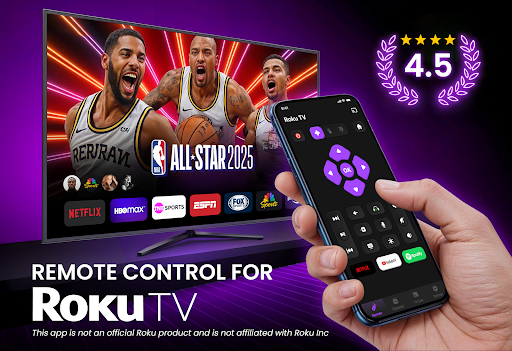
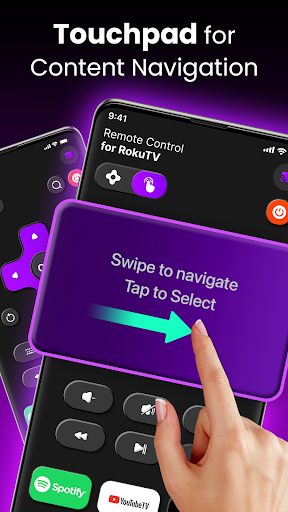
TV Remote Control for RokuTV transforms your smartphone into a universal remote control, offering full functionality to manage your Roku TV effortlessly. With features like instant setup, complete remote functionality, and effortless navigation through a swipe pad, this app provides an all-in-one solution for controlling your TV.

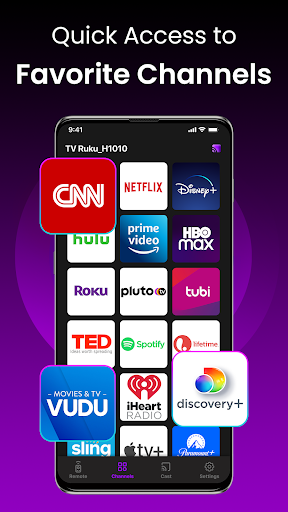
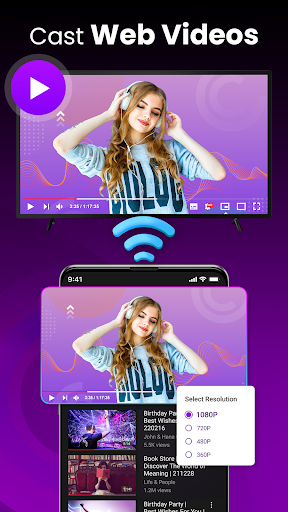
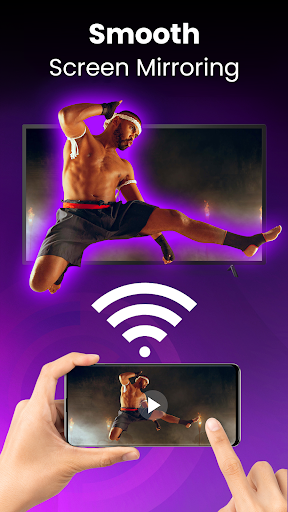
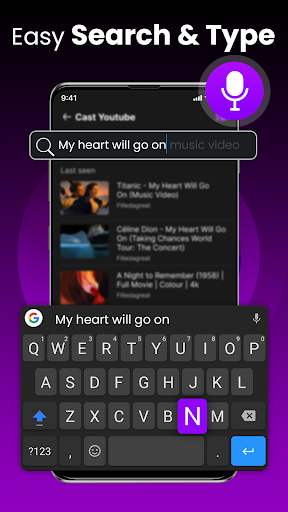
In addition to basic controls, the app allows screen mirroring and casting, quick launch of channels and apps, and includes a smart keyboard for fast typing. Compatible with all Roku TV models, it combines convenience, speed, and reliability, making it the ultimate tool for Roku TV users.

Features

TV Remote Control for RokuTV boasts a range of innovative features designed to enhance user experience. The app offers instant setup with automatic device detection when connected to the same Wi-Fi network, ensuring you gain control of your TV within seconds.

With full remote functionality, users can play, pause, adjust volume, and switch channels easily. The swipe pad navigation replaces traditional clunky buttons, providing a seamless interface. Additionally, the smart keyboard facilitates fast typing, while screen mirroring and casting capabilities allow users to share media directly from their phone to the TV screen.

Core function accuracy & effectiveness

The core function accuracy and effectiveness of TV Remote Control for RokuTV is a critical aspect that ensures users can seamlessly control their Roku TVs with precision and reliability. This app transforms smartphones into a universal remote control, offering full functionality that replaces the traditional Roku remote. The app provides effortless navigation through a swipe pad, complete control over TV functions such as play pause fast forward rewind volume adjustment and channel switching all while ensuring that each command is accurately registered and executed by the TV. The effectiveness of this app lies in its ability to combine various functionalities including screen mirroring casting and quick launch shortcuts into one comprehensive tool. Users can cast photos videos and music from their phones directly to their TVs and create one-tap shortcuts to frequently used channels like Netflix Hulu and YouTube. Additionally the integrated smart keyboard allows for fast typing making tasks such as searching for movies or entering passwords significantly quicker and easier. The app's compatibility with all Roku TV models including TCL Hisense Sharp and Insignia further enhances its effectiveness by providing a reliable connection every time the app is opened. By ensuring both the phone and Roku TV are on the same Wi-Fi network the app automatically detects the TV allowing users to take control within seconds. This automatic detection and connection process underscores the app's commitment to providing an efficient user experience. Overall the accuracy and effectiveness of TV Remote Control for RokuTV lie in its ability to offer precise responsive controls seamless integration of multiple features and compatibility across various Roku TV models ultimately enhancing the user's ability to interact with their TV effortlessly.

Interface simplicity & intuitiveness

Interface simplicity and intuitiveness are pivotal elements of TV Remote Control for RokuTV ensuring that users can easily navigate and utilize the app's features without a steep learning curve. The app boasts a clean and user-friendly design specifically crafted for speed and simplicity which is evident from the moment users open the application. Upon launching the app users are greeted with a modern swipe-based touchpad that replaces traditional clunky buttons found on physical remotes. This touchpad allows for smooth and seamless interaction with the Roku interface enabling users to effortlessly browse menus and execute commands. The intuitive layout extends to other features such as the smart keyboard which streamlines tasks like entering passwords or searching for content by integrating a full keyboard within the app. This feature eliminates the frustration often associated with hunting and pecking letters on a traditional remote. Furthermore the app includes clearly labeled buttons for essential functions such as play pause fast forward rewind volume adjustment and channel switching ensuring that users can locate and use these controls without confusion. For added convenience the app offers quick launch shortcuts to popular channels like Netflix Hulu and YouTube allowing users to access their favorite content faster than ever before. These shortcuts exemplify how intuitive design can enhance user engagement by reducing the steps required to achieve desired outcomes. Additionally the straightforward three-step connection process highlights the app's dedication to simplifying the user experience. By merely connecting the phone and Roku TV to the same Wi-Fi network opening the app and selecting the Roku TV users can begin controlling their device almost instantly. This streamlined setup coupled with the app's reliable auto-connection feature reinforces its commitment to providing an intuitive and hassle-free experience. In summary TV Remote Control for RokuTV excels in interface simplicity and intuitiveness by offering a clean design responsive controls and easy access to essential features thereby empowering users to interact with their TVs more efficiently and enjoyably.

Props

User-friendly interface

Instant device pairing

Comprehensive remote functions

Efficient screen mirroring

Quick access shortcuts

Cons

Requires Wi-Fi connection

Limited to Roku models

No physical buttons

Dependent on phone battery

Third-party application

Features and Functions

What is this app and what can I use it for?

A smartphone app turning into Roku TV remote with full control.

How do I download and install this app on my device?

Search 'TV Remote Control for RokuTV' on Google Play Store and install.

How do I get started after opening the app for the first time?

Connect phone and TV to same Wi-Fi, open app, and select your Roku TV.

What are the main features and capabilities of this app?

Includes full remote functions, swipe navigation, and screen casting.

How can I customize my experience and adjust preferences?

Adjust settings in-app for personalized experience and preferences.

How do I save or bookmark my favorite content for later access?

Use quick launch shortcuts to save favorite channels or apps.

How can I share content with friends or on social media?

Cast photos or videos directly via app's casting feature to TV.

How do I access detailed information and explore more content?

Access detailed info by navigating menus using responsive touchpad.

What permissions does this app need and how do I manage them?

App needs Wi-Fi access; manage permissions in phone settings.

How do I check for updates and keep the app running smoothly?

Check updates in Google Play Store and enable auto-update.
Show more

User Reveiws

{{ comment.reviewer_name }}
{{ comment.review_date_formatted}}
{{ comment.review_content }}
{{ tab.name }}
{{ comment.reviewer_name }}
{{ comment.review_date_formatted}}
{{ comment.review_content }}
No reviews with this rating

















