
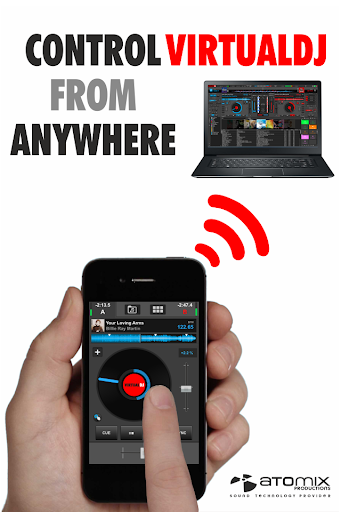
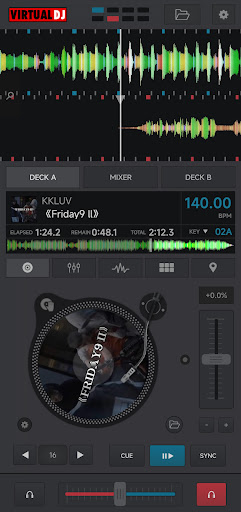
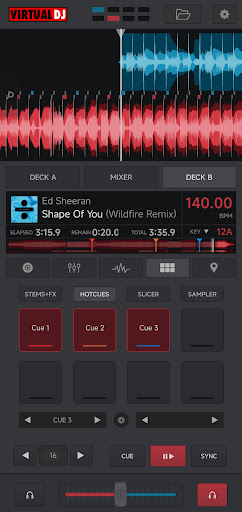
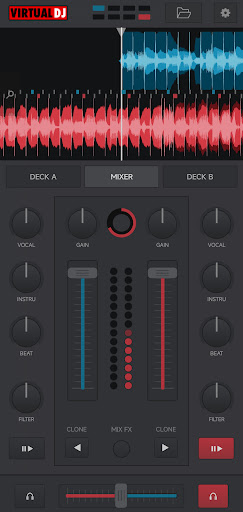
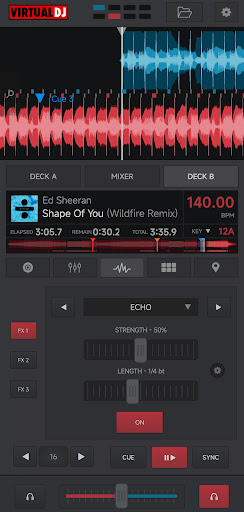
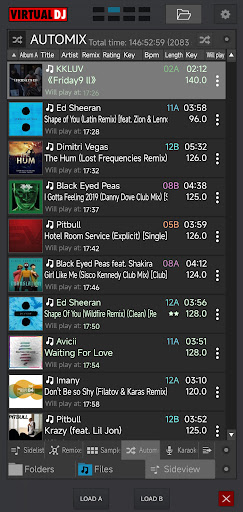
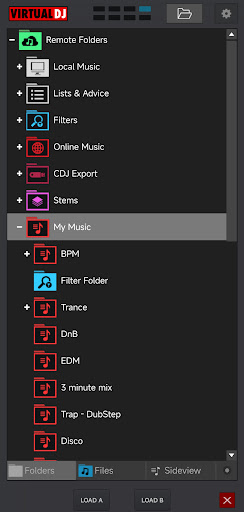
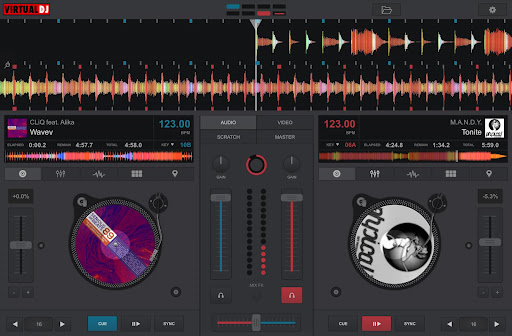
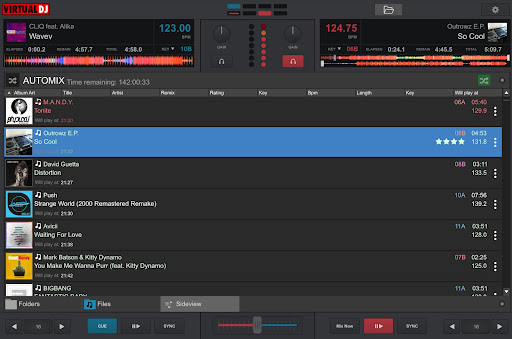

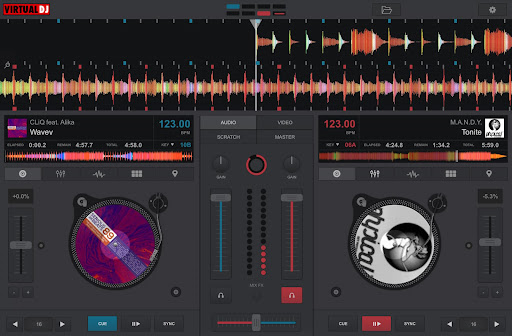
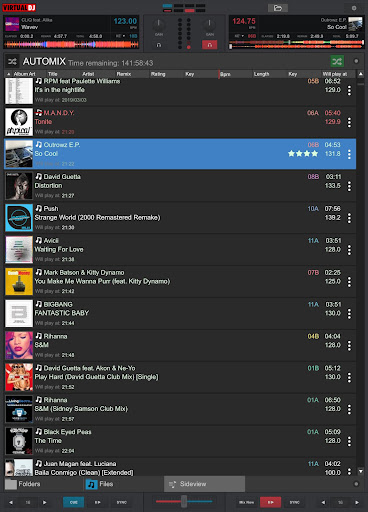
VirtualDJ Remote is a powerful application that allows DJs to control VirtualDJ software directly from their mobile devices. The app enables users to mix tracks, apply effects, and manage playlists wirelessly over a Wi-Fi connection. Whether you're using a smartphone or tablet, this app transforms your device into a versatile DJ controller.
The application supports complete freedom of movement, allowing DJs to step away from the booth while maintaining full control of their mixes. It connects seamlessly with VirtualDJ software running on a PC or Mac, providing access to essential features like beat mixing, song suggestions, samplers, and video mixing. This makes it an ideal tool for both amateur enthusiasts and professional DJs who need reliable remote control capabilities.
With customizable skins and layouts, VirtualDJ Remote adapts to various performance styles and equipment setups. Users can create personalized interfaces tailored to their specific needs, enhancing workflow efficiency during live performances. The app also supports advanced functionalities such as broadcasting mixes online and recording sessions directly to the connected computer.
VirtualDJ Remote offers an impressive array of features designed to enhance the DJing experience. One of its standout capabilities is the ability to connect wirelessly to VirtualDJ software via a simple Wi-Fi setup. This feature allows DJs to operate their entire mixing environment from a mobile device, providing unprecedented mobility and flexibility during performances.
The app supports comprehensive audio configuration options, enabling users to route sound through their computer's audio system without additional wiring. This streamlined setup simplifies the technical aspects of DJing, allowing performers to focus on their craft. Additionally, VirtualDJ Remote maintains compatibility with the extensive feature set of VirtualDJ software, including advanced beat-matching algorithms, effect processing, and intelligent song suggestion systems.
Customization is another key aspect of VirtualDJ Remote's functionality. The app utilizes the same skin SDK as VirtualDJ, giving users access to thousands of community-created interface designs. These skins can transform the app into specialized controllers for different DJing styles, from turntable emulation to multi-deck management. Furthermore, the app supports innovative features like LiveFeedback, which provides real-time performance analytics and personalized track recommendations.
User-friendly interface
Wireless connectivity
Extensive customization
Professional-grade features
Active community support
Requires separate software
Wi-Fi dependent
Limited standalone use
Interface learning curve
Occasional connection issues

?100% FREE! Download & save videos? safely in this app. All formats supported.
 4.60
4.60
Snaptubè Video Downloader app allows to download videos and music in Snaptube. .
4.60
High-Quality USB Camera Viewer & HDMI Display
4.70
An easy-to-use and all-round screen recorder with audio
4.80
Seamlessly connect and control your smart devices, anytime, anywhere with ease.
4.60
Cast to Smart TV, Fire TV. Cast video, photo - Fast & Stable!
3.90
#1 Torrent App on Android ** No Ads Ever + Battery Saver **
4.80
Cast movies, tv shows and live streams to Chromecast, Roku, DLNA, Fire TV & more
4.60
Manage your YouTube channel on the go
4.40
Play ALL formats in 4K & HD. Video downloader, MP3 player, Chromecast & more.
4.80
A Quick and Pro Video Editor
4.70
Download videos and play them offline
4.70
Full HD Video mp3 Player, MP4 player play 1080p, File manager, Video Downloader
4.40
AirMirror Receiver - Screen mirroring/cast web videos to Android TV by AirPlay.
4.40
AI Video Editor:AI Music, Text to Video,Text to Speech,Auto Caption,Video Effect
4.00
Online Videos Player
3.90
Manage your IPTV live channels and VOD playlists (no playlist included)
3.80
This app is an emulator of some specific IPTV boxes
3.50
Video player with powerful streaming playback and various convenient features.
2.10


User Reveiws