
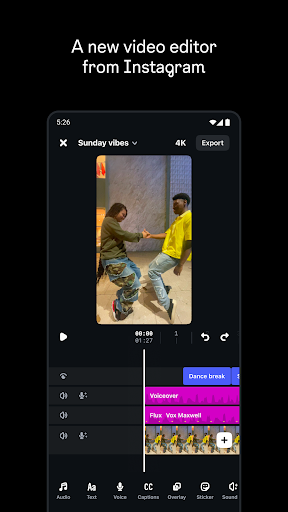

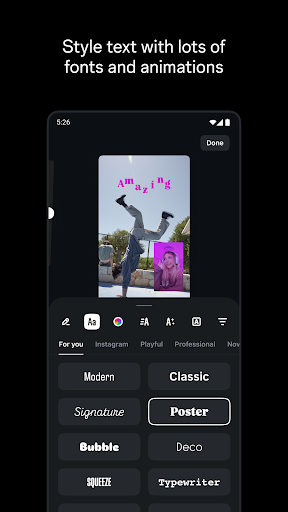
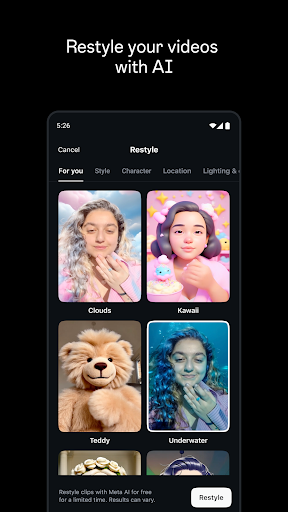

Edits is a powerful mobile video editor designed specifically for content creators who want to produce professional-quality videos directly from their smartphones. The app offers an all-in-one solution for video creation, providing tools for precise editing, high-quality exporting, and seamless sharing to platforms like Instagram.
With Edits, users can capture high-resolution clips, apply advanced editing features such as single-frame precision, and enhance audio clarity while removing background noise. Additionally, the app supports creative elements like AI animation, green screen effects, and automatic caption generation, making it easier than ever to bring creative visions to life.
This app is particularly useful for social media creators and marketers who need to produce engaging video content quickly and efficiently. By offering features like draft management, trend analysis, and performance tracking through live insights, Edits empowers users to streamline their workflow and make data-driven creative decisions.
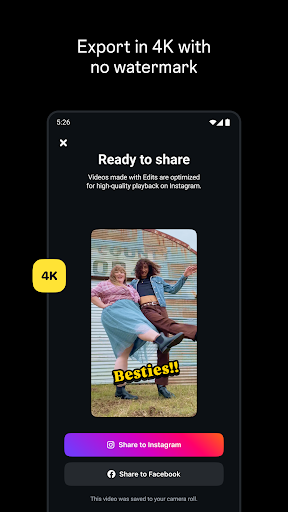
Edits stands out with its comprehensive suite of video editing tools tailored for both amateur and professional creators. One of its key features is the ability to export videos in 4K resolution without watermarks, ensuring the highest quality output for any platform. The app also includes advanced camera settings that allow users to customize resolution, frame rate, and dynamic range, giving them full control over their video's aesthetic.
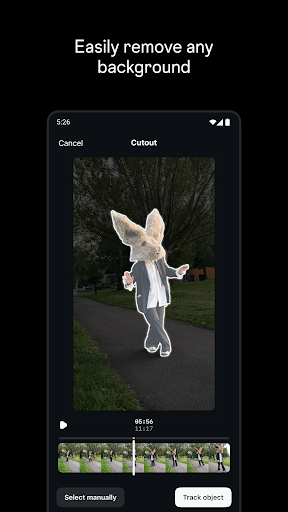
Creative flexibility is another major strength of Edits. Users can animate images using AI technology, replace backgrounds with green screen or cutout effects, and layer video overlays for added depth. The app provides a rich library of fonts, sound effects, filters, stickers, and more, enabling creators to personalize their projects extensively. Moreover, practical features like automatic caption generation and background noise removal ensure accessibility and professional-grade audio enhancement.
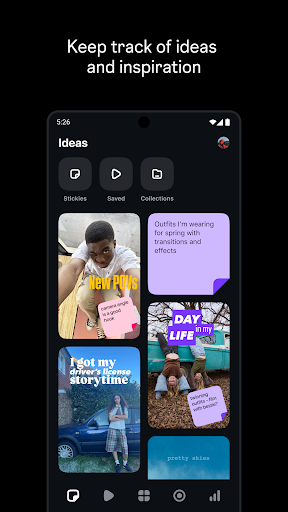
Beyond editing capabilities, Edits helps users stay organized and informed throughout their creative process. It allows easy tracking of drafts and completed videos, offers inspiration through trending audio discovery, and provides real-time analytics via a live insights dashboard. These features collectively enable creators to refine their strategies based on audience engagement metrics.
User-friendly interface
Advanced editing tools
High-quality exports
AI-powered animations
Real-time performance tracking
Limited to mobile devices
Requires learning curve
No desktop version available
Premium features may cost extra
Dependent on device storage

A full editing room to accompany your Insta360 cameras and handheld gimbals.
 3.30
3.30
Connect 2 UVC devices for recording and broadcast video/audio stream
3.90
This app was created to edit the metadata of music files.
4.20
IPTV Player - Watch live TV from m3m & m3u8 playlist, stream IPTV on mobile
3.30
Video Downloader, Multiple Resolution Options, Video Player
4.50
Browser for Samsung TV to stream webvideos, online movies and livestreams in HD
4.10
VLC for Android is the best open source video and music player, fast and easy!
4.10
Video&Drama Player All Format is a HD video player, music player
3.00
convenient, safe and fast at Video Downloader & Player
4.60
Play ALL formats in 4K & HD. Video downloader, MP3 player, Chromecast & more.
4.80
High-Quality USB Camera Viewer & HDMI Display
4.70
Video Player - Unlimited features, 30 days money back guarantee.
4.60
Cast Videos from Web Browser, IPTV to Roku, Chromecast, DLNA, Smart TV +more
4.60
Browser + Remote for Roku to stream webvideos, online movies and livestreams
4.60
Cast movies, tv shows and live streams to Chromecast, Roku, DLNA, Fire TV & more
4.60
Photo and Music Video Creator into Stunning Videos—Effortlessly
4.40
All format media Player, no need video converter any more!
4.00
AI Video Editor:AI Music, Text to Video,Text to Speech,Auto Caption,Video Effect
4.00
Client application for NextPVR software
3.00


User Reveiws