All Documents Reader

4.10

Information

Category:

Tools

Price:

Free

Rank:

25

Rating:

4.10

Overview

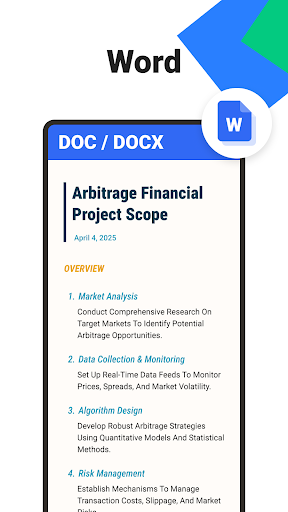
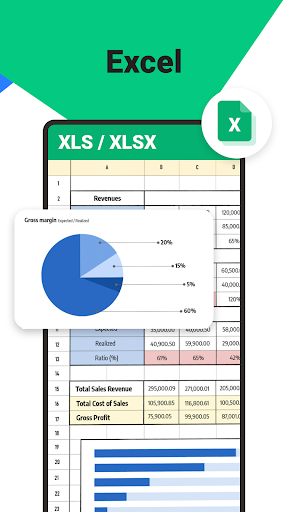
All Documents Reader is a versatile document management tool designed to streamline how you view, edit, and organize digital files. Supporting an extensive range of formats including PDF, Word, Excel, PowerPoint, and EPUB, this app serves as your all-in-one solution for document handling.

With its centralized access feature, users can gather all their files in one place for quick browsing and instant previews. The app also offers smart search functionality, allowing you to locate any document effortlessly. Whether you're managing business documents or enjoying leisure reading, All Documents Reader provides a seamless experience tailored to both work and personal needs.

The app's offline functionality ensures uninterrupted access, while its privacy-first approach guarantees that all files remain securely on your device. This makes it an ideal choice for users seeking efficiency and security in document management.

Features

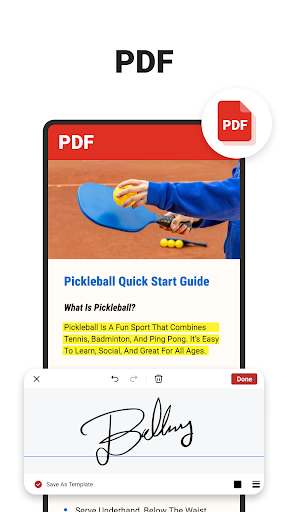
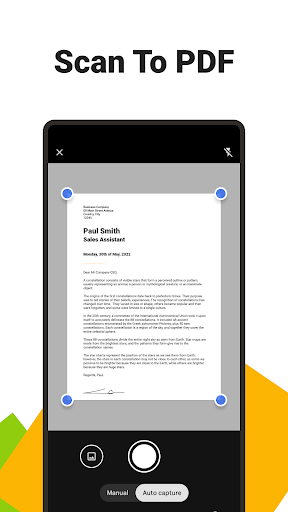
All Documents Reader stands out with its comprehensive PDF tools and efficient document organization features. As a full-featured PDF reader and editor, it allows users to read, highlight, annotate, merge, split, fill forms, and sign documents with ease. The built-in PDF scanner converts photos into high-quality PDFs, adding another layer of convenience.

The app leverages AI technology to summarize key points from complex documents, saving users time and enhancing productivity. Its flexible PDF management capabilities enable users to merge or split PDFs, apply encryption for security, and convert between different formats like PDFs and images.

For optimized reading experiences, the app offers customizable viewing options such as horizontal and vertical modes. Files are automatically categorized by format, providing intuitive navigation and effortless document management. These robust features make All Documents Reader an indispensable tool for office tasks, school assignments, and personal file organization.

Core function accuracy & effectiveness

The core function accuracy and effectiveness of Ora All Documents Reader is evident in its ability to handle a wide variety of document formats with precision. This application supports an extensive range of file types including PDF, Word, Excel, PowerPoint, and EPUB, ensuring that users can open and interact with their documents without compatibility issues. The app's multi-format viewing capability allows for instant access to files, making it a reliable pdf viewer and editor. Its centralized access feature gathers all user files into one location, providing quick browsing and instant previews. Additionally, the smart search functionality enhances productivity by allowing users to effortlessly locate any document. With comprehensive PDF tools, users can read, highlight, annotate, merge, split, fill forms, and sign documents easily. The inclusion of a built-in pdf scanner app enables users to convert photos into high-quality PDFs with a single tap. AI summarization provides the utility of extracting and summarizing key points from complex documents, adding another layer of efficiency. Flexible PDF management options allow for merging or splitting PDFs at will, as well as protecting files with encryption. Seamless format conversion meets various sharing and display needs, further demonstrating the app's functional accuracy and effectiveness. These features collectively ensure that users can manage everything from business documents to leisure reading with ease, making Ora All Documents Reader a powerful tool for both work and personal use.

Interface simplicity & intuitiveness

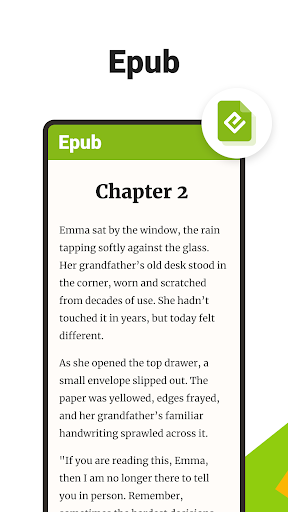
Ora All Documents Reader excels in interface simplicity and intuitiveness, offering users an effortless navigation experience through its well-thought-out design. The app's intuitive navigation system allows users to quickly search for documents by name or type and return to recently viewed files within seconds. Automatic categorization organizes files by format, streamlining the document management process and eliminating the hassle of manual sorting. This efficient organization contributes to a seamless user experience, enabling users to focus on their tasks without distraction. The reading experience is further optimized with customizable viewing options, including horizontal and vertical modes, catering to both detailed PDF reports and EPUB novels. Whether for office tasks, school assignments, or personal file management, the app provides a reliable and user-friendly environment. Its comprehensive features are presented in a manner that is simple to use, aligning with the needs of users who require a powerful yet accessible tool for managing digital files. The offline functionality ensures uninterrupted access, reinforcing the app's commitment to user convenience. Privacy considerations are also integrated into the design, assuring users that all files remain securely on their device. By combining these elements, Ora All Documents Reader delivers an interface that is not only easy to navigate but also enhances overall user engagement and satisfaction.

Props

User-friendly interface

Multi-format support

Offline functionality

AI-powered summarization

Secure file management

Cons

Limited cloud integration

No collaboration features

Occasional performance lags

Ads in free version

Advanced tools require subscription

Features and Functions

What is this app and what can I use it for?

A versatile document viewer and editor supporting PDF, Word, Excel, and more.

How do I download and install this app on my device?

Visit Google Play Store, search for the app, and tap Install to download it on your Android device.

How do I get started after opening the app for the first time?

Launch the app, grant necessary permissions, and use the main screen to browse or upload files.

What are the main features and capabilities of this app?

Key features include multi-format viewing, PDF editing, AI summarization, and secure offline access.

How can I customize my experience and adjust preferences?

Adjust settings through the Preferences menu to customize viewing modes and notification options.

How do I save or bookmark my favorite content for later access?

Use the Bookmark feature to save important files for easy access later.

How can I share content with friends or on social media?

Tap the Share button to send files via email, messaging apps, or social media platforms.

How do I access detailed information and explore more content?

Access detailed information through the File Info tab and explore related content using tags.

What permissions does this app need and how do I manage them?

The app requires storage and camera permissions; manage these in your device settings.

How do I check for updates and keep the app running smoothly?

Enable automatic updates in Google Play Store settings to keep the app running smoothly.
Show more

User Reveiws

{{ comment.reviewer_name }}
{{ comment.review_date_formatted}}
{{ comment.review_content }}
{{ tab.name }}
{{ comment.reviewer_name }}
{{ comment.review_date_formatted}}
{{ comment.review_content }}
No reviews with this rating
















