
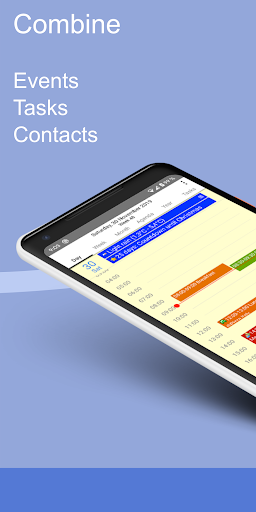
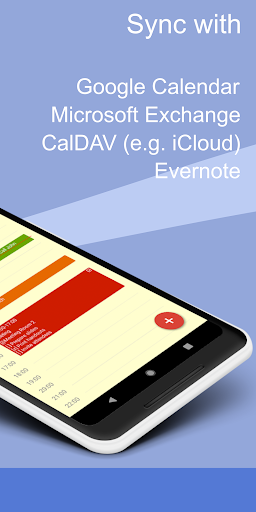
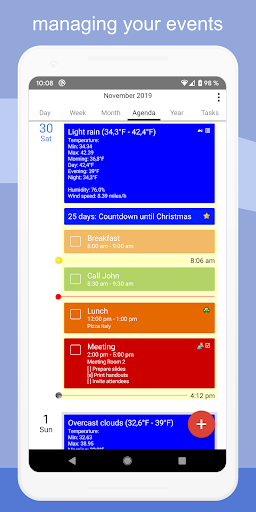

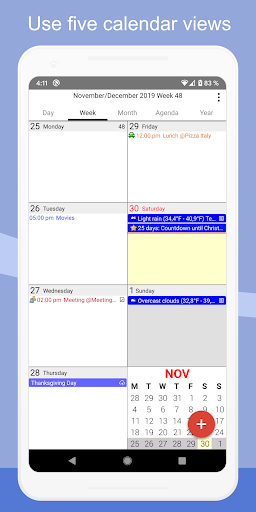
CalenGoo is a comprehensive productivity app designed to help users manage their events and tasks efficiently. With extensive syncing capabilities, it connects seamlessly with Google Calendar, Exchange, CalDAV, and iCloud, ensuring all your past and future events are organized in one place. The app offers five distinct calendar views including day, week, month, agenda, and year, along with four customizable agenda styles.
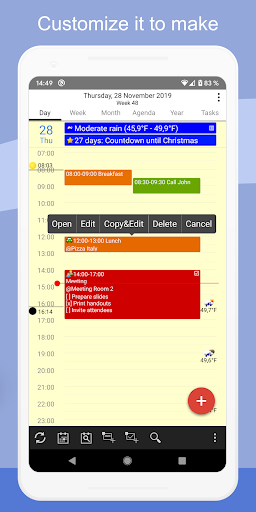
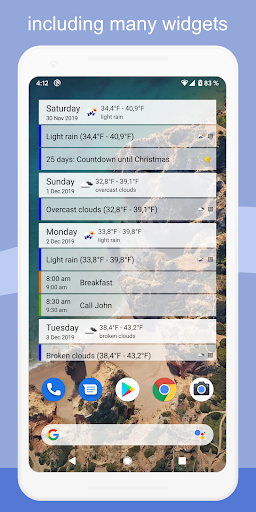
One of the standout features of CalenGoo is its high level of customization. Users can attach photos, files, and even Evernote notes to events, add weather forecasts, and use drag-and-drop functionality for event management. Additionally, the app provides widgets for home screen access, various reminder functions, and supports Exchange categories and contact linking. Whether you need to print calendars to PDF or require spoken reminders, CalenGoo delivers a robust set of tools tailored to enhance personal and professional productivity.
CalenGoo boasts an array of powerful features that cater to diverse productivity needs. The app supports multiple syncing options such as Google Calendar, Exchange, CalDAV, and iCloud, allowing users to maintain consistency across devices. It includes unique functionalities like attaching photos and files to events, adding Evernote notes, and integrating weather forecasts directly into your calendar view.
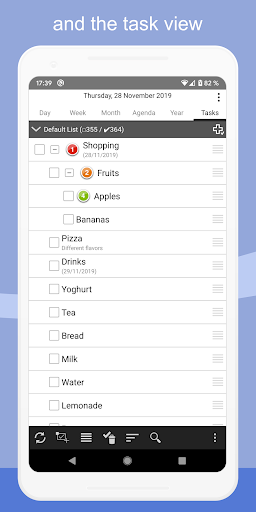
Further enhancing its utility, CalenGoo offers five types of calendar views and four styles of agenda views, providing flexibility in how users visualize their schedules. The app also supports drag-and-drop event management, widgets for quick access, and various reminder options including notifications and spoken reminders. With additional features like task integration within events, contact linking, and extensive customization through keywords and themes, CalenGoo ensures a personalized and efficient user experience.
Extensive syncing options
Highly customizable interface
Versatile calendar views
Rich feature set for task management
Supports multiple reminder types
Complex for beginners
Requires multiple permissions
Paid application
Occasional sync issues
Interface may feel outdated

Client for Nextcloud Deck
 4.60
4.60
Direct Chat without saving contacts & Dual WA Account on Single Device
4.70
Planet Free VPN - The best Fast Unlimited and Secure VPN Without Logs
4.50
Device's storage information in a simple and clear graphical form (infographics)
4.10
Secure, fast, open-source, Remote Desktop Client for Windows and Linux with SSH
4.60
⏰ Finally a timer app which can run multiple timers simultaneously on your watch
3.90
All in One PDF Reader: Manage, Read and Edit your Documents
4.20
Cloud storage, automatic phone backup, and more.
4.10
Ultimate Virtual AI Character for immersive Roleplay Chat. Perfect Companion
3.90
Multilingual translator for text, voice, and image translation!
4.90
Seamlessly integrate data and reports to build your presentation to impress
4.80
Understand anything with a personalized AI research assistant
4.80
Secure, fast, open-source, VNC and SSH Remote Desktop for Windows, Linux and Mac
4.70
Functional QR scanner and barcode reader that requires little storage space.
4.60
Lightweight PDF, Word, Excel reader.
4.60
Tally and goal counter for Wear OS & mobile
4.50
Create and edit presentations with Google Slides, part of Google Workspace.
4.00
Remotely view listen control and record cameras.
3.70
AI Video AI Image Private LLM AI Browser Llama Gemma Ollama Connect LLM Studio
4.5


User Reveiws