Microsoft PowerPoint

4.80

Information

Category:

Productivity

Price:

Free

Rank:

49

Rating:

4.80

Overview

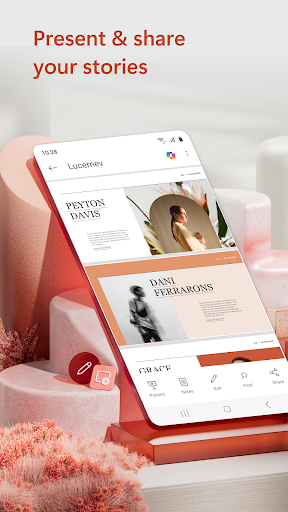
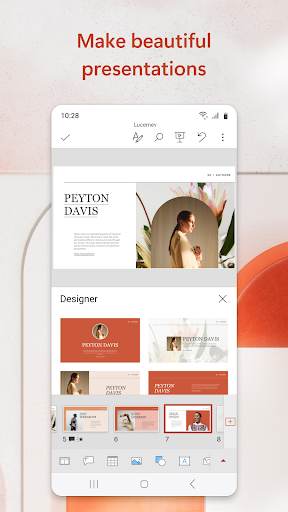
Microsoft PowerPoint is the quintessential presentation tool that empowers users to create, edit, and present slideshows with ease from their mobile devices. This app allows you to craft professional presentations enriched with music, graphics, and charts, making it ideal for quarterly reports, yearly summaries, and more. With seamless synchronization across devices, your work remains consistent without the hassle of managing multiple file versions.

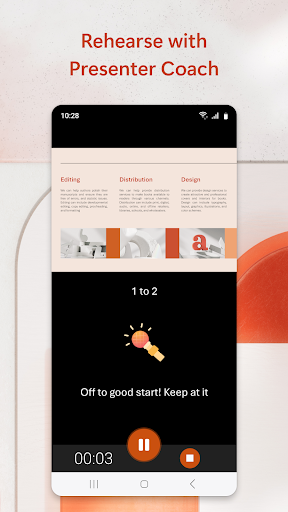
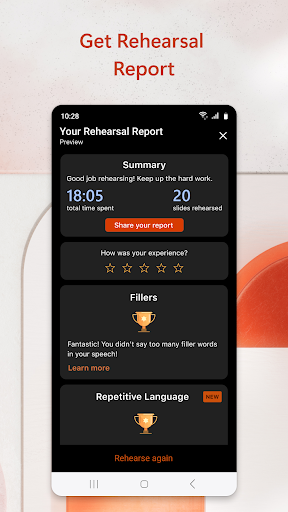
The app includes Presenter Coach, an AI-driven feature designed to enhance public speaking skills. It provides real-time feedback, helping users refine their delivery by adjusting pacing, avoiding filler words, and boosting confidence. Whether creating a slideshow from scratch or customizing pre-existing templates, PowerPoint ensures your presentations stand out and leave a lasting impression on any audience.

Features

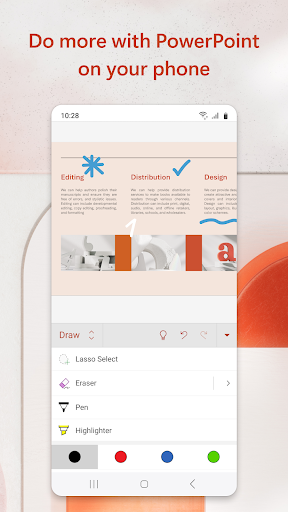
PowerPoint's features are crafted to provide a comprehensive presentation-making experience. The app offers highly customizable tools allowing users to tailor each slide to their specific needs. With options to add photos directly from the device or capture new ones in-app, as well as insert or record videos, multimedia integration is effortless.

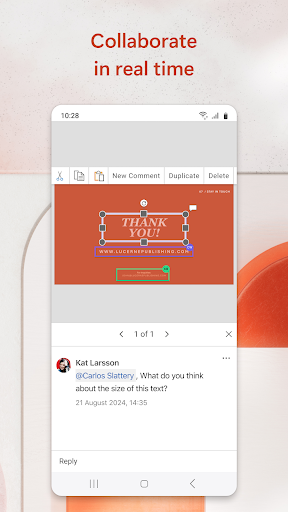
Collaboration is at the heart of PowerPoint's functionality. Users can share presentations with team members for feedback and edits, view permissions, and track changes through integrated comments. The presentation timer helps deliver concise information while Presenter Coach trains users in public speaking. These robust features ensure that whether presenting quarterly results or delivering a keynote speech, PowerPoint equips users with everything needed to succeed.

Core task management

Task management in productivity applications like Microsoft PowerPoint refers to the suite of features that allow users to create, edit, view, and collaborate on presentations efficiently. This aspect is crucial as it directly impacts the user's ability to organize their workflow, meet deadlines, and produce high-quality outputs. In PowerPoint, core task management is evident through its seamless synchronization across devices, ensuring that users can access their presentations from anywhere without worrying about version control. The application provides a comprehensive set of tools for creating slides from scratch or using pre-existing templates, which are essential for crafting professional presentations quickly. Additionally, PowerPoint incorporates AI-driven features such as Presenter Coach, which helps users refine their presentation skills by offering real-time feedback on pacing, language usage, and more. This functionality not only enhances individual productivity but also elevates the overall quality of presentations. Users benefit significantly from these capabilities as they can focus more on content creation rather than technical issues. Moreover, the app supports multimedia integration, allowing users to embed videos, images, and charts effortlessly, thus enriching their presentations. With robust collaboration tools, PowerPoint enables teams to work together in real time, making it easier to gather feedback and implement changes swiftly. Overall, the core task management features in PowerPoint empower users to manage their presentation tasks effectively, leading to improved productivity and better outcomes.

Cross-device synchronization reliability

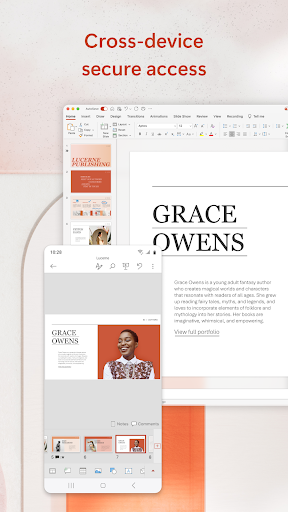
Cross-device synchronization reliability is a critical feature in productivity applications, ensuring that users can seamlessly transition between different devices while maintaining consistent access to their files and data. For Microsoft PowerPoint, this means that whether you're working on a smartphone, tablet, PC, or Mac, your presentations will always be up-to-date and accessible. This reliability is achieved through cloud-based storage solutions that automatically save and sync changes across all linked devices. As a result, users no longer need to worry about manually transferring files or dealing with multiple versions of the same presentation. The synchronization process in PowerPoint is designed to be both fast and secure, leveraging advanced encryption methods to protect user data during transmission. Furthermore, the app offers offline capabilities, allowing users to continue working even without an internet connection, with changes being synced once connectivity is restored. This level of reliability is particularly beneficial for professionals who frequently travel or work remotely, as it ensures they can access their presentations whenever needed. Another advantage of cross-device synchronization is the ability to start a task on one device and finish it on another, providing unparalleled flexibility in how and where users choose to work. Additionally, PowerPoint's integration with other Microsoft 365 applications enhances this experience by offering a unified platform for managing various types of documents and projects. By prioritizing synchronization reliability, PowerPoint not only improves user convenience but also boosts overall productivity, enabling users to focus on delivering impactful presentations without technical hindrances.

Props

User-friendly interface

Seamless cross-device sync

Real-time collaboration

AI-powered Presenter Coach

Customizable templates

Cons

Requires subscription for full features

Limited offline functionality

Advanced tools need learning

Auto-renewing subscriptions

High system requirements

Features and Functions

What is this app and what can I use it for?

Create professional slideshows with customizable templates and multimedia support

How do I download and install this app on my device?

Visit Google Play Store, search for Microsoft PowerPoint, and tap install

How do I get started after opening the app for the first time?

Sign in with your Microsoft account and explore the tutorial or start a new presentation

What are the main features and capabilities of this app?

Edit slides, add multimedia, use Presenter Coach, and collaborate in real-time

How can I customize my experience and adjust preferences?

Adjust settings via the app menu to customize notifications and default options

How do I save or bookmark my favorite content for later access?

Save files to OneDrive or pin them to the home screen for quick access

How can I share content with friends or on social media?

Tap the share button to send via email or post directly to social media platforms

How do I access detailed information and explore more content?

Use the search bar and browse detailed categories within the app library

What permissions does this app need and how do I manage them?

The app requires storage and account access to sync files and preferences

How do I check for updates and keep the app running smoothly?

Enable auto-updates in Google Play Store settings to keep the app current
Show more

User Reveiws

{{ comment.reviewer_name }}
{{ comment.review_date_formatted}}
{{ comment.review_content }}
{{ tab.name }}
{{ comment.reviewer_name }}
{{ comment.review_date_formatted}}
{{ comment.review_content }}
No reviews with this rating