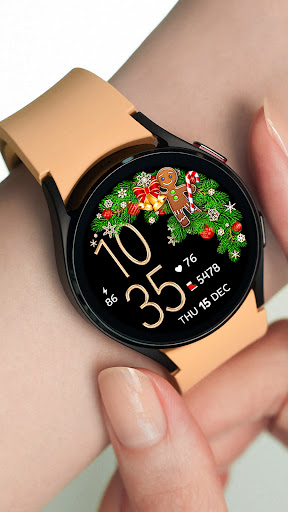
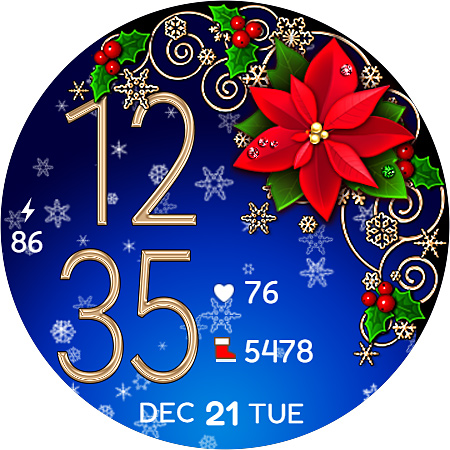
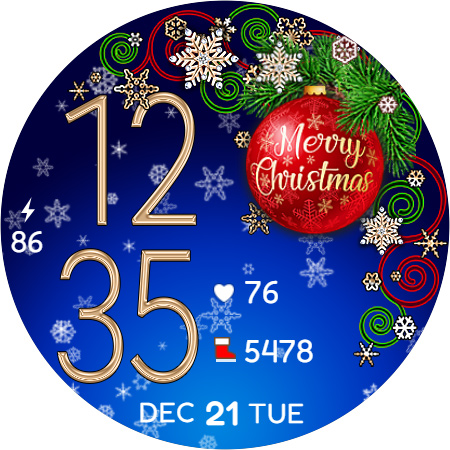
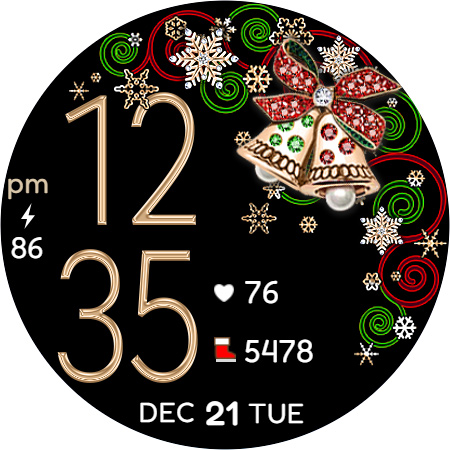
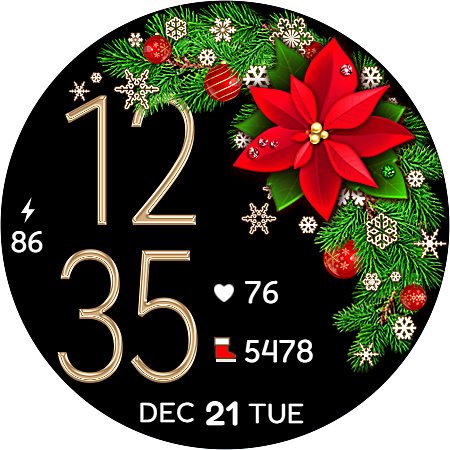
Christmas Snow On/Off Watch

5.00

Information

Category:

Android Wear

Price:

$ 1.49

Rank:

98

Rating:

5.00

Overview

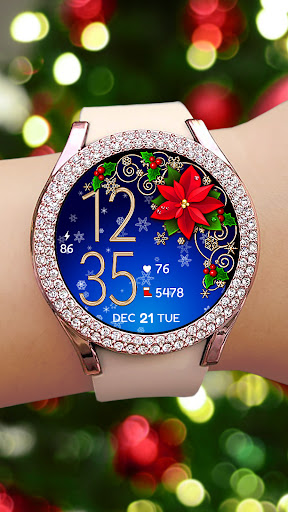
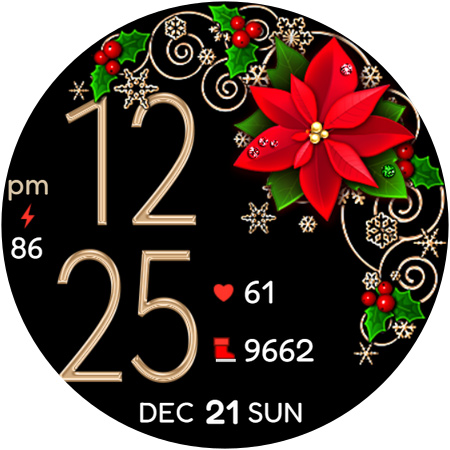
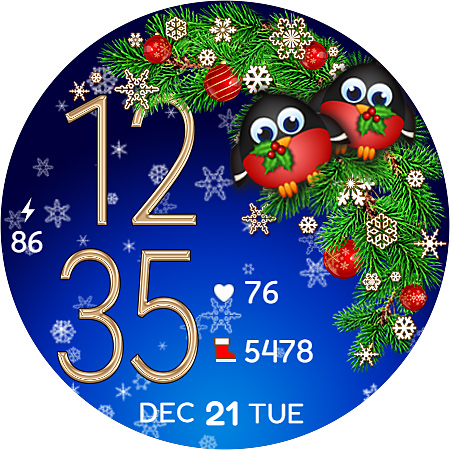
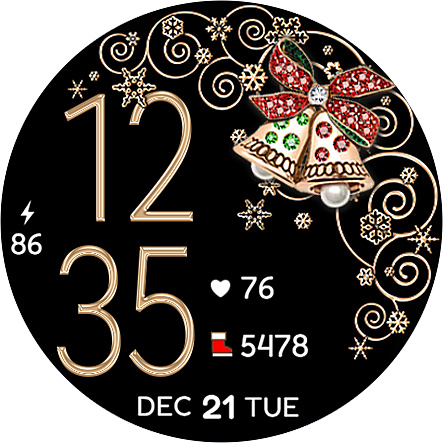
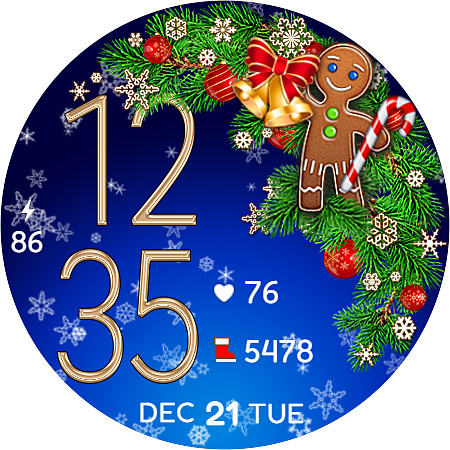
Christmas Snow On/Off Watch is a festive-themed watch face designed specifically for Wear OS devices. This digital watch face offers both 12-hour and 24-hour time displays that automatically sync with your phone's time settings. A standout feature is the optional snow animation background, which can be toggled on or off to conserve battery life.

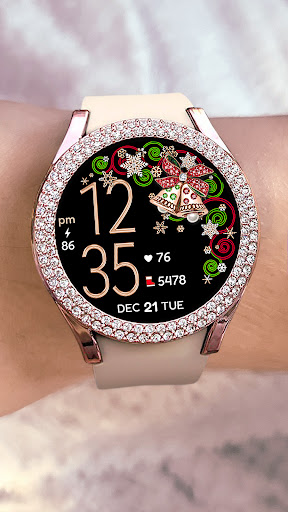
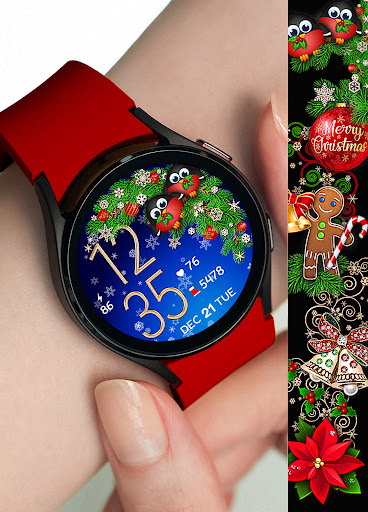
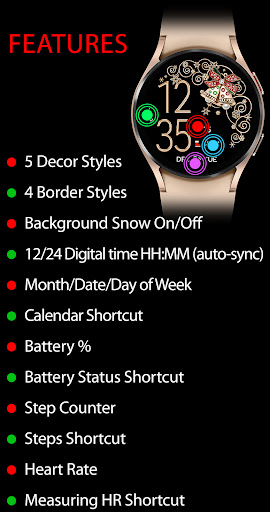
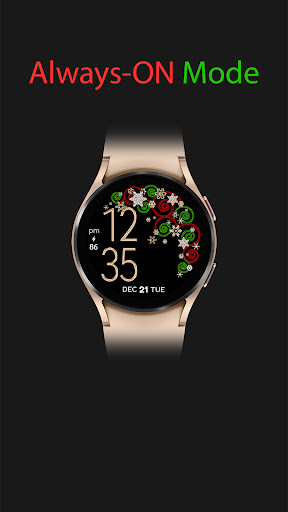
The watch face provides extensive customization options, including five decor styles, four border styles, and a choice between black or snowing backgrounds, resulting in over 30 possible combinations. In active mode, users can access various features such as calendar shortcuts, battery percentage display, step counter, and even heart rate monitoring with accompanying shortcuts. The always-on display maintains essential information visible at all times, making it both functional and festive.

Features

This Christmas-themed watch face stands out with its versatile customization options. Users can choose from five distinct decor styles, four border designs, and two background options - either static black or animated snowfall. The unique snow animation feature can be conveniently turned on or off based on user preference and battery conservation needs.

The watch face incorporates practical functionality through various display elements. These include date and time (in both 12-hour and 24-hour formats), battery percentage indicator, step counter, and heart rate monitoring with measurement shortcut. Notably, the heart rate measurement feature requires users to wear their watch and tap the heart icon, which will blink during the measurement process. The always-on display ensures essential information remains accessible while preserving battery life.

Companion app integration

The Christmas Snow On/Off Watch demonstrates exceptional companion app integration by ensuring that the watch face remains perfectly in sync with the user's phone. This synchronization is most evident in its timekeeping feature where the digital time automatically updates to reflect the time on the paired phone, accommodating both 12-hour and 24-hour formats. The absence of a leading zero in the 12-hour format adds to the clarity and aesthetics of the display. Beyond just timekeeping, this smartwatch application extends its functionality to include calendar shortcuts, battery percentage indicators, and health features such as step counters and heart rate monitoring. Users can conveniently tap a heart icon on the watch interface to measure their heart rate, with the icon blinking during the process to indicate activity. The seamless integration also allows for battery-friendly features like the ability to toggle background snow animation on or off, which not only enhances visual appeal but also caters to power-saving needs. By offering an extensive customization palette through various decor styles, border styles, and background options, the app ensures that users have a personalized experience that resonates with their festive spirit while maintaining practical utility. This comprehensive approach to companion app integration enriches the overall user experience by providing both aesthetic satisfaction and functional reliability.

Wear OS/device compatibility

Compatibility with Wear OS and a variety of devices is a cornerstone of the Christmas Snow On/Off Watch's design philosophy. As a dedicated app for Wear OS, it leverages the platform's capabilities to deliver a fluid and engaging user interface that works harmoniously across different smartwatch models. The installation process is straightforward yet considers potential synchronization delays between the Google Play Store and the user's device, recommending a wait time of 10-15 minutes post-purchase for optimal setup. Should users encounter issues with the watch face not appearing automatically, the app provides clear guidance to navigate through the watch's interface to locate and activate the newly acquired face. With support for always-on display features, users can enjoy essential information at a glance without needing to interact with the device actively. The app's commitment to compatibility is further highlighted by its inclusion of health-centric functionalities like SHealth steps shortcut and heart rate measurement, which are accessible directly from the wrist, promoting an active lifestyle while ensuring convenience. Moreover, the availability of multiple customization options underscores the app's adaptability to diverse user preferences and device specifications. Whether it's adjusting the display to show the day of the week, date, month, or toggling between different visual styles, the Christmas Snow On/Off Watch exemplifies how thoughtful design and broad device compatibility can converge to create a versatile and user-centric wearable experience.

Props

Highly customizable design

Battery-friendly snow animation

Comprehensive health tracking features

Automatic time synchronization

Festive holiday theme

Cons

Limited to Wear OS devices

Requires manual search after installation

Some features need additional setup

Initial sync may take time

Premium price point

Features and Functions

What is this app and what can I use it for?

A festive Wear OS watch face with customizable Christmas theme and practical features

How do I download and install this app on my device?

Search 'Christmas Snow On/Off Watch' in Google Play Store and install through your device

How do I get started after opening the app for the first time?

Long press watch face, swipe to end, tap + button, then select from available watch faces

What are the main features and capabilities of this app?

Customizable Christmas theme with health tracking, battery status, and weather information

How can I customize my experience and adjust preferences?

Use the 'Customise' button to adjust decor styles, border styles, and background options

How do I save or bookmark my favorite content for later access?

Not applicable for watch faces as they are system-level applications

How can I share content with friends or on social media?

Share app details through Google Play Store link or QR code provided by developer

How do I access detailed information and explore more content?

View detailed feature graphics in app's Google Play Store listing for comprehensive information

What permissions does this app need and how do I manage them?

App requires standard watch permissions; manage through device settings under apps

How do I check for updates and keep the app running smoothly?

Check Google Play Store regularly for updates and maintain sufficient storage space
Show more

User Reveiws

{{ comment.reviewer_name }}
{{ comment.review_date_formatted}}
{{ comment.review_content }}
{{ tab.name }}
{{ comment.reviewer_name }}
{{ comment.review_date_formatted}}
{{ comment.review_content }}
No reviews with this rating