
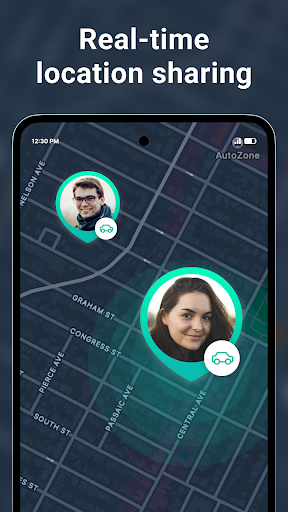

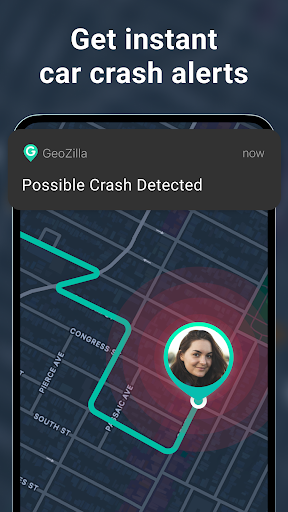
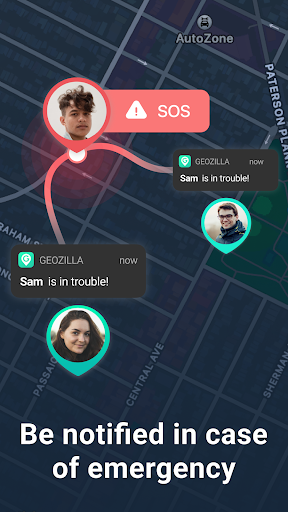
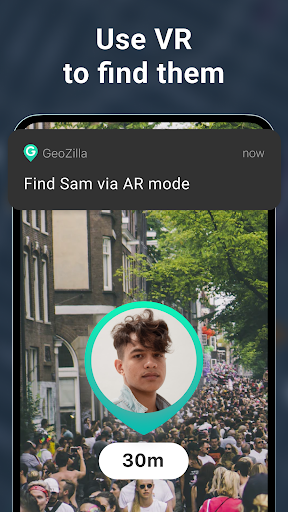
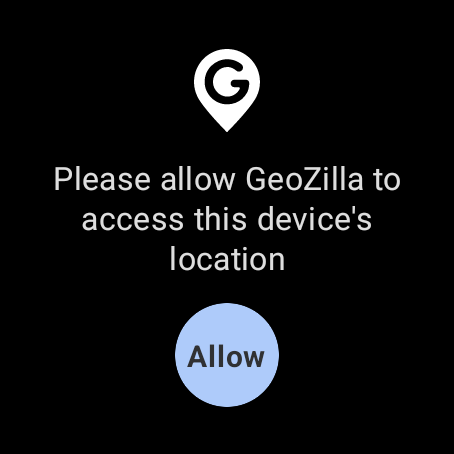
Geozilla is a comprehensive family safety application designed specifically for Android Wear devices, enabling real-time location sharing and emergency monitoring among trusted family circles. The app's core functionality revolves around creating a secure network where family members can actively share their locations, receive important alerts, and maintain open communication about safety.
The application offers advanced features such as geofencing notifications, driving behavior reports, and battery status updates, all of which contribute to enhanced family security. Through its smartwatch compatibility, Geozilla allows users to monitor their loved ones' whereabouts directly from their Wear OS devices, making it particularly useful during outdoor activities or daily commutes.
This app proves invaluable in scenarios where parents need to ensure their children's safe return from school or when keeping track of elderly family members who may require assistance. By promoting transparency and mutual consent, Geozilla establishes a reliable safety net that gives families peace of mind regardless of physical distance.
Geozilla distinguishes itself through its sophisticated feature set tailored for modern family safety needs. The application's most prominent capability is its real-time GPS tracking system, which operates seamlessly across both mobile devices and Wear OS smartwatches. This dual-platform functionality ensures that family members remain connected regardless of whether they're using their phones or watches.
A key innovation lies in its geofencing technology, allowing users to set up virtual boundaries around important locations like home or school. When family members enter or leave these designated areas, the app immediately sends notifications to authorized users. Additionally, the driving insights feature provides detailed analysis of driving patterns, helping promote safer road behavior among family members.
The app's commitment to privacy and transparency sets it apart from competitors. Every location-sharing action requires explicit user consent, and all data exchanges are clearly communicated to involved parties. This approach not only complies with privacy regulations but also fosters trust within family networks, making Geozilla a responsible choice for maintaining family safety while respecting individual privacy rights.
User-friendly interface
Real-time tracking
Emergency alerts
Driving insights
Wear OS support
Battery consumption
Premium features
Setup complexity
Network dependency
Privacy concerns

Highly customizable hybrid watch face for Wear OS, perfect for everyday use.
 4.60
4.60
Rose gold watch face with festive lights & customizable features.
4.60
Current temperature, weather hourly, weather radar by the weather forecast app
4.40
Hyper-Realistic Airplane Dashboard Watch Face With 10 Skins and Custom AOD
4.00
Retro digital watch face with customizable colors and a unique lighting effect
4.60
Your music, your playlists, and more—offline and unlimited.
4.20
Your local weather forecast, storm tracker, radar maps & live weather news
3.40
Track your active life in one place and share the journey with friends.
4.40
From periods to pregnancy & perimenopause, Flo helps you track it all. Try now.
4.70
Christmas Theme Watch Face for Wear Os
5.00
The most customizable minimal watch face. For Wear OS 5.0, API 34+ and later
4.70
Nutrition, Macro tracker: Food, fitness & healthy diet tracking for weight loss
4.60
MyNISSAN® lets you remotely control your car from your phone.*
4.50
"PER27 Galaxy Digital" is a digital Wear OS watch face designed by PERSONA
4.10
A digital watch face that celebrates Christmas.
4.00
Animated Watch Face and Customizable with 24 Backgrounds. Perfect for Christmas!
3.90
Contemporary digital watch face with five complications
4.4
Simple Analog-Digital Watchface For Wear OS 3.0 and Up Smartwatches
4.4
Hybrid Vibrant Health Watch Face for Wear OS
4.4


User Reveiws