
Clean Sweep Plus

4.50

Information

Category:

Tools

Price:

Free

Rank:

15

Rating:

4.50

Overview

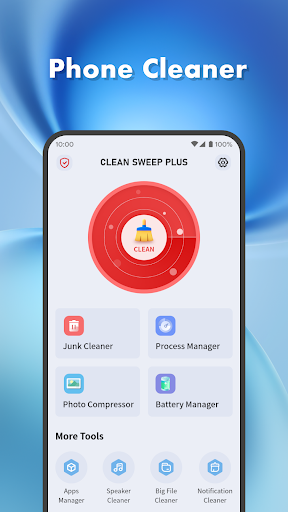
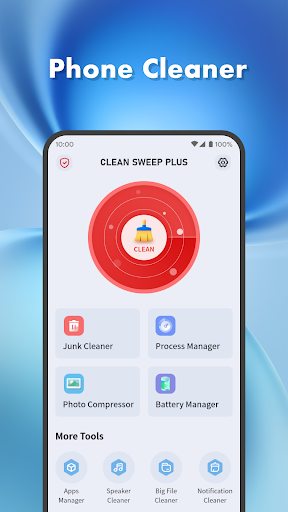
Clean Sweep Plus is a comprehensive mobile device management tool designed to optimize and simplify your phone's performance. The app offers a suite of practical features that address common user pain points, such as junk file accumulation, battery monitoring, and app management.

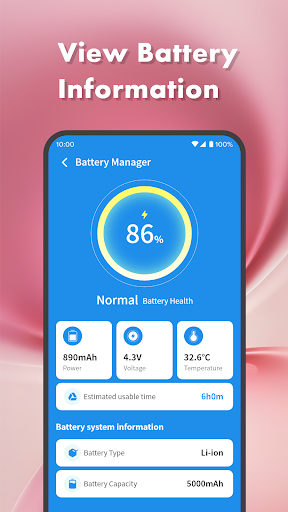
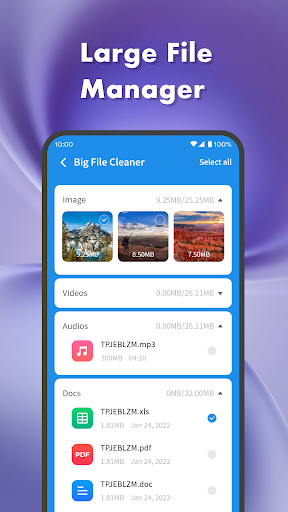
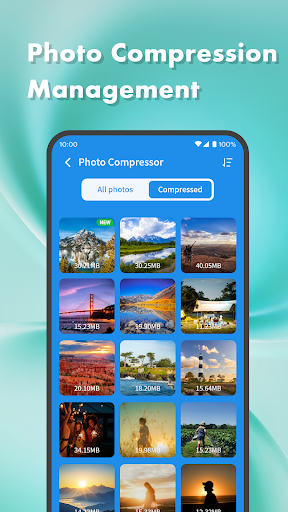
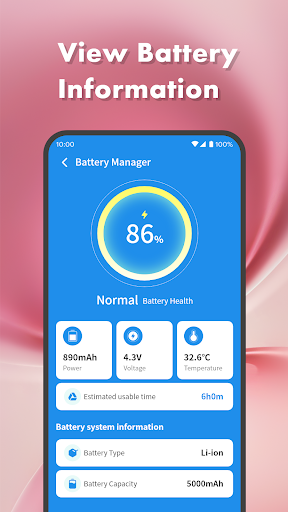
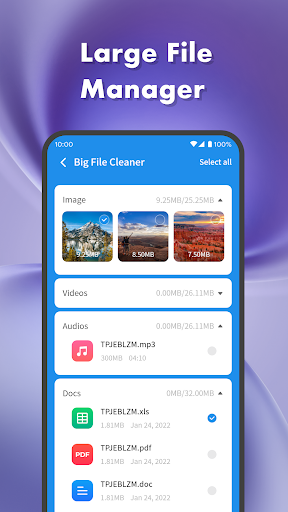
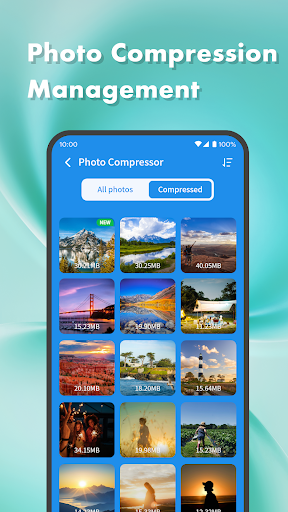
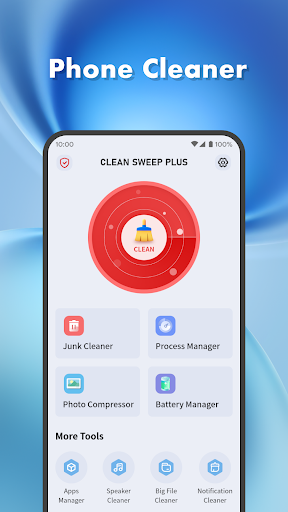
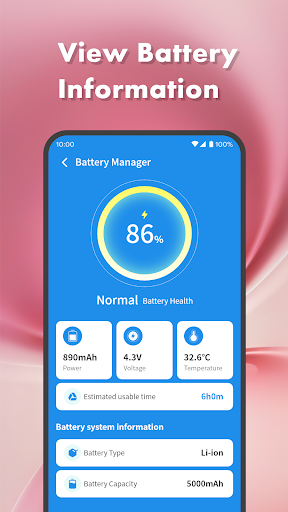
At its core, Clean Sweep Plus provides essential tools for device maintenance. Users can efficiently clean junk files, manage large media files, and compress photos to save storage space. Additionally, the app includes advanced functionalities like a battery management center that displays crucial information such as battery power and estimated usage time.

The app's intuitive interface ensures easy navigation through its various features, making it accessible even to non-technical users. Whether you need to uninstall infrequently used apps or monitor your battery status, Clean Sweep Plus delivers a seamless experience that enhances your device's performance while maintaining an organized digital environment.

Features

Clean Sweep Plus stands out with its diverse range of features tailored for daily phone management tasks. The app's junk cleaner effectively scans and removes unnecessary files, while the large file manager helps users locate and manage bulky media files that consume valuable storage space.

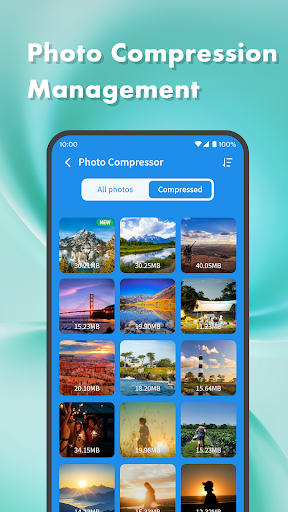
One of the app's notable innovations is its photo compression tool, which allows users to reduce image file sizes without compromising quality. The notification cleaner provides a clutter-free experience by clearing unwanted notifications from the notification bar.

For users seeking more control over their installed applications, Clean Sweep Plus offers an app manager for easy uninstallation and a process manager to monitor background app activities. These features, combined with the battery management center and speaker cleaner, create a robust toolkit that addresses various aspects of mobile device maintenance.

Core function accuracy & effectiveness

The core function accuracy and effectiveness of Clean Sweep Plus is evident in its comprehensive suite of tools designed to address common mobile device management challenges. At the heart of this application lies its ability to precisely identify and remove junk files that accumulate over time, ensuring that users can reclaim valuable storage space without risking important data. The large file manager provides an effective way to locate sizable media files, allowing users to make informed decisions about which files to keep or delete. Photo compression is another key feature that demonstrates the app's commitment to efficiency by reducing file sizes while maintaining acceptable image quality. Additionally, the notification cleaner ensures that the notification bar remains clutter-free, contributing to a more organized user interface. Each of these functions has been carefully implemented to ensure they work accurately and effectively, providing tangible benefits to users who need reliable solutions for their daily phone management tasks. By focusing on precision and practicality, Clean Sweep Plus delivers a toolset that not only meets but exceeds user expectations in maintaining an optimized mobile device.

Interface simplicity & intuitiveness

Clean Sweep Plus excels in providing an interface that emphasizes simplicity and intuitiveness, making it accessible to users of all technical backgrounds. The layout of the application is thoughtfully designed to ensure that each function is easily locatable and understandable, even for those who may be less familiar with device management tools. Upon opening the app, users are greeted with a clear and organized dashboard that categorizes the various tools into distinct sections such as 'Basic Device Management' and 'App and Process Management'. This logical grouping allows users to quickly navigate to the specific tool they need without unnecessary complexity. Furthermore, the app employs intuitive icons and labels that clearly represent each function, eliminating any guesswork in finding the desired feature. The overall design philosophy focuses on minimizing the learning curve typically associated with utility applications, enabling users to become proficient with minimal effort. By prioritizing an intuitive user experience, Clean Sweep Plus ensures that users can efficiently manage their devices without being overwhelmed by complicated menus or settings. This approach not only enhances usability but also encourages regular use, as users feel confident in their ability to maintain their device's performance through straightforward interactions.

Props

User-friendly interface

Comprehensive cleaning tools

Effective battery monitoring

Intuitive app management

Practical additional features

Cons

Limited advanced options

Basic photo compression

Few customization settings

Occasional performance lags

Ads in free version

Features and Functions

What is this app and what can I use it for?

Clean Sweep Plus is a mobile device management tool for optimizing phone performance and managing daily tasks

How do I download and install this app on my device?

Visit Google Play Store, search for Clean Sweep Plus, and tap Install to download and install the app

How do I get started after opening the app for the first time?

Upon first launch, follow the on-screen instructions to grant necessary permissions and explore main features

What are the main features and capabilities of this app?

Key features include junk cleaning, battery monitoring, app management, and various optimization tools

How can I customize my experience and adjust preferences?

Customization options are limited but you can adjust basic settings through the app's preferences menu

How do I save or bookmark my favorite content for later access?

The app doesn't support bookmarking but saves cleaning history automatically for future reference

How can I share content with friends or on social media?

Share app content by copying text or screenshots and pasting them into your preferred social media platform

How do I access detailed information and explore more content?

Access detailed information through the app's various management tools and status displays

What permissions does this app need and how do I manage them?

The app requires storage and device information permissions which can be managed in system settings

How do I check for updates and keep the app running smoothly?

Check for updates automatically through the Google Play Store or manually within the app's settings
Show more

User Reveiws

{{ comment.reviewer_name }}
{{ comment.review_date_formatted}}
{{ comment.review_content }}
{{ tab.name }}
{{ comment.reviewer_name }}
{{ comment.review_date_formatted}}
{{ comment.review_content }}
No reviews with this rating















