Compass - Directional Compass

4.5

Information

Category:

Maps & Navigation

Price:

Free

Rank:

63

Rating:

4.5

Overview

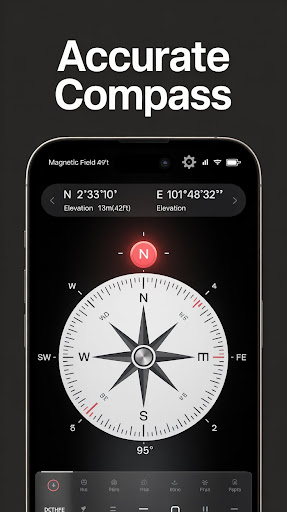
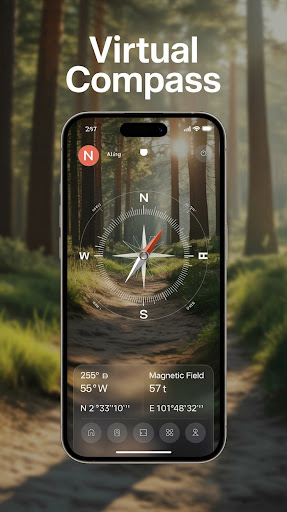
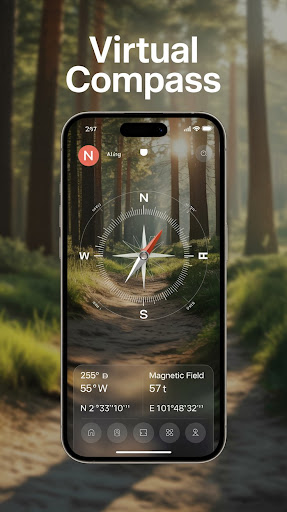
Compass - Directional Compass is a smart and accurate navigation tool designed for both casual users and outdoor enthusiasts. The app provides real-time directional guidance with pinpoint precision, making it easy to locate cardinal directions such as North, South, East, and West. Its intuitive interface ensures that even first-time users can navigate effortlessly, while advanced features like GPS integration, magnetic field detection, and map support cater to more demanding navigation needs.

In addition to its core compass functionality, the app offers versatile tools including a tilt and level meter for surface alignment, night mode for low-light conditions, and offline usability for remote areas. Whether you're hiking in the wilderness, sailing across open waters, or simply exploring a new city, this app ensures you stay on course with confidence.

Features

Compass - Directional Compass stands out with its comprehensive feature set tailored for seamless navigation. The app includes a real-time digital compass that operates in both traditional and modern modes, providing smooth and precise directional tracking. It also integrates GPS functionality, allowing users to view their exact latitude, longitude, and altitude, which enhances positioning accuracy during travel or outdoor activities.

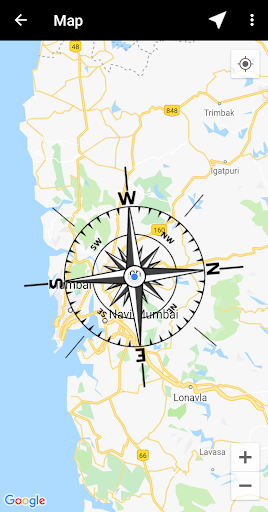
For professional users, the app offers advanced tools such as magnetic field detection to identify potential interference, a built-in inclinometer for measuring tilt angles, and customizable themes like night mode for improved visibility. Furthermore, map integration allows for better route planning, while offline mode ensures uninterrupted access to critical navigation data regardless of internet connectivity.

Map accuracy

Map accuracy refers to the precision with which a digital map represents real-world locations and features. In navigation applications like Compass - Directional Compass, this is crucial as it ensures users can rely on the app for correct positioning and guidance. The app provides highly accurate navigation by utilizing both GPS and magnetic field detection technologies. Through GPS & Location Info, users receive their exact latitude, longitude, and altitude, ensuring they have precise coordinates for their current position. This information is essential for activities such as hiking or maritime navigation where knowing one's exact location can be critical. Additionally, the Magnetic Field Detection feature helps in identifying any magnetic interference that could affect the compass readings, thus maintaining high levels of accuracy even in challenging environments. For users, this means they can trust the app to guide them correctly whether they are exploring remote trails or sailing across vast oceans. The combination of these advanced technologies results in an application that not only shows directions but also adapts to environmental changes, providing consistent and reliable data. By integrating map functionality with compass features, the app offers seamless route planning and execution, making sure that adventurers and travelers alike reach their destinations safely and efficiently.

Route planning

Route planning is the process of determining the most efficient and effective path from one location to another. In the context of navigation apps like Compass - Directional Compass, this function is vital for users who need to find their way through unfamiliar territories or complex urban landscapes. The app enhances route planning by offering a Real-Time Digital Compass along with Map Integration capabilities. Users can experience smooth and precise navigation using both digital and traditional compass modes while simultaneously viewing their position on integrated maps. This dual approach allows for better orientation and understanding of one's surroundings. Moreover, the inclusion of a Tilt & Level Meter adds another layer of utility by enabling users to check surface alignment and tilt angles, which is particularly useful when setting up equipment or assessing terrain conditions. The Offline Mode further empowers users by allowing access to the compass and basic mapping functions without an internet connection, ensuring continuous availability regardless of connectivity issues. These comprehensive tools collectively contribute to a robust route planning system that caters to various needs, from casual explorations to professional expeditions. As a result, users benefit from optimized travel routes, reduced travel time, and increased safety during their journeys. Whether navigating dense forests or bustling city streets, Compass - Directional Compass equips users with the necessary tools to plan and execute their routes confidently.

Props

Accurate readings

User-friendly design

Offline functionality

Customizable themes

Advanced tools included

Cons

Limited augmented reality

No voice guidance

Premium features locked

Heavy on battery

Occasional lags

Features and Functions

What is this app and what can I use it for?

A precise digital compass app for navigation and directional guidance.

How do I download and install this app on my device?

Visit Google Play Store, search for Compass - Directional Compass, and tap Install.

How do I get started after opening the app for the first time?

Open the app, grant necessary permissions, and calibrate your device if prompted.

What are the main features and capabilities of this app?

Real-time compass, GPS info, magnetic detection, night mode, and map integration.

How can I customize my experience and adjust preferences?

Adjust settings via the app menu to enable themes, units, or specific tools.

How do I save or bookmark my favorite content for later access?

Save locations using map integration or mark points manually within the app.

How can I share content with friends or on social media?

Share current coordinates or directions via social media or messaging apps.

How do I access detailed information and explore more content?

Access detailed location data through GPS and explore maps integrated in the app.

What permissions does this app need and how do I manage them?

Requires location access; manage permissions in device settings under Apps.

How do I check for updates and keep the app running smoothly?

Enable auto-updates in Google Play Store or manually check for updates there.
Show more

User Reveiws

{{ comment.reviewer_name }}
{{ comment.review_date_formatted}}
{{ comment.review_content }}
{{ tab.name }}
{{ comment.reviewer_name }}
{{ comment.review_date_formatted}}
{{ comment.review_content }}
No reviews with this rating