GCamera

3.30

Information

Category:

Photography

Price:

Free

Rank:

109

Rating:

3.30

Overview

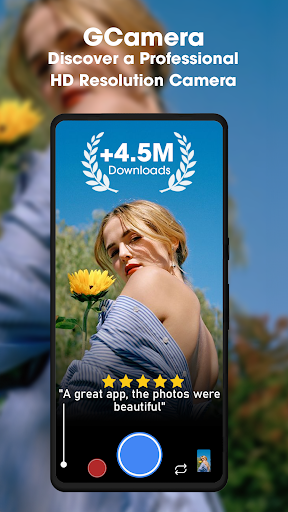
GCamera is a feature-rich photography app that transforms your smartphone into a professional-grade digital camera. With advanced modes like HDR+, Night Sight, and Astrophotography, it ensures stunning image quality in diverse lighting conditions. Whether you're capturing landscapes, portraits, or night skies, GCamera delivers vibrant colors, sharp details, and impeccable dynamic range.

This app caters to both amateur enthusiasts and seasoned photographers by offering versatile shooting options. Its intuitive interface makes it easy to access powerful tools such as Portrait Mode for bokeh effects and HD Camera Performance for high-definition results. GCamera is perfect for enhancing your photography skills while preserving memories in crystal-clear quality.

Features

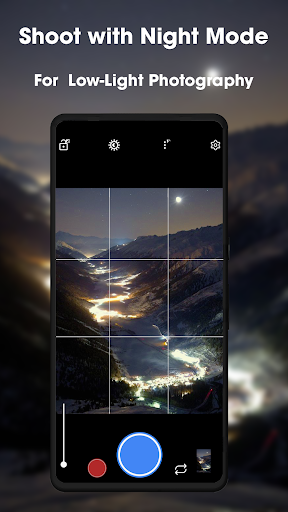
GCamera stands out with its cutting-edge features tailored for photography enthusiasts. The HDR+ mode combines multiple shots using advanced algorithms, producing images with enhanced colors and sharpness. Night Sight allows users to capture detailed photos even in low-light environments, eliminating grainy results.

Astrophotography mode enables breathtaking shots of the night sky, including stars and galaxies, making it ideal for stargazers. Additionally, Portrait Mode creates professional-looking portraits by keeping subjects in focus while blurring backgrounds. These features collectively ensure that every photo taken with GCamera reflects pro-level quality and creativity.

Real-Time Capture & Preview

Real-time capture and preview functionality is essential for ensuring that users can accurately frame and adjust their shots before taking a photograph. This feature allows photographers to see exactly what the camera sensor is capturing, providing them with the ability to make necessary adjustments to composition, lighting, and focus in real time. GCamera excels in this area by offering a responsive and accurate preview window that mirrors the final output, thus eliminating guesswork and enhancing the overall photography experience. The app's sophisticated algorithms work seamlessly to provide immediate feedback on exposure and white balance, allowing users to fine-tune settings for optimal results. With GCamera, users can trust that what they see on the screen is precisely what they will get in their final image, which is particularly beneficial when shooting in challenging lighting conditions or when precision is paramount. This real-time capability not only saves time during post-processing but also boosts user confidence, knowing that each shot is composed and exposed correctly from the start.

AI Beauty & Enhancement Naturalness

AI beauty and enhancement features have become increasingly popular in photography applications, aiming to improve the aesthetic quality of images while maintaining a natural look. GCamera incorporates advanced AI algorithms that intelligently analyze facial features and skin tones to apply enhancements that are subtle yet effective. Unlike other apps that may produce overly processed or artificial results, GCamera focuses on delivering enhancements that preserve the authenticity of the subject. The AI works by identifying key areas such as eyes, lips, and skin, and then applying targeted adjustments that enhance these features without compromising the natural appearance. For instance, it can smooth skin textures while retaining important details like freckles or pores, ensuring that the person in the photo remains recognizable and true to life. Additionally, GCamera offers customizable levels of enhancement, giving users control over the intensity of the effects applied. This flexibility ensures that whether someone is looking for a slight touch-up or a more polished look, the outcome will always appear genuine and flattering. By prioritizing naturalness in its AI beauty enhancements, GCamera stands out as a tool that empowers users to achieve professional-quality edits effortlessly, making every portrait shine with minimal effort required.

Props

User-friendly interface

Advanced HDR+ technology

Excellent low-light performance

Versatile shooting modes

High-definition image quality

Cons

May drain battery faster

Requires modern hardware

Limited manual controls

Occasional processing delays

Not all features work on older devices

Features and Functions

What is this app and what can I use it for?

GCamera is a pro camera app for capturing high-quality photos with features like HDR+, Night Sight, and Astrophotography.

How do I download and install this app on my device?

Visit the Google Play Store, search for GCamera, and tap Install to download and set up the app on your device.

How do I get started after opening the app for the first time?

Launch GCamera, grant necessary permissions, and explore the main screen to access shooting modes like HDR+ and Night Sight.

What are the main features and capabilities of this app?

Key features include HDR+ for vibrant shots, Night Sight for low-light scenes, and Astrophotography for stunning starry skies.

How can I customize my experience and adjust preferences?

Adjust settings via the app menu, customize shooting modes, and tweak preferences like resolution and gridlines for a personalized experience.

How do I save or bookmark my favorite content for later access?

Use the Favorites option within GCamera to save or bookmark your best photos for quick access later.

How can I share content with friends or on social media?

Tap the Share button in GCamera to send photos directly to friends or post them on social media platforms effortlessly.

How do I access detailed information and explore more content?

Access detailed information by tapping on specific photo settings or exploring tutorials available in the app's help section.

What permissions does this app need and how do I manage them?

GCam requests camera and storage access; manage these permissions in your device settings under Apps and Permissions.

How do I check for updates and keep the app running smoothly?

Enable automatic updates in the Play Store or manually check for GCamera updates to ensure smooth performance and new features.
Show more

User Reveiws

{{ comment.reviewer_name }}
{{ comment.review_date_formatted}}
{{ comment.review_content }}
{{ tab.name }}
{{ comment.reviewer_name }}
{{ comment.review_date_formatted}}
{{ comment.review_content }}
No reviews with this rating
















