

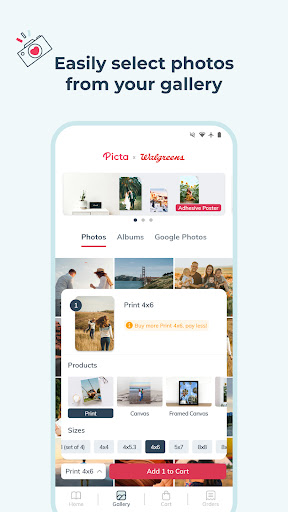


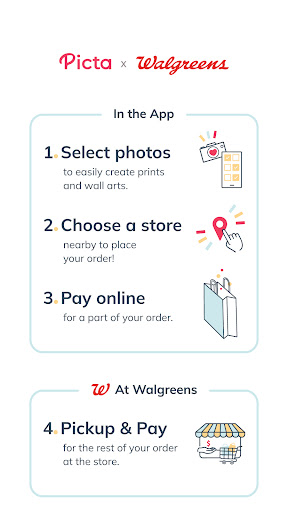
Picta is a photo printing app that allows users to print their mobile photos at Walgreens stores. With this app, you can easily select your photos, choose the print size and quantity, and pick up your prints within an hour at your nearest Walgreens store. The app offers professional-quality photo printing services on Kodak paper in multiple sizes, including 4x6, 5x7, and 8x10 enlargements. You can also create personalized gifts such as magnets, posters, canvas, photobooks, greeting cards, and invitations.
One of the key features of Picta is its fast and convenient photo transfer system. The app organizes your mobile photos by date taken, making it easy to find and select the ones you want to print. Additionally, Picta provides exclusive coupons and deals for its users, allowing them to save money on their photo printing orders. Whether you need to print photos for personal use or create customized gifts for special occasions, Picta offers a seamless and efficient solution.
Picta offers a range of features that make photo printing quick and hassle-free. One notable feature is the ability to crop and zoom each picture easily within the app. This allows users to adjust their photos to fit the desired print size and layout. Another standout feature is the real-time order status tracking, which enables users to monitor the progress of their photo printing orders and pick them up in-store within an hour.
In addition to standard photo prints, Picta also offers the option to create custom photo collages in four different layouts. Each collage can include four of your favorite moments, making it a perfect way to showcase special memories. Furthermore, the app provides a gallery that organizes your mobile photos by date taken, making it easy to locate specific images. With its user-friendly interface and comprehensive set of tools, Picta ensures a smooth and enjoyable photo printing experience.
User-friendly interface
Fast photo pickup
Wide range of print sizes
Exclusive coupons
Professional-quality prints
Limited to Walgreens stores
No home delivery option
Requires physical store visit
Occasional app glitches
Print quality may vary

Long exposure camera with computational photography
 2.60
2.60
Application for remote controlling DSLR
3.00
Pet Camera
3.70
AI photo editor with hair editor, retouch tools, hair color changer & filters!
4.50
Photo Exif Editor allows to view, add and modify EXIF data of multiple photos
4.50
AI-powered video creator by MiniMax - Where ideas meet cinema
4.20
Remote control the phone camera shutter from your smartwatch and take a picture
1.60
A unique animation app. Powerful, easy to use, and lots of fun.
4.30
Try an anime version, cartoon yourself, and generate AI hug or aging videos!
3.70
AI Photo Editor with 100+ Filters, Effects! Remove BG, Retouch & Photo Enhancer.
4.80
Cartoon and artistic effects for your photos and videos
4.70
Unblur, enhance & restore photos with powerful AI photo enhancer tools.
4.60
Photo editor & gallery. Crop pictures & edit photos offline, no wifi!
4.50
Use AI Video Generator to turn your words to ai generated videos.
4.50
Shooting photos and records video easily and efficient with professional Camera
4.30
Professional quality photo edits with the new Snapseed.
4.00
live datamoshing
4.00
GCamera allows all GCam features on all phone models! Better photos with GCamera
3.30
Superimpose one photo on top of another using the original Superimpose app!
3.20


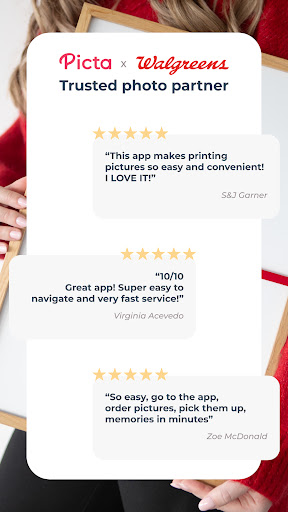
User Reveiws