
Microsoft Word

4.80

Information

Category:

Productivity

Price:

Free

Rank:

16

Rating:

4.80

Overview

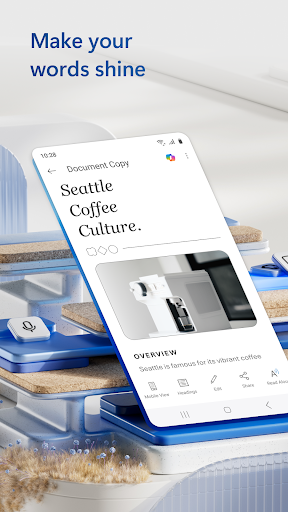
Microsoft Word is the quintessential mobile document editor, empowering users to create, edit, and collaborate on documents directly from their mobile devices. With capabilities mirroring the desktop version, this app allows for seamless document creation and editing on-the-go. Whether crafting a cover letter or converting files to PDF, Word offers professional tools that maintain document integrity and style.

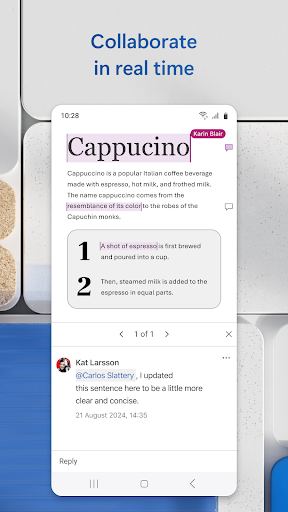
Beyond basic editing, Microsoft Word shines in its collaborative features. Users can share documents, leave comments, and track changes with ease, ensuring productive teamwork. The app also includes a rich template gallery for resumes, letters, and more, catering to diverse writing needs. Its compatibility across devices and user-friendly interface make it an indispensable tool for professionals and students alike.

Features

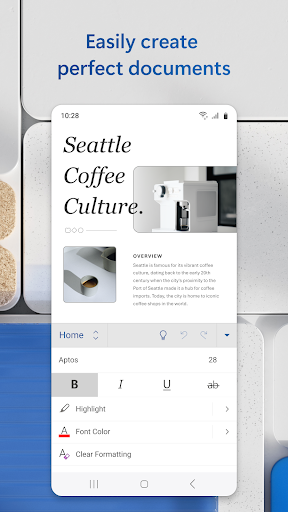
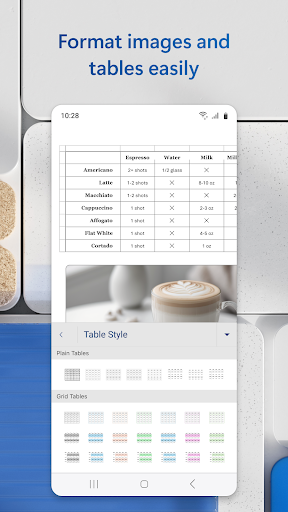
Microsoft Word's feature set is designed for comprehensive document management. It supports advanced editing options like rich formatting and layout controls, ensuring documents retain their original quality. The inclusion of beautiful, modern templates for resumes, cover letters, and forms streamlines the creation process for various writing tasks.

Collaboration is made effortless with integrated commenting and revision tracking. Users can easily convert documents to and from PDF, edit PDFs within Word, and save files as PDFs for easy sharing. Additionally, the app provides a built-in document viewer and reading mode, enhancing accessibility and convenience. These robust features collectively enable users to manage their documents efficiently from any location.

Core task management

Task management in Microsoft Word centers on the app's ability to facilitate seamless creation, editing, and collaboration on documents. This functionality is crucial for users who need to manage multiple writing projects efficiently. The app provides a comprehensive suite of tools that allow users to create various types of documents, from simple notes to complex reports, using professionally designed templates. These templates ensure that even users with minimal design experience can produce visually appealing and well-structured documents. Moreover, the document editor maintains the integrity of formats and layouts, ensuring that the final output looks as intended. Users can also convert documents to PDFs and vice versa, offering flexibility in sharing and presenting their work. The collaborative features further enhance task management by enabling real-time editing and feedback. Multiple users can work on the same document simultaneously, leave comments next to specific texts, and track changes effectively. This ensures that teams can stay aligned and maintain consistency across their documents. Additionally, the app allows users to view the editing history and revert to previous versions if necessary, providing peace of mind and control over document evolution. Overall, Microsoft Word's core task management capabilities empower users to handle their writing tasks with precision and efficiency, making it an indispensable tool for productivity.

Cross-device synchronization reliability

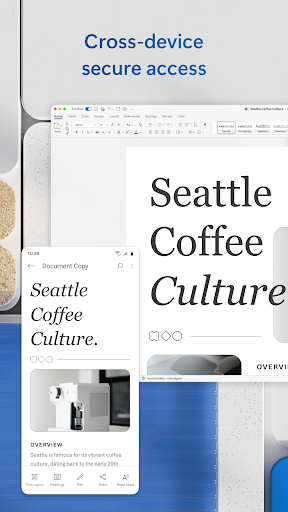
Cross-device synchronization is a pivotal feature in Microsoft Word, ensuring that users can access and edit their documents seamlessly across different devices. This reliability is essential for individuals who switch between smartphones, tablets, and computers throughout their day. When a user makes edits on one device, those changes are automatically saved and updated in the cloud, making them instantly available on any other device where the user is logged into their Microsoft account. This synchronization process is not only fast but also secure, safeguarding users' data through robust encryption protocols. Furthermore, the app offers offline editing capabilities, allowing users to continue working on their documents even without an internet connection. Once the device reconnects to the internet, all changes are synced without any loss of data or formatting discrepancies. This ensures that users always have the most up-to-date version of their documents at their fingertips, regardless of the device they are using. The reliability of this synchronization extends to file permissions and collaboration settings as well. Users can see who is currently working on a document and manage access rights accordingly. This transparency fosters better teamwork and accountability within collaborative projects. In summary, Microsoft Word's cross-device synchronization reliability enhances user productivity by providing consistent and secure access to documents across all devices, thereby supporting a flexible and dynamic workflow.

Props

User-friendly interface

Extensive template library

Real-time collaboration tools

Cross-device compatibility

Advanced formatting options

Cons

Limited functionality offline

Requires Microsoft account

Heavier on system resources

Occasional syncing issues

Premium features behind paywall

Features and Functions

What is this app and what can I use it for?

A versatile word processor for creating and editing documents

How do I download and install this app on my device?

Visit Google Play Store, search for Microsoft Word, and tap install

How do I get started after opening the app for the first time?

Sign in with a Microsoft account and explore the home screen

What are the main features and capabilities of this app?

Editing, PDF conversion, collaboration, and templates

How can I customize my experience and adjust preferences?

Adjust settings via the app menu for personalized experience

How do I save or bookmark my favorite content for later access?

Save files locally or to cloud storage for future access

How can I share content with friends or on social media?

Use the share option to send content via email or social media

How do I access detailed information and explore more content?

Tap on specific entries in the document gallery for details

What permissions does this app need and how do I manage them?

App requests storage and account permissions for full functionality

How do I check for updates and keep the app running smoothly?

Enable automatic updates in Google Play Store settings
Show more

User Reveiws

{{ comment.reviewer_name }}
{{ comment.review_date_formatted}}
{{ comment.review_content }}
{{ tab.name }}
{{ comment.reviewer_name }}
{{ comment.review_date_formatted}}
{{ comment.review_content }}
No reviews with this rating