
aCalendar+ Calendar & Tasks

4.70

Information

Category:

Productivity

Price:

$ 11.99

Rank:

36

Rating:

4.70

Overview

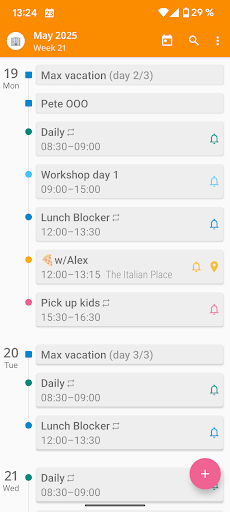
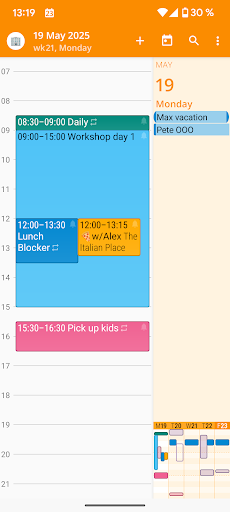
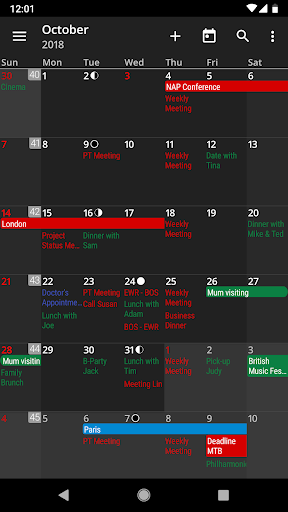
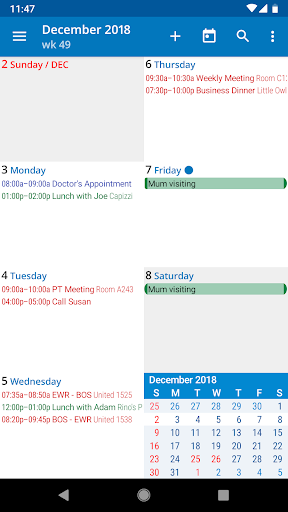
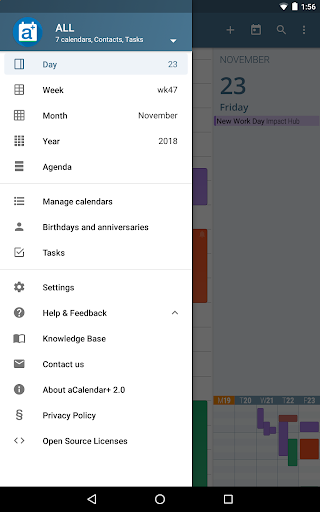
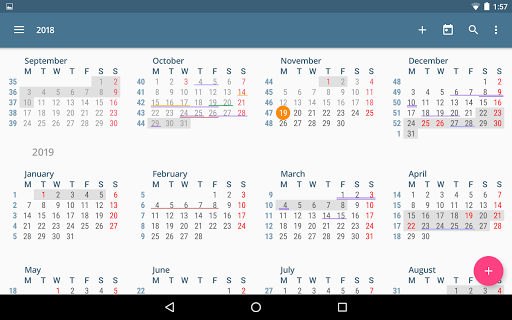
aCalendar+ is a premium productivity application designed to enhance your time management with its comprehensive calendar and task features. The app offers an intuitive navigation system with smooth transitions between day, week, month, and year views, ensuring you stay organized effortlessly.

One of the standout functionalities of aCalendar+ is its ability to manage both Google Tasks and tasks from CalDAV/OpenTasks, making it versatile for various productivity needs. Additionally, users can enjoy extra features such as public holidays configuration, more color options for themes and events, and business functionalities like inviting attendees and sharing calendars.

This app is ideal for professionals and individuals who need a reliable tool to keep track of their schedules and tasks while enjoying a clean, ad-free interface. With over a decade of experience, aCalendar+ continues to support user productivity while contributing to environmental conservation efforts.

Features

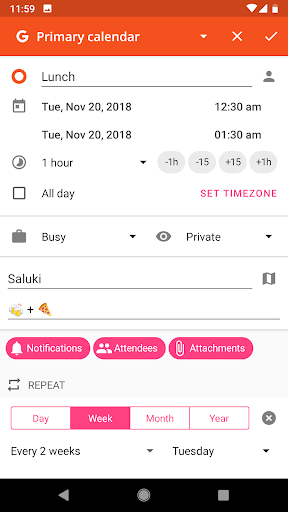
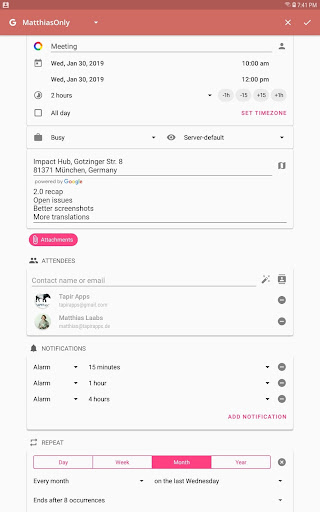
aCalendar+ stands out with its rich feature set tailored for productivity enthusiasts. The app provides flexible recurrence options for events, allowing custom schedules like every 3 weeks or every Mon, Wed, and Fri. This flexibility ensures that users can tailor their calendars to fit highly specific routines.

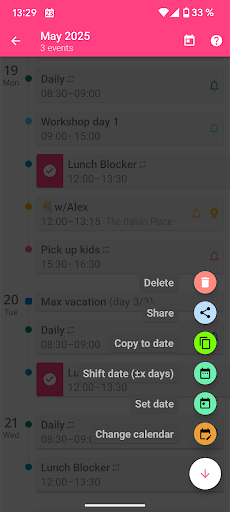
Another remarkable feature is the extensive customization options available. Users can choose from over 100 colors for calendar displays, set per-event colors, and adjust custom event font sizes. These personalization features ensure that each user's calendar is not only functional but also visually suited to their preferences.

In addition to these, aCalendar+ supports practical gestures and actions, such as swiping vertically to move through the calendar, switching views with horizontal swipes, and using long-press actions to add new events. Such intuitive controls make daily interactions seamless and efficient, enhancing overall user experience.

Core task management

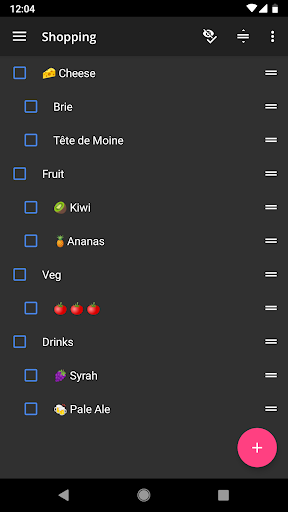
Task management within aCalendar+ Calendar & Tasks represents the application's ability to handle and organize various tasks efficiently, ensuring users can keep track of their responsibilities seamlessly. This feature is crucial for productivity apps as it allows users to maintain an overview of their commitments and deadlines. aCalendar+ offers robust task management by integrating with Google Tasks and tasks from CalDAV/OpenTasks, providing a unified platform where users can manage all their tasks without needing to switch between different applications. The app supports flexible recurrences, enabling users to set up repeating tasks according to their specific needs, such as every 3 weeks or every Mon, Wed, and Fri. Additionally, users can assign colors to different tasks, enhancing visual organization and prioritization. The intuitive navigation and smooth transitions between day, week, month, and year views make it easy for users to locate and manage their tasks within the context of their overall schedule. Users benefit significantly from this comprehensive approach to task management as it not only helps them stay organized but also saves time by consolidating all task-related activities into one streamlined interface. With features like configurable actions on 3-finger-tap and long-press functionalities to add new calendar events or drag events to different times, aCalendar+ ensures that managing tasks is both efficient and user-friendly. This results in improved productivity and peace of mind for users who can rely on the app to keep their professional and personal lives in order.

Cross-device synchronization reliability

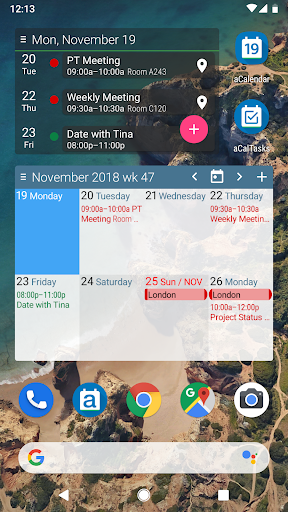
Cross-device synchronization reliability in aCalendar+ Calendar & Tasks refers to the app's capability to consistently and accurately sync data across multiple devices, ensuring that users have access to their most up-to-date calendar and task information regardless of the device they are using. This feature is vital for users who rely on multiple devices throughout their day, as it guarantees that any changes made on one device are immediately reflected on others, maintaining consistency and reliability in their scheduling and task management. aCalendar+ achieves this through its integration with Android's native calendar backend and synchronization services, which support real-time updates and seamless data exchange. Whether users are adding new events, modifying existing ones, or marking tasks as complete, these changes are synchronized instantly across all linked devices. The app also provides fullscreen widgets and configurable actions, further enhancing the user experience by allowing quick access to essential functions directly from the home screen. By prioritizing synchronization reliability, aCalendar+ ensures that users never miss important appointments or deadlines due to outdated information. This level of reliability fosters trust in the application, encouraging users to depend on it for both personal and professional scheduling needs. Moreover, the appu2019s commitment to privacy and security means that users can be confident that their data is protected during synchronization processes, reinforcing the overall value proposition of aCalendar+ as a dependable productivity tool.

Props

User-friendly interface

Highly customizable

Comprehensive task management

Versatile recurrence options

Supports environmental causes

Cons

Premium version costly

Occasional sync issues

Limited free features

Complex for beginners

Ads in free version

Features and Functions

What is this app and what can I use it for?

A premium calendar app for managing tasks and schedules.

How do I download and install this app on my device?

Visit Google Play Store, search for aCalendar+, and tap install.

How do I get started after opening the app for the first time?

Follow the on-screen instructions to set up your profile and preferences.

What are the main features and capabilities of this app?

Intuitive navigation, flexible recurrences, and extensive customization options.

How can I customize my experience and adjust preferences?

Adjust settings via the preferences menu to personalize your experience.

How do I save or bookmark my favorite content for later access?

Long-press events or use the bookmark feature to save favorites.

How can I share content with friends or on social media?

Use the share button to post content directly to social media platforms.

How do I access detailed information and explore more content?

Navigate detailed views by tapping specific dates or events.

What permissions does this app need and how do I manage them?

Permissions include calendar access; manage them in settings.

How do I check for updates and keep the app running smoothly?

Enable automatic updates in Google Play Store settings for latest features.
Show more

User Reveiws

{{ comment.reviewer_name }}
{{ comment.review_date_formatted}}
{{ comment.review_content }}
{{ tab.name }}
{{ comment.reviewer_name }}
{{ comment.review_date_formatted}}
{{ comment.review_content }}
No reviews with this rating


















