QuickBooks Workforce

4.70

Information

Category:

Productivity

Price:

Free

Rank:

53

Rating:

4.70

Overview

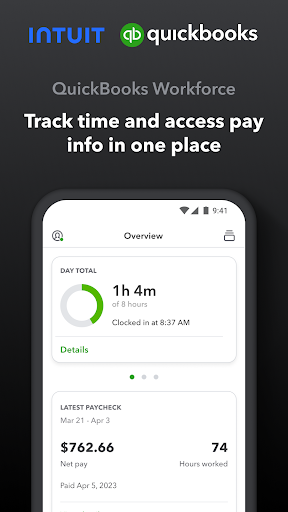
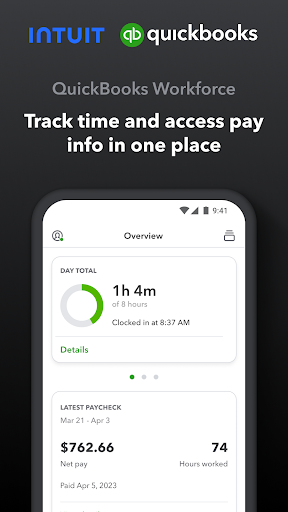
QuickBooks Workforce is a comprehensive productivity app designed to streamline payroll and time tracking for businesses using QuickBooks Payroll and QuickBooks Time. The app consolidates essential features into one platform, allowing teams to access pay information and manage time tracking efficiently.

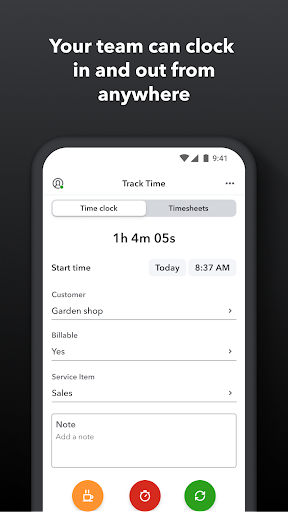
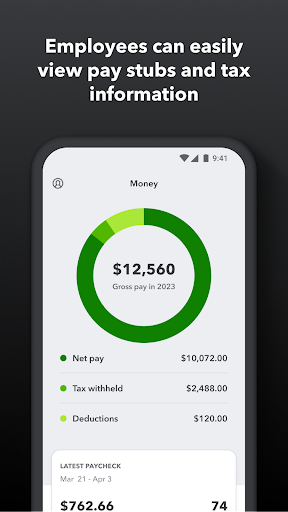
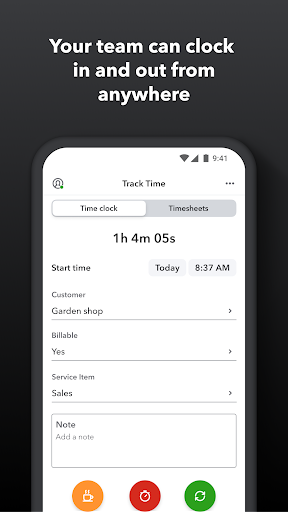
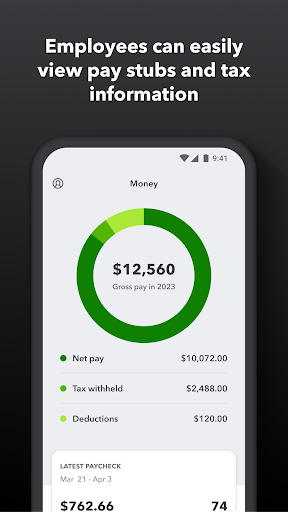
Key functionalities include the ability to view pay stubs, W-2s, and other critical pay details anytime and anywhere. Users can clock in and out even without Wi-Fi, submit and track various types of leave, edit timesheets, and manage job schedules. Additionally, GPS-based time tracking and project activity feeds enhance accuracy and transparency.

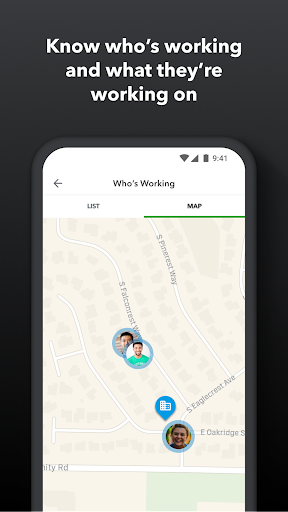
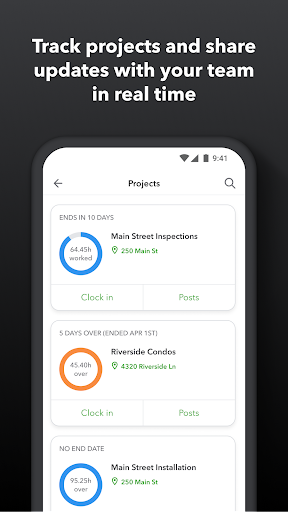
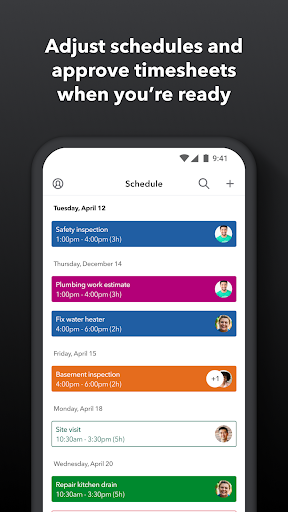
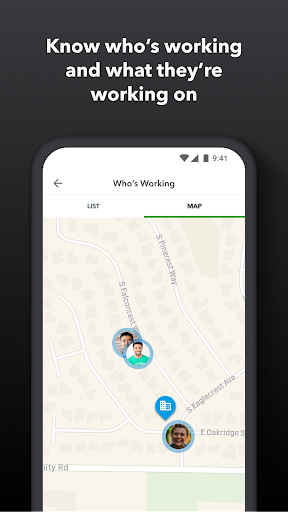
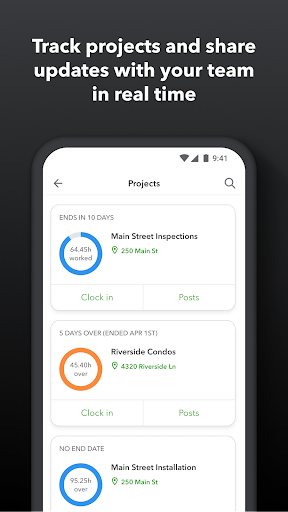
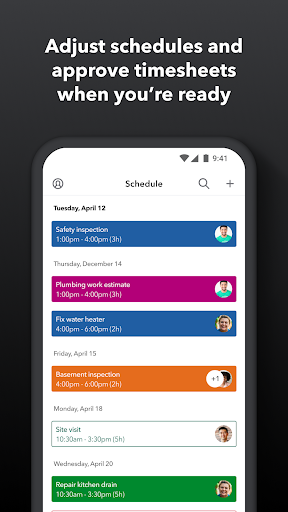
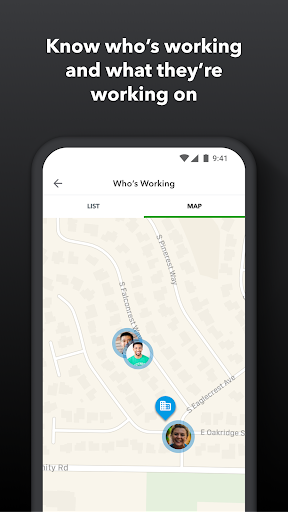
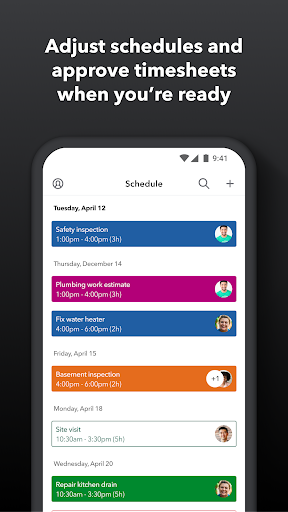
This app is particularly beneficial for employers and admins who need real-time oversight of their team's activities. They can approve or modify timesheets, schedule jobs, set up geofences, and receive alerts for unscheduled clock-ins or potential overtime. This ensures optimal resource allocation and budget management.

Features

QuickBooks Workforce offers an array of robust features tailored to improve productivity. One standout feature is its seamless integration with QuickBooks Online and Desktop Payroll, ensuring that all payroll data is synchronized effortlessly. This eliminates manual data entry and reduces errors significantly.

The app also supports multiple integrations with other payroll, accounting, and invoicing software, making it versatile for different business needs. Real-time reporting in various formats like PDF, CSV, and HTML provides flexibility and convenience. Moreover, the developer open API allows for custom integrations tailored to specific workflows.

Another notable feature is the detailed time log which protects businesses against labor disputes and audits. By replacing traditional paper timesheets, the app makes payroll and invoicing faster and less costly. Employers can track vacation, sick days, and holidays, ensuring accurate accruals and compliance with labor regulations.

Core task management

Task management in QuickBooks Workforce is a comprehensive system that allows both employers and employees to efficiently handle work schedules, time tracking, and productivity oversight. This feature is crucial for businesses that need to maintain accurate records of employee hours, manage complex job schedules, and ensure optimal resource allocation. The app enables team members to clock in and out, even without Wi-Fi or service, switch jobs, pause tracking, or take breaks, ensuring that time tracking is seamless and uninterrupted. For employers and admins, the ability to approve, edit, or delete timesheets, schedule by job or shift, and see who is working and where in real time provides an unprecedented level of control and visibility over workforce operations. Additionally, features like setting up geofences to remind teams to clock in or out when they enter or leave a job site add another layer of automation and precision. Real-time alerts triggered via push, text, and email if employees don't clock in as scheduled or approach overtime further enhance operational efficiency. By integrating with QuickBooks Online and QuickBooks for PC, along with other payroll, accounting, and invoicing software, QuickBooks Workforce ensures that all data flows smoothly across systems, eliminating manual entry errors and saving on payroll costs. Users benefit from real-time reports available in multiple formats such as PDF, CSV, online, and HTML, allowing for flexible reporting and analysis. Overall, this robust task management functionality not only streamlines administrative processes but also empowers businesses to make informed decisions based on accurate, up-to-date information.

Cross-device synchronization reliability

Cross-device synchronization reliability in QuickBooks Workforce ensures that all data entered into the system is consistently updated and accessible across various devices, providing a seamless user experience regardless of the platform being used. This feature is particularly important for businesses that rely on real-time data to make critical decisions about scheduling, payroll, and project management. With QuickBooks Workforce, employees can access their pay stubs, W-2s, and other pay information anytime, anywhere, ensuring they always have the most current data at their fingertips. Employers and admins benefit from the ability to oversee team productivity and project status, adjust budgets, deadlines, and resources as needed, and track vacation, sick, or holiday accruals for employees. The app's integration capabilities extend beyond QuickBooks products, supporting other payroll, accounting, and invoicing software, which enhances its versatility and reliability. Furthermore, the developer open API allows for custom integrations tailored to specific business needs, ensuring that data remains consistent and up-to-date across all platforms. This high level of synchronization reliability protects businesses against labor disputes and audits by maintaining detailed time logs that replace traditional paper timesheets, making payroll and invoicing faster and less costly. By leveraging these advanced synchronization features, QuickBooks Workforce delivers a dependable solution that supports efficient and effective workforce management, ultimately contributing to improved business outcomes.

Props

User-friendly interface

Real-time reporting

Seamless QuickBooks integration

GPS-based time tracking

Comprehensive admin controls

Cons

Limited free features

Subscription costs

Complex setup

Occasional sync issues

Advanced features require Elite plan

Features and Functions

What is this app and what can I use it for?

QuickBooks Workforce manages payroll and tracks time for teams.

How do I download and install this app on my device?

Download from Google Play Store and install on Android devices.

How do I get started after opening the app for the first time?

Sign in with QuickBooks credentials and follow on-screen prompts.

What are the main features and capabilities of this app?

Access pay info, track time, manage schedules, and generate reports.

How can I customize my experience and adjust preferences?

Adjust preferences through the settings menu for personalized use.

How do I save or bookmark my favorite content for later access?

Save content by exporting reports in PDF or CSV formats.

How can I share content with friends or on social media?

Share data via email or export files to cloud storage services.

How do I access detailed information and explore more content?

Explore detailed insights through real-time reports and analytics.

What permissions does this app need and how do I manage them?

Manage permissions in-app settings for location and notifications.

How do I check for updates and keep the app running smoothly?

Check updates via app store settings or auto-update options.
Show more

User Reveiws

{{ comment.reviewer_name }}
{{ comment.review_date_formatted}}
{{ comment.review_content }}
{{ tab.name }}
{{ comment.reviewer_name }}
{{ comment.review_date_formatted}}
{{ comment.review_content }}
No reviews with this rating