Cryptomator

3.70

Information

Category:

Productivity

Price:

$ 9.99

Rank:

12

Rating:

3.70

Overview

Cryptomator is a user-friendly encryption tool designed to secure your cloud-stored data. It allows you to create secure vaults, protecting your files with AES encryption and 256-bit key length. This ensures that your sensitive information remains private while using popular cloud services like Dropbox, Google Drive, and OneDrive.

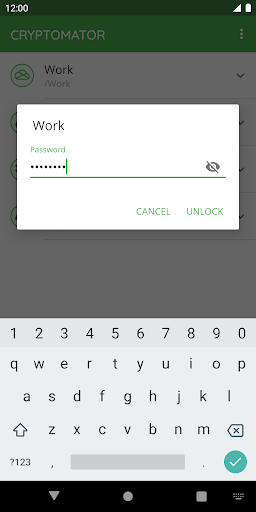
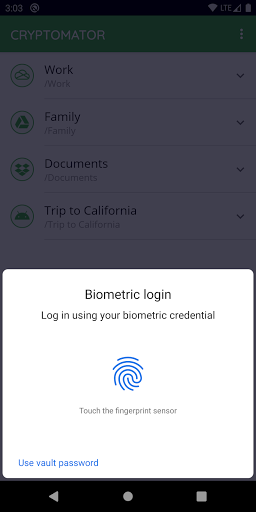
With its intuitive interface, Cryptomator makes encryption accessible to everyone. You can easily unlock your encrypted vaults with a password or even your fingerprint. The app automatically locks your vaults when not in use, providing peace of mind for users who prioritize security without sacrificing convenience.

Features

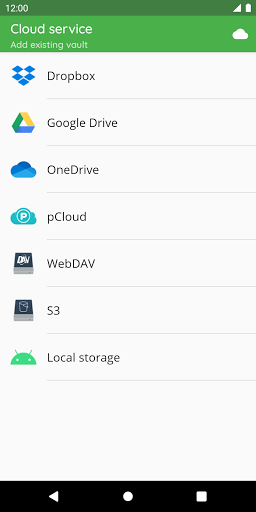
Cryptomator stands out with its compatibility across major operating systems and cloud storage services. Whether you're using Android, iOS, Windows, or macOS, Cryptomator ensures seamless access to your encrypted files. It supports various cloud storage solutions including Dropbox, Google Drive, and WebDAV-based services, making it versatile for different user needs.

Security is at the core of Cryptomator's design. Its open-source nature allows transparency, letting users verify the integrity of its encryption methods. With features like automatic vault locking and brute-force resistance through scrypt, Cryptomator provides robust protection against unauthorized access, ensuring your data remains safe and under your control.

Core task management

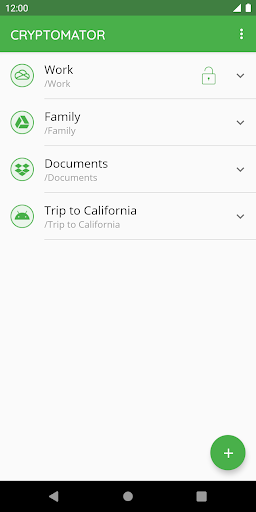
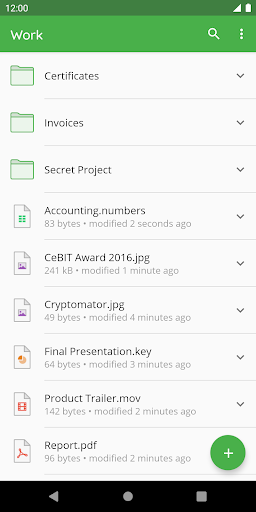
Task management in productivity applications refers to the ability to organize, track, and manage tasks efficiently. For Cryptomator, while its primary focus is on securing cloud data through encryption, it integrates core task management features that enhance user productivity by simplifying the process of encrypting files and managing access to them. The application allows users to create vaults where files can be encrypted before being uploaded to cloud storage services. This straightforward approach eliminates the need for additional accounts or complex configurations, making it an easy-to-use tool for protecting sensitive information. Users can unlock these vaults with a simple password or even their fingerprint, streamlining the workflow and ensuring that only authorized individuals have access to the encrypted data. By focusing on ease-of-use and compatibility with major cloud storage providers like Dropbox, Google Drive, and OneDrive, Cryptomator ensures that users can maintain high levels of security without sacrificing productivity. The app's automatic locking feature when sent to the background further enhances task management by securing data against unauthorized access, thus allowing users to focus on their work without worrying about data breaches. Overall, Cryptomatoru2019s task management capabilities empower users to take control of their digital security effortlessly, enhancing both personal and professional productivity.

Cross-device synchronization reliability

Cross-device synchronization reliability is crucial for productivity tools as it ensures that data remains consistent and accessible across all user devices. Cryptomator excels in this area by providing seamless integration with various cloud storage services, enabling reliable synchronization of encrypted files. When users create a vault and upload encrypted data to their preferred cloud service, Cryptomator ensures that these files are synchronized accurately across all linked devices. This means whether you're accessing your files from a smartphone, tablet, or computer, the encrypted data remains up-to-date and secure. The application supports local storage options on Android devices, which can be used in conjunction with third-party sync apps, further expanding its cross-device capabilities. Moreover, Cryptomatoru2019s compatibility with multiple operating systems ensures that users can access their vaults regardless of the device they are using. This level of reliability is bolstered by the applicationu2019s robust security measures, including AES encryption with 256-bit key length and scrypt for enhanced brute-force resistance. These features not only protect data but also ensure that synchronization processes do not compromise security. Additionally, Cryptomatoru2019s open-source nature allows for transparency in how data is managed and synchronized, fostering trust among users. By combining strong encryption with dependable cross-device synchronization, Cryptomator provides a reliable solution for managing sensitive information across multiple platforms, thereby enhancing productivity and peace of mind for its users.

Props

Easy-to-use interface

Strong AES encryption

Multi-platform support

Automatic vault locking

Open-source transparency

Cons

Limited free features

No built-in cloud sync

Fingerprint sensor required

Occasional performance lags

Subscription costs

Features and Functions

What is this app and what can I use it for?

Cryptomator encrypts files for secure cloud storage

How do I download and install this app on my device?

Download Cryptomator from Google Play Store

How do I get started after opening the app for the first time?

Create a vault and set a password to begin

What are the main features and capabilities of this app?

End-to-end encryption and multi-cloud support

How can I customize my experience and adjust preferences?

Adjust settings via the preferences menu

How do I save or bookmark my favorite content for later access?

Bookmark files within the app's local storage

How can I share content with friends or on social media?

Share files securely via encrypted links

How do I access detailed information and explore more content?

Access details through the vault's file browser

What permissions does this app need and how do I manage them?

Manage permissions in the app settings

How do I check for updates and keep the app running smoothly?

Check updates in the app's settings menu
Show more

User Reveiws

{{ comment.reviewer_name }}
{{ comment.review_date_formatted}}
{{ comment.review_content }}
{{ tab.name }}
{{ comment.reviewer_name }}
{{ comment.review_date_formatted}}
{{ comment.review_content }}
No reviews with this rating














